



Best Website to App Converter Tools (2026 Comparison)
Published on:
16 February, 2026
In 2026, building app from website has become easy and fast. With website to app converter tools and website to app builder software, anyone can turn their website into an app. Whether you are an entrepreneur, business owner, or creator, you can easily create an Android/iOS app without needing to code.
This way, you not only reach the mobile user but also boost engagement toward them and launch your app on the app store quickly and cost-effectively. In this guide, we have listed some of the best tools to transform a website into a mobile app in 2026, so you can start working right away.
What Is a Website to App Converter?
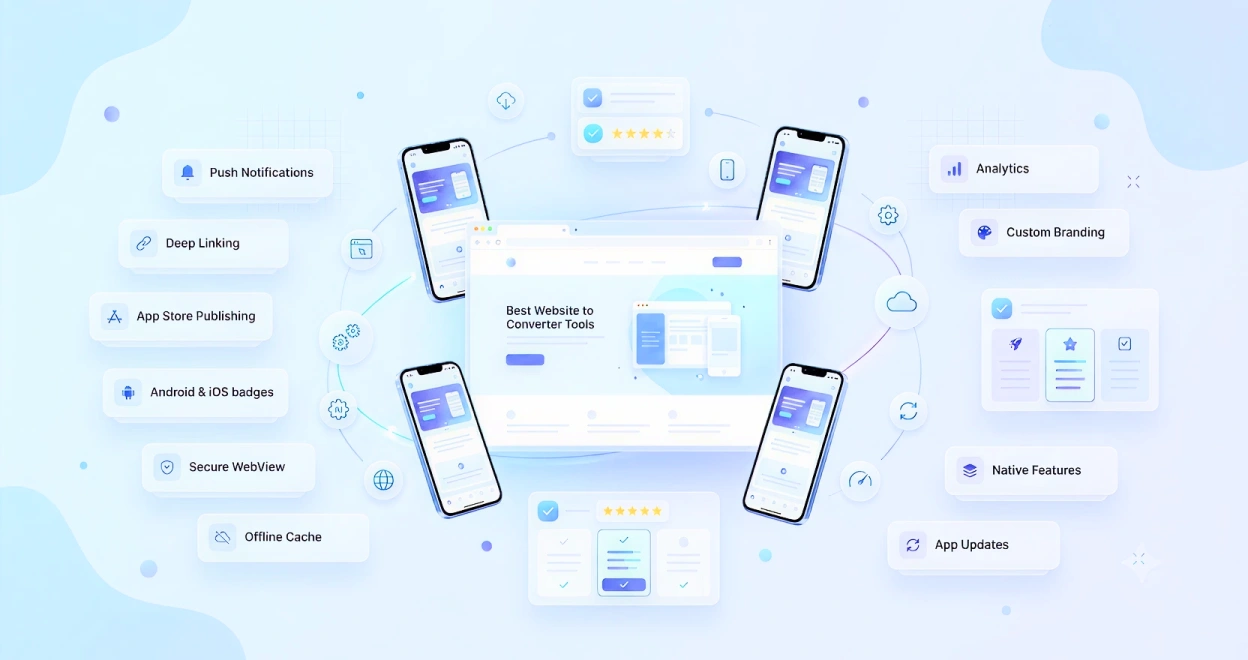
A website to app converter is a tool that works on your existing website and turns it into an app. There is no need to start everything from scratch, as it wraps your web content in an app interface. You just need to add native features based on your personal goals, like push notifications, user login, offline mode, analytics, and more.
Typically, the process starts as:
-
Enter your website URL or integrate with your content management system.
-
Customize your app design and features through drag-and-drop tools.
-
Test the app and submit it to Google Play and Apple App Stores.
Evaluating the Best Website to App Builders
We have considered the following things to determine the top website-to-app converter tools in 2026:
-
How easy the tool is to use, including drag-and-drop features
-
Provide support for building Android and iOS apps
-
Changes in the app automatically update inside the app
-
Customization features, like push notifications, branding, navigation menus, and other native options
-
Helps you publish the app while compiling the app store rules
-
Provide overall value to both small and large businesses
Top Website to App Converter Tools in 2026
WebToNative
WebToNative allows you to transform your website to app without requiring any coding skills. This is especially good for users wanting a quick and effective way to launch their apps. If you use a drag-and-drop interface, you can customize your app's appearance, manage app navigation, and add mobile features based on your personal preferences. Additionally, it makes your publishing process easier, whether you are launching a new iOS or Android app.
Key Features:
-
Live updates on websites show up automatically inside the app
-
Offer features, like push notifications, customize splash screen, deep linking, offline mode, and more
-
Customize your app layout, branding, and overall design
-
Provide a beginner-friendly dashboard
-
Step-by-step guidance to submit your Android/iOS app
-
Built-in security measures help in protecting sensitive user data and app content
WebToNative is an excellent choice for businesses, startups, and individuals waiting for a no-code webview app development solution. Additionally, you can add mobile-specific features and publish the app more easily and quickly.
Appy Pie
Appy Pie is a leading website to app builders. It especially supports Shopify, WordPress, Wix, and custom websites. You can easily convert your website into an app and add essential features like offline mode, push notifications, biometric authentication, GPS, and more.
Key Features:
-
Real-time web-to-app updates
-
Easy drag-and-drop customization
-
Interact with users through notifications and offline mode
-
Launch on Android or iOS
-
Preview the app before publishing
The tool is best for small businesses and beginners with non-technical backgrounds who want to build a professional mobile app.
MobiLoud
Mobiloud is the best tool for websites with heavy content and those who want to turn it into a native app. It works seamlessly with platforms like WordPress and WooCommerce, which ensures the most up-to-date content from your website.
Key Features:
-
Automatic synchronization with CMS platforms
-
Support for offline reading
-
Send reminders to users about new content
-
High-performance apps for Android & iOS
-
Designed well for content-heavy websites
The platform is ideal for publishers and content-driven businesses, requiring better performance and regular content updates.
WebViewGold
WebViewGold is a native wrapper that wraps your website inside a mobile app, helping you to control app behaviour, offline access, and caching. This is the best choice for mobile conversion if you want a webview app with advanced configuration.
Key Features:
-
Offline caching for website pages
-
Alert users with push notifications
-
Advanced features for app behaviour
-
Launch the app on both Android and iOS
WebViewGold is especially for teams or developers who need a fast and reliable webview app.
Twinr
The tool is especially designed for businesses that want to transform their websites into apps with native capabilities. It supports businesses that built websites using WordPress, Shopify, and custom stacks. making it a suitable choice for both content and business-focused apps.
Key Features:
-
Create an app easily and directly from your website without coding
-
Engage with users through push notifications
-
Enable offline view of important pages
Twinr is the perfect choice for business look for easy app development without compromising on useful native features.
Best Website to App Converter Tools (2026 Comparison)
The following table represents a comparison of website to app converter tools:
| Features | WebToNative | Appy Pie | MobiLoud | WebViewGold | Twinr |
| Best for | Beginners, Small Businesses, and E-Commerce Sites | Multi-Purpose Apps | Publishers and Content Websites | Developer-Controlled Webview | Small to Medium Businesses |
| Require Code | Fully No-Code | Fully No-Code | Mostly Code-Free | Need Technical Setup | No-Code |
| Website Sync | Real-Time Updates | Instant | CMS Data Sync | Set Up Manually or Via Developer | Live Sync |
| Push Notifications | Built-in and Easy to Use | Built-in | Built-in | Developer Required | Ready to Use |
| Offline Access | Best Support | Basic Caching | Strong Access to Offline Content | Advanced Caching | Offline Access for Selected Pages |
| Login / Profile | Ready-to-Use Support | Yes | Yes | Yes | Yes |
| Brand and UI Customization | Advanced | High | High | High | High |
| App Store Publishing Support | Guided Support | Step‑by‑Step | Complete Publishing | Manual Configuration | Guided Support |
| Perfect for e-commerce | Excellent | Good | Good | Moderate | Moderate |
| Speed to Launch | Quickest (No Coding) | Fast | Average | Slower (Required Developer) | Fast |
| Great Choice for Non-Technical Users | Overall Strong | Overall Best | Moderate | Technical | Strong |
Tips for Choosing the Right Website to App Builder
Know your Goal: Every platform provides different facilities according to your website, for example, WebToNative for simple no-code apps, MobiLoud for content-heavy sites, etc.
Check Mobile Responsiveness: Make sure that your website is working well on a mobile screen before turning it into an app.
Leverage Native Features: Add native features like push notifications, biometric authentication, deep linking, offline mode, etc.
Test Before Publishing: Check the performance of your app on different devices to ensure a smooth experience.
Conclusion
In conclusion, choosing the best website to app converter tools in 2026 helps you to reach mobile users with your Android or iOS apps. From the above anaylzed report, WebToNative stands out as a great website to app software for no-code simplicity.
This way, you can build a powerful mobile app that not only expands your mobile presence but also enhances user interaction and delivers a professional app experience.
Similar Blogs