



Convert Your Replit Web App Into a Native App — A Complete 2026 Guide
Published on:
7 July, 2026

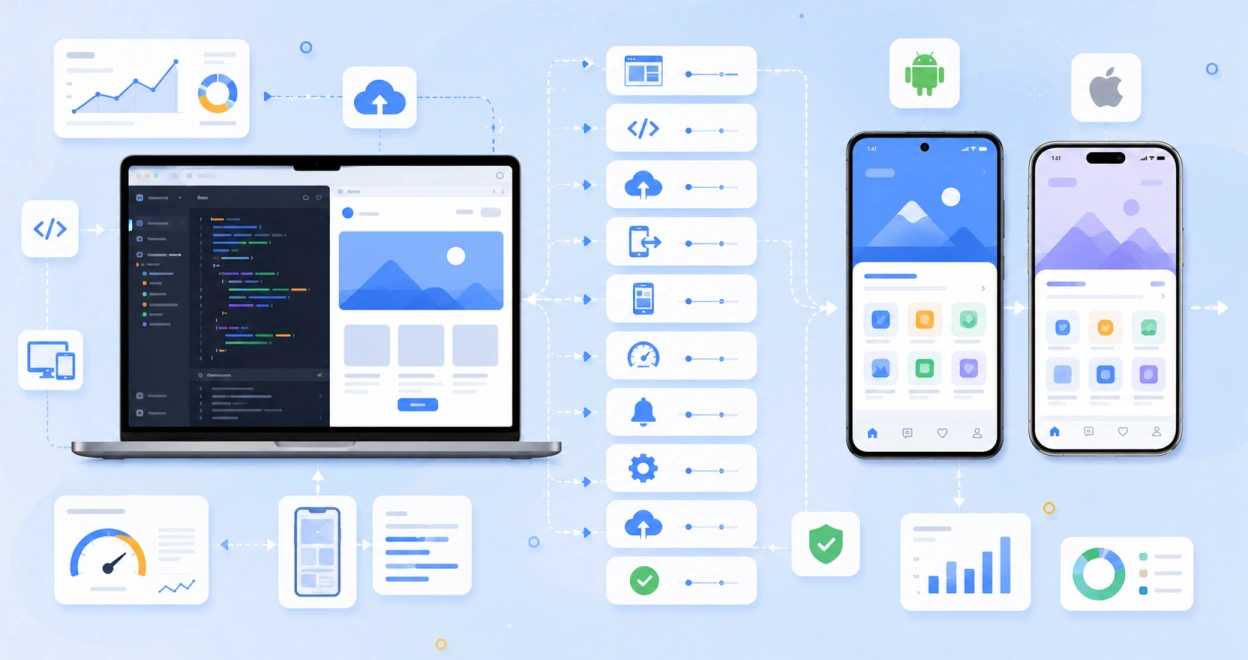
Building a web application on Replit is one of the fastest ways to turn an idea into a working application. So, as your web app grows, users might expect a mobile app experience that is easier to access on their mobile devices. A dedicated mobile application enhances user engagement, encouragement, and visibility, delivering a native experience that relies only on a browser.
Fortunately, creating a mobile application of your Replit web application does not require coding or an extensive budget. The process is easier than people think. With the right platforms, functionality, and approach. You can transform your Replit web app into a functional mobile app that feels more native, accessible, and intuitive.
In this comprehensive guide, we will cover what Replit is, how to convert your Replit web app into a mobile app, whether it is worthy of the conversion, and a few common mistakes.
What is Replit?
Replit is a cloud-based development platform that allows developers, individuals, or website owners to build, test, and deploy applications directly from a web browser. The platform supports multiple languages, providing an integrated environment for coding, collaboration, testing, and hosting projects without needing a complex setup. You only have to describe your app’s idea in natural English language and Replit’s built-in AI will automatically generate the code and infrastructure for you.
The platform is popular, as it simplifies the development process and allows users to build applications virtually from anywhere. Whether you are creating a website or a full-stack application, Replit offers the tools needed to develop and deploy projects quickly from a single workspace.
Does Replit Already Build Native Apps?
Yes, Replit now offers its own Agent + Expo workflow where you have to describe an app in natural language, and it builds a working React Native app for you. The app includes camera access, a guided path to the app stores, and push notifications. Replit has its own tools to build a new mobile app from scratch.
Most Replit users are not beginning from scratch. If you already have a web application live on Replit and just want a mobile version of it. But rebuilding everything in React Native does not make sense, as you have to deal with long development cycles, extensive budgets, and manual effort. This is where WebToNative comes in. It converts your existing website into a fully functional mobile app with your Replit backend, frontend, and workflow remaining the same.
Is It Worth Turning Your Replit Website Into an App?
While Replit makes it easy to build and launch applications more quickly, most users prefer accessing your business services through dedicated mobile apps. Below are a few essential benefits of turning your Replit website into a mobile application.
- Enhances Home Screen Presence
Your app's icon stays on the Home screen next to other apps. So, users open it out of habit rather than juggling between websites in a browser.
- Actual Push Notifications
Delivering push notifications is a mobile app's primary advantage. A push notification is sent directly to the user’s mobile screen, encouraging users to take action inside the app.
- Offline Functionality
Once the app is installed on the mobile device, cached content remains available even when the connection is interrupted or broken. So, users are not left with a blank browser error.
- Increased Reliability
Your app is visible on the App Store listings, which increases the trust and credibility of the app.
- Better App Performance
A mobile app appears to be faster and stays logged in without losing any preferences or behavior.
- No Rebuild Required
Your Replit codebase, backend, frontend, and workflow stay as they are. If you update anything on your website, it will automatically update inside the app.
If repeat visits and long-term engagement matter to your app, converting your Replit website into an app is one of the fastest ways to get there.
How Does WebToNative Help Convert a Replit-based Website Into a Mobile App?
WebToNative is a no-code or low-code app development platform that converts your Replit-based website into a mobile app for Android and iOS without writing lines of code. You only require your active Replit website URL. The platform wraps it into a secure native shell without a separate codebase.
Here is a list of things that make the conversion smooth.
1. Real-Time Synchronization
Any changes or updates to your Replit website are reflected in the mobile app automatically without any rebuilds or resubmissions.
2. Wide Range of Add-Ons
WebToNative offers a comprehensive range of add-ons, such as push notifications, geo-location support, downloads & uploads, offline functionality, in-app purchases, Stripe, dynamic app icons, and more. These additional features help you deliver more personalized and advanced mobile app experiences.
3. No Coding Required
In the entire conversion process, you don’t require any technical skills or coding knowledge. The platform has features and functionality that make it easier for people to customize the app.
4. End-to-End Publishing Assistance
WebToNative’s team assists with submitting your mobile app to the Google Play Store and Apple App Store with 24/7 support.
Converting any website into a mobile app with WebToNative only takes minutes, not days or months.
Before You Begin — Things to Keep in Mind
Keep the following points in mind before moving towards the conversion process.
1. Your Replit website needs to be live with a public URL. If the website is only running inside the Replit editor and does not have a live website address, the conversion process won't work.
2. No rebuild is required. WebToNative wraps your website in a native shell. So, React, Node.js, Python, Django, HTML, or Flask projects all work without any rebuilds or additional submissions.
3. Apple reviews are stricter than Google's. Your website must feel like an app with smoother native navigation and faster loading times before you submit the app for review.
4. Login and cookies require separate testing. If your app is authenticated, then you must test it individually on Android and iOS. Since both platforms handle the sessions differently.
5. Ensure your app’s branding is ready. Your app must have an app icon, a splash screen, and a specific color theme reflecting your brand.
Keeping these things already prepared will speed up the conversion process.
Convert Your Replit Website Into a Mobile App Using WebToNative — The Complete Roadmap
Follow this step-by-step journey from moving a simple website to a native app available in the app stores:
Step 1: Make Your Replit Web App Ready
You don’t need to redesign or rebuild anything. Just update features to a higher level. We recommend making your Replit app PWA-ready to deliver better offline functionality. If you wish to add PWA features before the conversion, here is what helps to do this:
-
Adding a web manifest
-
Registering a service worker for offline caching
-
Ensure your website runs on HTTPS
The above things ensure that your Replit website and mobile app deliver native functionality smoothly on Android and iOS.
Step 2: Paste or Enter Your Replit Website URL
-
Navigate to WebToNative.
-
Sign up or log in with your credentials.
-
Enter or paste your Replit website URL.
Step 3: Wrap Your Website Into a Mobile App
WebToNative packages your PWA Replit website as a mobile app for Android and iOS. It handles the entire setup in the background, allowing your web app to run inside a mobile app container and providing people with a smooth mobile experience.
Step 4: Customise Your App and Settings
You must customize your app with your brand-specific colors, app icon, splash screen, and a few app settings like status bar color, caching, and pinch-to-zoom for better navigation inside the mobile app.
Your website is a mobile app, so you should use the same color theme to make users already familiar with the brand or business.
Step 5: Download the App Files
Once the app build is complete, download the Android and iOS app build files from the WebToNative dashboard. You also get a live preview of your app inside the WebToNative mobile app.
Step 6: Test the App Build on Real Devices
After downloading the app build files, test both the Android and iOS apps on real devices. You must look upon things like the following:
-
App opens smoothly on mobile devices without any delay or glitches
-
Your website appears perfectly inside the mobile app on a mobile device
-
Your mobile app should use offline capabilities
-
Shows your business-driven colors, themes, splash screen, and app icon.
Step 7: Add Additional Add-Ons or Capabilities
You can integrate additional add-ons like Stripe, Google AdMob, AppsFlyer, Download File Manager, Sendbird, disabled screenshots, and App Clip, making your app more powerful and native. WebToNative supports 120 + Add-Ons for your mobile app.
Step 8: Verify Cookies and Login Behaviour
Check login and cookie behavior separately on Android and iOS platforms. Since both platforms handle cross-origin requests and cookie persistence differently.
Step 9: Publish to the App Stores
After converting your Replit web app into a mobile app, the final step is publishing the app on the App Store.
Publishing on the Google Play Store
Publishing an Android app is a straightforward process. During the submission process, you must focus on the things you have to provide:
-
App name and description
-
Screenshots of the mobile app
-
APK or AAB file
-
Privacy Policy URL
-
Data Safety Information
Publishing on the Apple App Store
Apple has stricter review guidelines that require your app to be purposeful rather than just a website wrapped in a mobile app. You must keep the following things in mind:
-
You must include a few native features such as push notifications, geo-location support, splash screen, or camera access.
-
Clearly explain the offline capability or native integrations in the review notes.
-
Ensure your app name, description, screenshots, and intuitive experience accurately reflect what users will see after installing the app.
Take time to prepare your app properly for each platform to help streamline the review process and reduce the chances of rejection.
How Does Your Replit App Function After Conversion?
Once your Replit app is built and live on the App Stores. Here is exactly how the Replit app will function after the conversion process.
1. Live Synchronization with Your Replit Website
Whatever you update or push to your live Replit website appears inside your app immediately. As the app is just a native shell wrapped around the website URL.
2. No Resubmission for Regular Updates
Content, feature, and design changes on your website do not need a new app store submission. Only changes to native-level permissions or SDKs require submissions.
3. Same Backend and Database without Duplication
Your Replit backend, database, and APIs keep working exactly as they were. Nothing gets changed or copied to a separate mobile server.
4. Native Shell Handles the Mobile-Only Layer
Push notifications, splash screen, and offline caching are managed by the wrapper itself. So, you don't have to write any code inside the Replit for the mobile app.
5. Platform-Specific Setup Runs Independently
Android and iOS each need their own configuration, such as Digital Asset Link for Android or Apple’s review compliance for iOS, even though both point back to the same website.
6. Consistent Experience Across Devices
Users on iPhone and Android devices see the same features and content, as both versions load from the same live source.
7. You Stay in Full Control
As Replit is the source of truth, you continue to build and ship updates the same way you always have with the mobile app, just following along.
That’s why the wrap-and-launch strategy works so well for fast-moving Replit projects. It doesn’t make you faster at developing; it just makes you bigger.
Common Mistakes to Avoid
Many rejections and delays during the conversion process can be linked to these mistakes.
1. Skipping PWA Basics
Launching without the right website manifest, mobile responsive layouts or service worker means your app is carrying every edge from the website and the reviewers notice immediately.
2. Testing Only in a Desktop Browser or Simulator
Facing issues such as scroll bounce, font scaling, and keyboard overlap almost never show up until you test on a real device. So skipping this step will lead to either app rejection or a longer app development process.
3. Submitting Before the App Feels Native Enough
If your website appears as a bare website page without native functionality, Apple’s reviewers will flag it under their minimum functionality guidance. The apps must offer more than just a web browser tab does.
4. No Cookie Testing and Skipping CORS
Both Android and iOS platforms manage cross-origin requests and cookie persistence differently. So a login flow that works on one platform might fail on the other platform.
5. Ignoring Digital Asset Links Setup for Android
If your app includes login, neglecting this verification is one of the most frequent Android submissions that gets flagged during the review process.
6. Submitting with No Native Feature
If an app lacks device-specific features and push notifications, it could be mistaken for a wrapped website rather than a genuine mobile application.
7. Last-Minute Branding
A missing splash screen, inappropriate app icons, or inconsistent naming across the two stores can delay approval even when the core app works fine.
8. Underestimating Apple’s Review Timeline
Assuming Apple reviews as fast as Google’s reviews often leads to missed launch dates. Apple goes into a thorough check for the native feel and functionality.
Frequently Asked Questions
Q1. Can I convert any Replit website into a native app?
A. Yes, as long as your website is publicly deployed with a live URL. It works across frameworks, including React, basic HTML, Python, JavaScript, and Node.js projects.
Q2. Do I need to rebuild my app in React Native?
No, WebToNative wraps your existing website. Your Replit codebase and workflow stay the same.
Q3. Will my app update automatically after I make changes on the Replit website?
A. Yes. Features and content updates on your live Replit deployment reflect inside your app automatically without a new app store submission.
Q4. Why does Apple take longer to approve wrapped apps?
A. Apple’s review process on website-wrapped apps against its minimum functionality guideline checks for native features such as offline support and push notifications before approval, which takes longer than Google Play’s review.
Q5. Do I need a Digital Asset Links file?
A. Only if your Android app uses cookie-based sessions or login. It confirms your app and website are owned by the same party and prevents common review rejections.
Conclusion
Turning your Replit project into a native app. You already did the hard part when you built and shaped something on Replit that actually works. The rest is largely configuration: getting your PWA basics right, setting up the platform-specific pieces like Digital Assets Links & Apple’s review requirements, and testing on real devices. With WebToNative, your Replit workflow stays the same inside the mobile app.
Similar Blogs