



How to Enroll in the Apple Developer Program: A Step‑by‑Step Guide 2026
Published on:
11 May, 2026

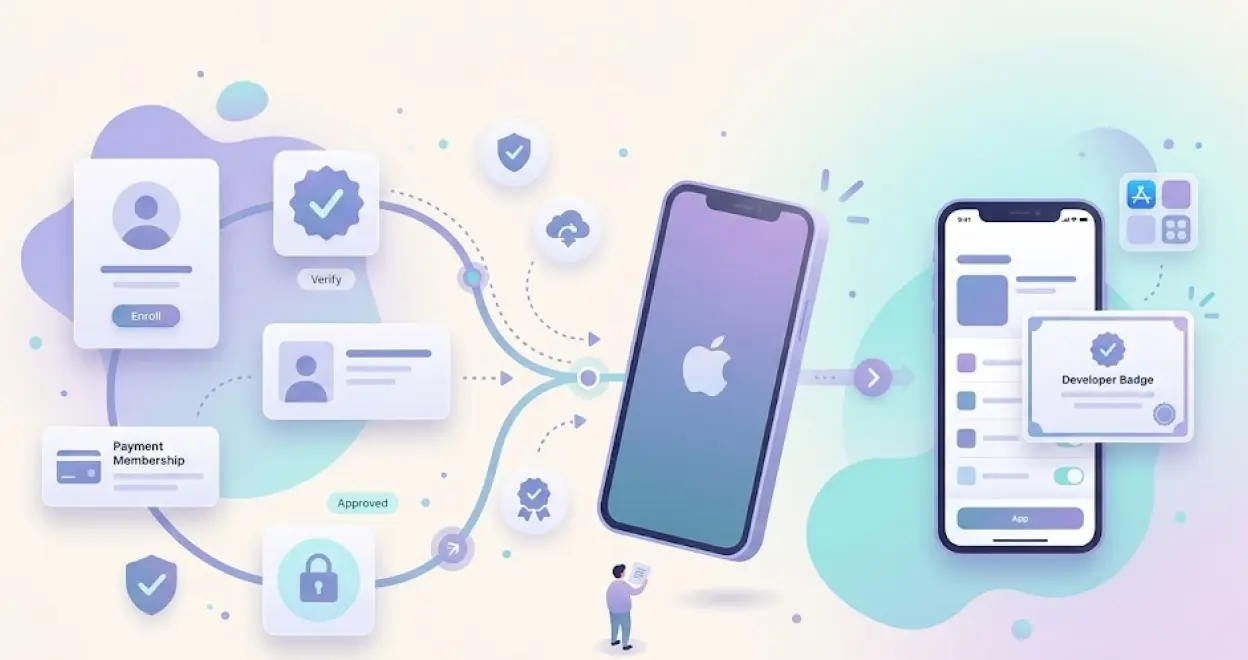
Enrolling in the Apple Developer Program is the first step if you want to publish your app on the Apple App Store. Without an active Apple Developer Program membership, your app cannot reach real users on the App Store, no matter how useful and polished your app is.
This comprehensive blog covers everything about the Apple Developer enrollment process, from requirements to common mistakes.
Whether you are a beginner or an experienced developer, this guide is focused on simplifying the complete process of successful enrollment to get your app ready to go live on the App Store.
Continue Reading…
What is the Apple Developer Program?
The Apple Developer Program is Apple’s official paid membership program for businesses, freelancers, developers, or anyone who wants to distribute their apps on the Apple App Store publicly.
With an active Apple Developer account, you get complete access to Apple’s developer tools, such as App Store Connect, TestFlight for apps' beta testing, Apple Pay, and Push Notifications.
Without an Apple Developer Account, you can build and test your app but cannot release it publicly on the App Store.
Apple Developer Program Cost and Membership Details
The Apple Developer Program is billed at $99 USD per year at the time of enrollment. It will be automatically renewed every year unless it is cancelled. Prices appear in local currency depending on the customer’s location.
Apple offers a fee waiver to non-profit organizations, government entities, and accredited educational institutions. You can apply for a fee waiver at Apple’s official website.
In case your Apple Developer Program membership has expired or been cancelled, your apps will be removed from the App Store within 24 hours of expiration. Renewing the membership will restore the app and make it available for downloads.
Which Account Type Do You Need: Individual Vs Organization?
You have to choose between two accounts, whether individual or organizational, in the enrollment process.
Below are some parameters that will help you choose the right account for your app.
| FEATURE | Individual | Organization |
|---|---|---|
| Who It Is For | Freelancers, Solar developers | Businesses, start-ups, teams |
| App Store Seller Name | Your personal legal name | Your registered business name |
| Collaborators or Team members | Not Supported | Fully Supported |
| D-U-N-S number required | No | Yes |
| Admin access for Third parties | Not possible | Support through App Store Connect |
| Recommended for app platforms | No | Yes |
Important: If you are using third-party platforms or working with a team that will submit your app on your behalf, you must enroll as an organization. This is mandatory to grant Admin access in App Store Connect.
Requirement before Enrollment Process
You must collect everything before starting the enrollment process to save time and effort. Below is the list of the things you need, depending on the account type you have chosen.
1. For an Individual Account:
-
An Apple Account (Apple ID) with two-factor authentication enabled
-
Your personal legal name entered in your Apple Account profile
-
An active email address, phone number, and physical address
-
You must be of the legal age of majority in your region
-
An iPhone, iPad, or Mac is necessary for identity verification through the Apple Developer app
-
A valid credit or debit card or PayPal account for the Apple Developer Program fee
Things to Keep in Mind
-
Don’t use nicknames, abbreviations, or company names as your first and last name, as this can lead to a delay in enrollment approval.
-
P.O. (Post Office) boxes are not accepted.
2. For an Organization Account:
-
An Apple Account with two-factor authentication enabled
-
A D-U-N-S number (a nine-digit unique number)
-
Your organization’s registered legal entity name must match the D-U-N-S record.
-
A globally accessible, useful, and working website
-
You must be the organization's owner or an employee with a legal authority guaranteed by a senior employee
-
An active organization phone number for call verification
-
An active Apple Developer Program membership
What is a D-U-N-S number?
It is a different nine-digit number that serves as a standard business identifier issued by Dun & Bradstreet. It is used to verify your legal presence, the organization’s identity, and physical address. Check whether you have this number for your organization. In case you don't have one, visit the Dun & Bradstreet official website to get one.
Things to Keep in Mind
-
Apple recommends using your official business domain email address
-
Apple does not accept DBAs (Doing Business As), fictional business names, or branch names. For example, Dev Studios, Tech King, and Code Master are names that can lead to rejection.
-
Links to social media handles or websites inside the app should not be empty, weak, or incomplete.
-
Your business phone number should be active, as an Apple reviewer might call.
Step-by-Step Process to Enroll in the Apple Developer Program
Log In Or Create an Apple Account
TIP: You must use the same iOS device for the entire enrollment process of the latest version.
-
Go to the Apple Developer Enrollment website
-
And click on the “Start Your Enrollment" button.
-
Log in to your Apple account either from the website or any iOS device.
-
If you don’t have an account, create an Apple account.
-
Your Apple account must have two-factor authentication enabled.
How to Enroll in the Apple Developer Program as an Individual
Below are the steps to follow as an Individual to enroll in the Apple Developer Program.
Step 1: Enter Your Information
-
Enter your first name, last name, and phone number. Your personal legal name will be listed as the seller of your app on the App Store.
-
You will be asked to verify your identity using a driver's license or any government-issued picture ID. (If requested)
Step 2: Select the Entity Type
- You have to select the entity type as Individual.
Step 3: Agree to the License Agreement
-
Once your account is verified by Apple, then only you can view the agreement.
-
Review the terms and conditions of the Apple Developer License Agreement thoroughly.
-
Click on Agree to move further in the enrollment process.
Step 4: Complete the Membership Purchase
-
After the verification and agreeing to the terms, you have to make the purchase to move further in the enrollment process.
-
The Apple Developer Program fee is $99 USD per year. Prices might differ depending on the region.
BONUS: As you are enrolling through the website, you will have multiple payment options during the purchase. You must use your own credit card when enrolling as an individual. If you don’t use your credit card, it might delay your enrollment, and Apple may ask for a government-assigned picture identification.
Step 5: Receive Confirmation
-
After the successful purchase, you will receive a confirmation email to check the status of your enrollment.
-
Sign in to your account on the developer website with the Apple account you used to enroll.
-
In case you haven’t received a membership confirmation email within 24 hours of making the purchase. You must contact Apple Support with your enrollment ID inside the support request.
How to Enroll in the Apple Developer Program as an Organization
Below are the steps to follow as an Organization to enroll in the Apple Developer Program.
Step 1: Select the Entity Type
- You have to select the entity type as Organization such as a company, partnership, government, joint venture, or non-profit organization.
Step 2: Enter Your Organization Information
-
Enter your organization’s legal entity name and D-U-N-S number.
-
This information must match your Dun & Bradstreet records completely.
-
You should provide the headquarters' physical address, active phone number, and a publicly accessible website that is associated with your organization's domain.
Step 3: Verify Signing Authority
-
Confirm that you have the authority to bind your organization to legal agreements.
-
You must provide the contact information of a senior employee to verify your authority.
-
If you are not the organization founder or owner, you must provide a reference who can confirm that you are an employee with the legal authority to enroll your organization and bind legal agreements.
Step 4: Submit and Wait for Apple’s Review
-
After you have submitted your information, it will be verified and reviewed by Apple.
-
You will receive an email with the further steps after successful verification.
-
Apple may ask for your organization’s documentation that is notarized to certify that the copy you provide is true of your original document.
-
As per the region, notarization may be done by the solicitor, notary public, municipal office, or other means.
Step 5: Agree to the License Agreement
-
Once your enrollment is verified and approved by Apple, you will receive an email to move further in completing the enrollment process.
-
Sign in with the Apple account you used for enrollment and review the terms of the Apple Developer License Agreement thoroughly.
-
Click on Agree.
Step 6: Complete the Membership Purchase
-
After the verification, approval, and agreeing to the terms, you have to make the purchase to move further in the enrollment process.
-
The Apple Developer Program fee is $99 USD per year. Prices might differ depending on the region.
Pro Tips: If you are a nonprofit organization, government entity, or accredited educational institution, you have to meet certain requirements and request a fee waiver.
Step 7: Receive Confirmation
-
After the successful purchase, you will receive a confirmation email to check the status of your enrollment.
-
Sign in to your account on the developer website with the Apple account you used to enroll.
-
In case you haven’t received a membership confirmation email within 24 hours of making the purchase. You must contact Apple Support with your enrollment ID inside the support request.
How much time does enrollment take to approve?
| Account Type | Approval Time | Main Factor |
|---|---|---|
| Individual | 1 to 3 days | Identification Speed |
| Organization (D-U-N-S exists) | A week or more | Apple's long queue |
| Organization (D-U-N-S required) | More than a week | D-U-N-S processing and Apple review |
Usually organizational accounts take a long time period for approval, and it might get more delayed because of Apple’s long queue of enrollments. Even a spelling error or a comma can delay the process.
Setting Up App Store Connect—after enrollment
Once your Apple Developer Program membership is activated, your immediate next steps are in App Store Connect. It is the Apple portal for managing your apps, users, analytics, and sales.
Important Actions
-
You should accept the latest App Store Connect agreements.
-
The account holder should do this before submitting any app. Create an App ID for your app under Certificates, Identifiers, & Profiles.
-
Add members or third-party collaborators, such as publishing partners, by navigating to Users and Access and inviting them with appropriate roles.
-
Set up certificates and provisioning profiles for distribution
-
Create your app listing in App Store Connect and complete the App Store product page metadata.
Common Apple Developer Enrollment Issues and their Fix
Below are a few common issues listed with their solutions.
1. Two-factor authentication is not enabled
This usually happens when your Apple ID is managed by someone else or a third party.
Fix: Create a fresh personal Apple ID and use that for your developer account enrollment. Ensure the Apple ID is not linked with any organization.
2. Organization Enrollment Stuck in Review
The most common cause is a name mismatch between your submitted legal entity name and your D-U-N-S record.
Fix: Navigate to Dun & Bradstreet to verify the name of the file and update your enrollment submission to match it perfectly with punctuation and abbreviations.
3. Phone number is not reachable
The phone number mentioned in the D-U-N-S record is not reachable by Apple to verify your organization.
Fix: Navigate to Dun & Bradstreet and update the active phone number inside the D-U-N-S records. Apple reviewers call, and then someone is there to answer and identify the organization.
4. Payment Declined
The payment for the membership fee was declined, which is delaying the enrollment process.
Fix: Try a different payment method. If the payment is declined again, ensure the billing address on your card is the same as that registered with your bank. Contact Apple Support if all payment methods have failed.
5. Identification Failed
The government-issued picture identification has expired or has inappropriate information that leads to failed identification.
Fix: Make sure that the government-issued picture ID is not expired and has proper information. Use the Apple Developer App on a trusted iOS device. In some regions, only specific ID types are accepted.
6. Legal Entity Name not Accepted
Apple does not accept trade names, casual business identifiers, nicknames, or branch names. The business name entered in the enrollment process should be a legal entity name. Otherwise, the enrollment will not be approved and will be delayed.
Fix: The name must be the registered legal name of your organization, the same as it appears in government business records and on your D-U-N-S profile.
Regional Availability and Additional Documentation
The Apple Developer Program is available in most countries worldwide, but enrollment requirements might be different based on the region. Some countries require additional steps, such as notarized copies of organization registration documents. Other regions may have different forms of government-issued ID for identity verification.
Enrollment in the Apple Developer Program is available both through the website and the Apple Developer app. Other regions may have different forms of government-issued ID for identity verification. The app-based identification in selected regions provides a streamlined identity verification experience using your device's biometrics, such as Face ID and Touch ID, alongside a government ID scan.
How to manage your Apple Developer membership after enrollment?
Your membership expiration date is visible inside the Membership details section of your account on the Apple Developer website.
1. Renewing Your Membership
You can use the option for automatically renewing the membership. If choosing this option, the default credit or debit card associated with your Apple account will be charged the annual membership fee before the expiration date.
You can manually review the membership before 30 days of the expiration date by signing in to your Apple account.
2. Managing Your Device List
Before the 30 days of membership expiration, you have the option to download a copy of your registered test devices or to remove all the devices immediately if you do not wish to renew the membership.
If you renew the membership, you and the admins will be given the option to remove registered test devices that are no longer used for development. These are devices that you have used when you first signed in to Certificates, Identifiers & Profiles at the beginning of your new membership year.
3. Making Account Changes
Any changes to your account, including transferring account roles or switching an individual to organization membership, must be made after the account membership has been renewed.
- For Organizations
Membership renewal must be done by the account holder, with the ability to automate the membership renewal. The contact information about the account holder is inside the Membership Information section of your account.
- What if Your Membership is Expired
If your Apple Developer Program membership has expired, your apps will no longer be available for downloads, and you won’t be able to submit new apps or updates or access Certificates, Identifiers & Profiles. However, your app will function the same for users who have already downloaded or installed it. You will have limited access to App Store Connect features and free development resources.
FAQs
Q1. What if I am under the legal age of majority?
A. If you are under the legal age of majority in your region, your parent or guardian can enroll with their Apple account and share their account with you.
Q2. What is the membership cost of the Apple Developer Program?
A. The membership cost of the Apple Developer Program is $99 billed annually. Prices might be different depending on the region and are listed in the local currency during enrollment.
Q3. What is a D-U-N-S number and how do I get it?
A. A unique nine-digit number that is a business identifier issued by Dun & Bradstreet. It is necessary for all organizational accounts. You can get the number from the Dun & Bradstreet official website by registering for it.
Q4. Can I use my Apple Developer account for multiple apps?
A. Yes, an Apple Developer account can have an unlimited number of apps across all Apple platforms managed through an App Store Connect account.
Q5. How much time does it take for the enrollment approval?
A. For individual accounts, it would take 1 to 3 days for approval. For organizational accounts, it would take more than 7 days for complete approval.
Q6. Is it necessary to renew the membership every year?
A. Yes, it is necessary to renew the membership every year. If you want to continue to make the app download and updates available for users, then you have to renew the membership.
Conclusion
Enrolling in the Apple Developer Program is made simple by following the above instructions and steps. The essential requirements, such as D-U-N-S number, legal entity name, account selection, and more, help to streamline and speed up the enrollment process.
Once enrollment is approved, keep your membership active, accept the App Store Connect agreements, and maintain proper team access to the app. Avoid common enrollment steps to ensure a smooth submission process.
Ready to submit your app after enrolling? Follow our complete guide: How to Submit Your iOS App to the Apple App Store.
Similar Blogs