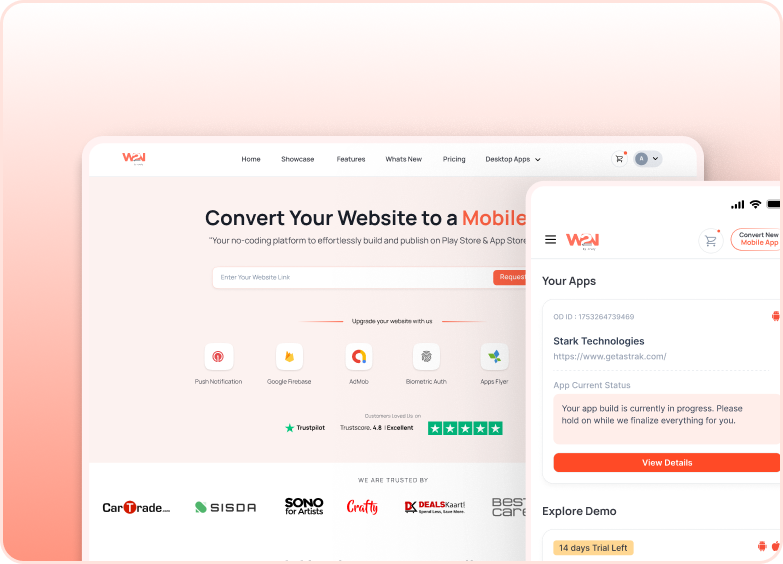
Convert Your Website into Windows App

Transform Your Website to Windows App to enhance speed and accessibility.

Convert Your Website into Windows App

Steps to Build Your Windows App

1

Enter Website URL

Paste website URL & Go.

Enter Website URL

Enter the website link you would like to convert into a mobile app.

2

Build & Test your App

Download the demo app to test.

Build & Test your App

Download & Test to add add-ons to your demo app.

3

Publish & Launch

Ready to publish on Play Store & App Store.

Publish & Launch

Getting your app delivered and launched within 24 hours.

Everything Under Your Control

With Our Intuitive Visual Builder, Sync, Customize, and Preview in Real-Time.

icon

Real-time Synchronization with your Website

Your Windows app is automatically synced with your website in real time. The changes will be made instantly as you change on the website, with no manual update needed in the windows app. Make sure content and user experience are consistent across the website and app.

icon

Highly Customizable

You have full control over your windows app’s user interface to make it a reflection of your business—customize navigation, layouts, icons, and elements to design your app’s impression.

icon

Preview & Real-time Feedback

Preview every change or update you make in the app’s preview. With Real-time feedback, provide quick updates for a smooth app launch process.

Upgrade Your App with Powerful Features

Explore Features and Add-Ons to boost your app growth, tailored for your Business.

Upgrade Your App with Powerful Features

Push Notifications

Speed-up engagement and retention with real-time mobile push alerts.

Upgrade Your App with Powerful Features

Extensive Customization

From layout to branding, customize every detail to make the app truly yours.

Upgrade Your App with Powerful Features

End-to-End Assistance

Got a question? Our team’s always ready to help — no tech talk, just real answers.

Trusted by Leading Companies Globally

"Incredible Team !!! They helped me a lot but you have to pay a little, but the price is really really cheap. If you want good work you have to go through them? Thank you very much."

Team FitAndView

Reviewed on

google

"A great experience. Prompt, professional, reliable service. Prices were very competitive and reasonable. Quality of workmanship very good. Everything promised was delivered. Much better option than three North American firms I tried. My app was up and running quickly."

Robert Lee

Reviewed on

google

"I choosed the options for my Android app in minutes and purchased the app then. In under 15 minutes the app was delivered to me including the .aab file for submitting it on the Play Store. I had one issue and contacted the support team, they responded to me with fixing the issue same day! I can't believe the quality and support I got from webtonative, I recommend them if you are looking for the best option! "

Pavle Danilov

Reviewed on

trustpilot

"Web2Native has been amazing! I switch over to them because of problems I was having with a large app company. They have even made little changes needed to make the app framework fit with our design and UX. I’m looking at how to switch my other apps over to them now, they are great. "

Thomas Brown

Reviewed on

trustpilot

"We've been using successfully WebToNative to provide mobile apps to our customers. The platform itself is pretty easy to use and builds are generated very fast. As long as they keep up the good work, we'll recommend their services, for sure!"

João André Ferreira

Reviewed on

linkedin

"Best Service Used W2N many times for ios and Android apps and outstanding quality and respectful support team."

Mazen

Reviewed on

trustpilot

"We use their services for first time now to prepare apps ios/android from our site. Very kindly support, they explain calmly, guide for corrections. Good partner, complete all details what we need. Thanks!"

Desislava Pingelova

Reviewed on

trustpilot

"I can’t describe the feeling of seeing your app on the App Store for the first time!!!! WebtoNative is a genius service! I created a mobile responsive website and they ported it to an app! They do both iOS (Apple App Store) and Android (Google Play Store). They communicated with me every step of the way. My app had several minor issues to fix and they got me through it. You can see my app Questometer on the Apple App Store."

EMC

Reviewed on

trustpilot

"Webtonative team were helpfull and professional. Thank you to the team for helping me in uploading the app to google playstore. Recomend to all.."

Chocki Dorji

Reviewed on

trustpilot

"I am very Happy, my very first app was published in both play store and app store, web2native guys are so supportive and patiently worked on every rejection of my app from app store, I really not expect this much support work for such less price,I am planning to promote few more my clients app with these guys, I am 100% happy with web2native app service"

Chandrika app dev

Reviewed on

trustpilot

"An excellent product, easily converted my Wordpress website into an app and uploaded it to iOS and Android. Love the fact you can add extra add ons that are more appealing to app stores, like bottom navigation and external links. I'm not very good at app development and needed some extra help and did this so quickly via WhatsApp, they were incredibly helpful and patient. Would highly recommend them"

Rob Endicott

Reviewed on

trustpilot

Frequently Asked Questions

Getting started with WebToNative we have all covered you here.

How i can convert my website into a windows app?

You just need a website URL, app name, and logo.

What all features will my app support?

Your app will support features such as offline access, push notifications, geo location, deep linking and many more.

Do I need to add the content of my website into the Windows app?

No, your app will be automatically synced with your website in real time.

Will it help in revenue generation or add ads?

If your website has ads or revenue generation tools, then they will work inside the app as well. WebToNative supports ad SDK integration if required.

How WebToNative convert a website into a mobile app?

WebToNative uses WebView to pack your website into a mobile app with push notifications, offline access, and more. To convert your website into a mobile app, Visit https://www.webtonative.com/.
Got More Questions? We've Got Answers

GET YOUR HANDS ON

Convert your Website to Windows App to drive Results

Get your high-performance Windows App—no code, no delays. Faster App Launch