HTML/CSS/JS to Android & iOS App

Turn a Folder of HTML into an
Android & iOS Apps

No Website or Server Needed, Runs Fully Offline, 120+ Native Add-Ons

Upload a ZIP of your HTML, CSS and JavaScript files.

Upload a ZIP of your HTML, CSS and JavaScript files.

We bundle it into a native app that loads instantly.

Max 20MB

Build Into

Android

Android

.aab & .apk Files

iOS

iOS

App Store Ready

Your Content Ships Inside the App

Our website-to-app product loads your live site over the network. This one packages your files into the app itself, which changes what the app can do.

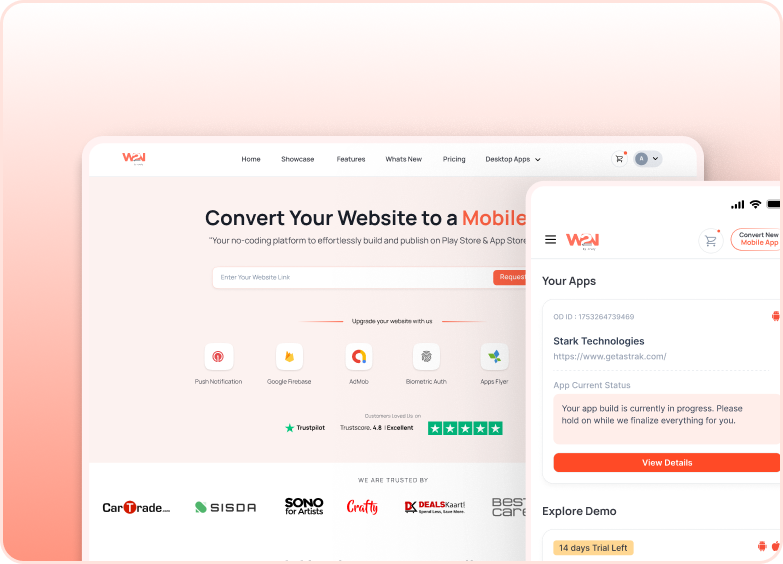
Website URL to app

Website URL to app

The app loads your hosted site each time it opens.

Needs a live site on HTTPS

First screen waits on the network

Blank or offline screen with no signal

Your server carries every app user

Site changes appear immediately

HTML Zip to App

HTML Zip to App

The app carries your files and reads them from the device.

No Servers

No hosting, no domain, no server bill

Instant Access

Opens instantly, every time

Works Anywhere

Works on a plane, in a basement, in a field

Low Maintenance

Nothing to keep running or keep patched

Your Control

You choose when changes go out

ONE PLACE FOR EVERYTHING

Update Without App Store Review

Upload a new ZIP and your app updates itself. Without any new build and app store review required.

Edit and re-zip

Edit and re-zip

Change a price, fix a typo, add a page. Zip the folder again.

We work out what actually changed

We work out what actually changed

We compare your upload against the live version and send only the files that differ. A typo fix is a few kilobytes, not a fresh download of your whole app.

Devices update themselves

Devices update themselves

The update applies on next launch. Nothing for your users to do, nothing to install.
Update Without App Store Review

Test First. Publish Safely.

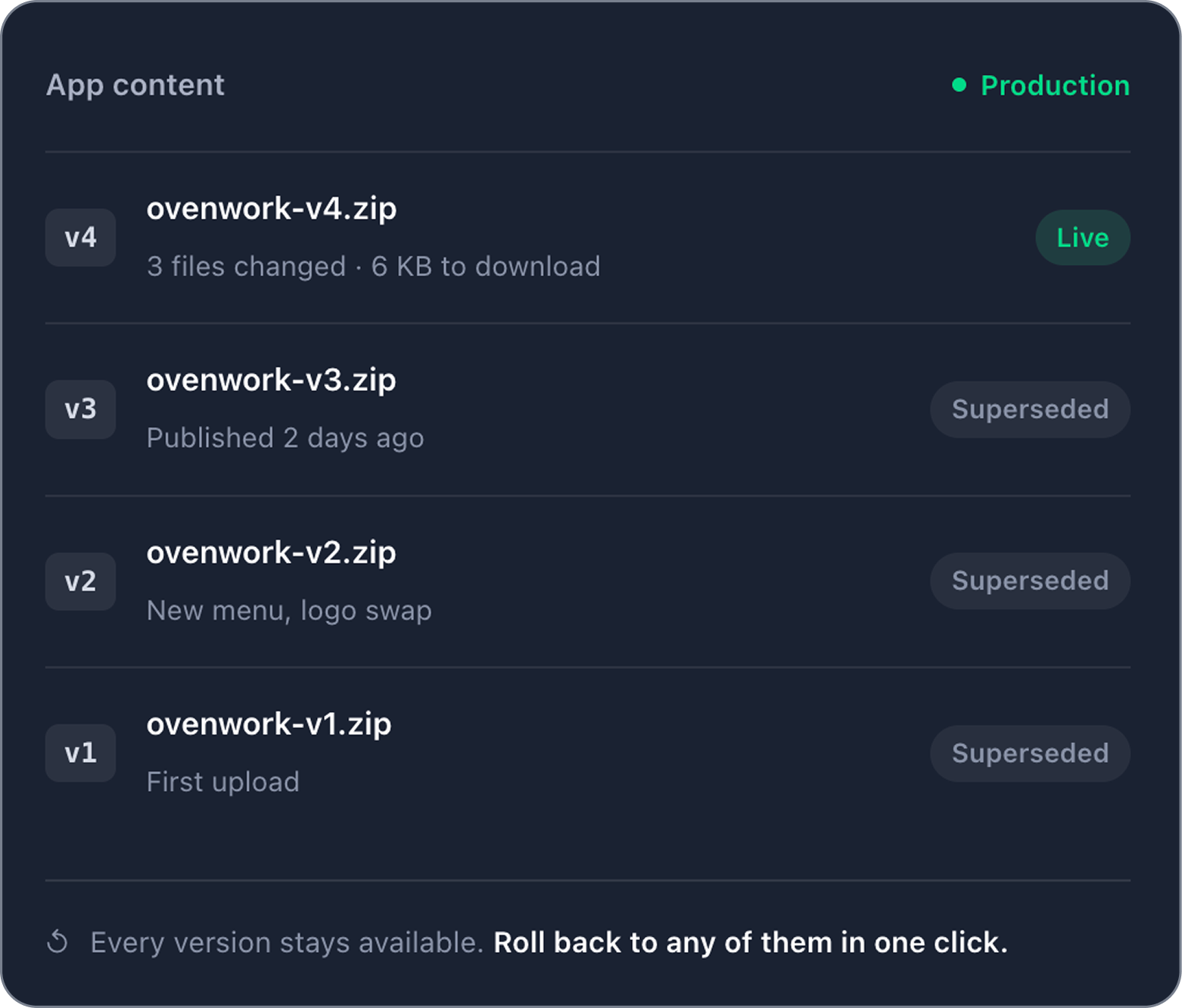
Shipping fast only helps if you can un-ship just as fast. Every upload is kept as a numbered version you can return to.

One-Click Rollback

One-Click Rollback

Restore any earlier versions and publish it again without any rebuild or app store review. Devices go back on the next launch.

Test Before Launch

Test Before Launch

Production users never get it until you promote the same bundle. Publish to a staging channel first and check it on a real device. Production users never get it until you promote the same bundle.

Check Before Publish

Check Before Publish

We flag missing entry points, absolute paths, offline-breaking CDN links, and navigation pointing at pages your new version deleted.
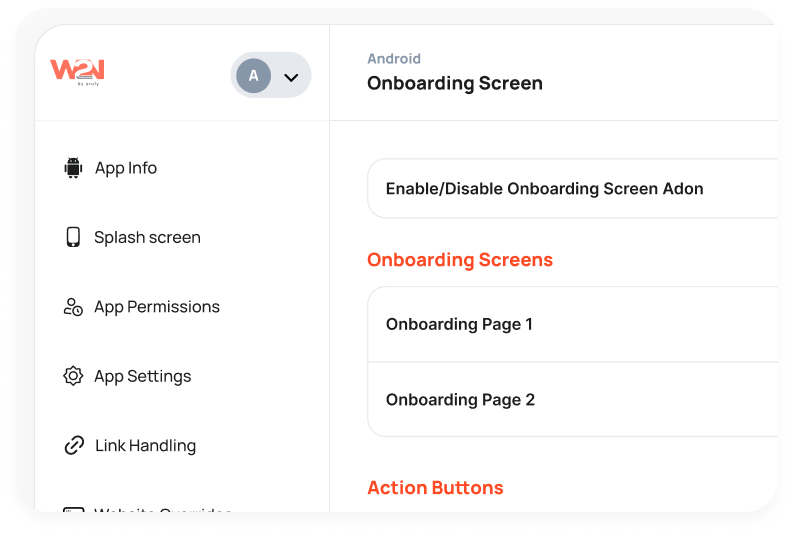
convert image

Turn Your HTML, CSS, & JS Files into Powerful Mobile Apps

Convert your existing HTML, CSS, and JS files into functional Android & iOS apps with Webtonative.

Everything a Real App Has, On Top of Your HTML

Your bundled content gets a native layer on top. Turn on the native features when your app calls for them.

App Push Notification

App Push Notification

Send real-time push notifications to involve users and strengthen app retention.

Customize Splash Screen

Customize Splash Screen

Set a customized splash screen with your logo and branding for a progressive app launch.

Deep linking

Deep linking

Enable continuous navigation by linking directly to specific app pages from external sources.

Custom User Agent

Custom User Agent

Control your app's interaction with websites and services by setting a customised user agent.

Internal Vs External

Internal Vs External

Choose whether the link will open inside the app, in an in-app or an external browser.

Disable Screenshots

Disable Screenshots

Prevent users from taking screenshots within the app for better security and privacy.

Call Native Features from Plain JavaScript

No SDK to install and no build step. The bridge is available on Window as soon as your page loads, so the same code that ran in your browser gains a camera.

// Enables or disables pull-to-refresh at runtime.
window.WTN.enablePullToRefresh(true);
// Immediately closes the app. Takes no parameters and has no callback
window.WTN.closeApp();
// getPlayerId: It returns playerId from OneSignal
const { getPlayerId } = window.WTN.OneSignal;
getPlayerId().then(function(playerId){
if(playerId){
// handle for playerId
console.log(playerId)
}
});

Zero install — no npm package, no build step

Promise-based — await and try/catch work as expected

Graceful fallback — feature-detect with if (window.w2n)

Markup-only — w2n:// links need no JavaScript

Optional types — autocomplete without a runtime dependency

Who Ships Apps This Way

Bundled content suits anyone whose app doesn't need a server behind it, or who can't rely on a connection.

Kiosks, Retail & Product Catalogues

Product demos, menus, categories, in-store screens, or catalogues for showrooms, salons, restaurants, and other businesses.

Why Bundled:

Pages open instantly without any spinners. The screen doesn't require Wi-Fi or an internet connection.

HTML5 Games and Interactives

Quizzes, kids' activities, playable ads, and puzzle games built on canvas or WebGL.

Why Bundled:

Assets load from the device, eliminating the download screen that appears before you begin to play.

Field Operations & Inspections

Surveys, deliveries, and inspections filled in a basement, rooftop, or other sites.

Why Bundled:

The app opens and functions perfectly without or with an internet connection. Ensuring the information is maintained instead of waiting for a signal.

Education & Training

Revision decks, safety molecules, onboarding materials, and language lessons with audio.

Why Bundled:

PDFs and lessons travel inside the app. So a flight or a commute becomes study time.

Internal Business Tools

Checklists, dashboards, stockwarebouts, and staff schedules for multiple teams instead of public.

Why Bundled:

Nothing requires a public URL. So there is no login page facing the internet.

Documentation and Reference

Code books, field manuals, pricing, and API documentation.

Why Bundled:

Searchable offline, reissued, and editable for every kind of information at any time.

Web Developers & Freelancers

Landing pages, web apps, and client websites built in HTML, CSS, and JavaScript, delivered as a production-ready app instead of a link.

Why Bundled:

The code ships as it is, without any separate build for Android & iOS.

Travel & Tourism Guides

Maps, museums, itineraries, city guides, or tours for travelers.

Why Bundled:

Guides work in different regions without any internet connection. So nothing breaks in a tunnel or remote areas.

convert image

Publish Your HTML, CSS, & JS Projects on the App Stores

Upload the Zip of your files and Webtonative does the rest. No server, no hosting, and no native code.

Build Your App in 3 Easy Steps
Upload Your ZIP

Step 1

Upload Your ZIP

Upload a ZIP of your HTML, CSS, and JS files. We bundle everything into the app.
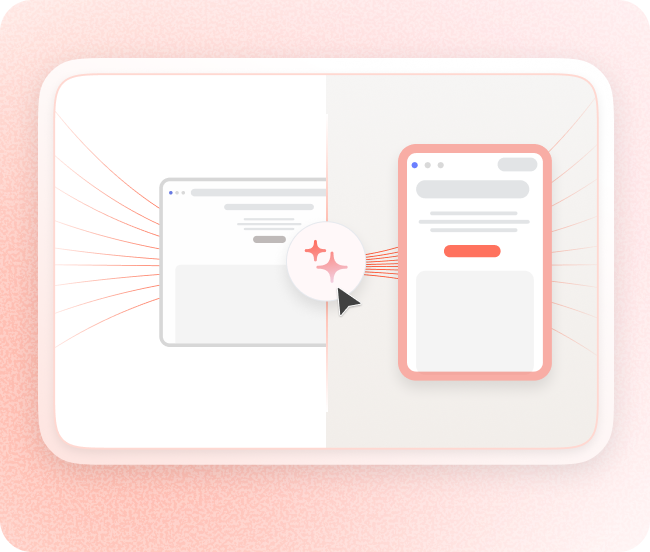
Build & Test Your App

Step 2

Build & Test Your App

Build and test your app. Try the demo of your app instantly with customizable features and add additional native functionality.
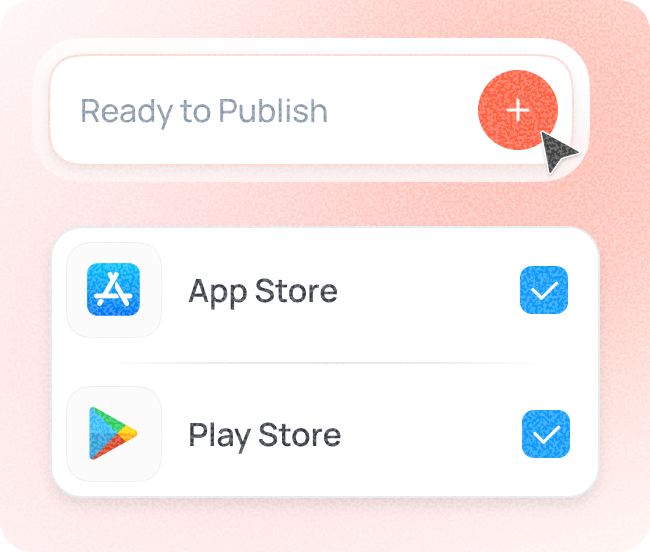
Launch on App Stores

Step 3

Launch on App Stores

Launch on the App Stores. Either publish your app or let us handle the entire publishing process for you.

Why Businesses Choose Webtonative to Launch Apps Faster

Save time, cut costs, and build better apps with a platform built for speed and simplicity.

Lovable

Lovable

Base44

Base44

Emergent

Emergent

React

React

Wordpress

Wordpress

Shopify

Shopify

v0

v0

Any Static Build

Any Static Build

What our customers say about us.

Discover how teams are launching apps faster and reducing development effort with Webtonative.

"Incredible Team !!! They helped me a lot but you have to pay a little, but the price is really really cheap. If you want good work you have to go through them? Thank you very much."

Team FitAndView

Reviewed on

google

"A great experience. Prompt, professional, reliable service. Prices were very competitive and reasonable. Quality of workmanship very good. Everything promised was delivered. Much better option than three North American firms I tried. My app was up and running quickly."

Robert Lee

Reviewed on

google

"I choosed the options for my Android app in minutes and purchased the app then. In under 15 minutes the app was delivered to me including the .aab file for submitting it on the Play Store. I had one issue and contacted the support team, they responded to me with fixing the issue same day! I can't believe the quality and support I got from webtonative, I recommend them if you are looking for the best option! "

Pavle Danilov

Reviewed on

trustpilot

"Web2Native has been amazing! I switch over to them because of problems I was having with a large app company. They have even made little changes needed to make the app framework fit with our design and UX. I’m looking at how to switch my other apps over to them now, they are great. "

Thomas Brown

Reviewed on

trustpilot

"We've been using successfully WebToNative to provide mobile apps to our customers. The platform itself is pretty easy to use and builds are generated very fast. As long as they keep up the good work, we'll recommend their services, for sure!"

João André Ferreira

CEO

Reviewed on

linkedin

Frequently Asked Questions

Getting started with Webtonative we have all covered you here.

How do I convert an HTML, CSS, JS folder into an app?

Log in to Webtonative. Now, you have to upload a file containing your HTML, CSS, and JavaScript compressed in a ZIP folder. Select the platform for which you want to build the app: Android, iOS, or Android & iOS. You must upload your app icon with the proper name and customize the native features accordingly. Webtonative bundles your entire ZIP file inside a mobile app without any website or server. Test the demo of your app thoroughly on real devices, then download the app build files and publish on the app stores.

How do I convert HTML, JS, and CSS files into an iOS app without Xcode?

Webtonative builds your iOS mobile app without Xcode or Mac. Upload your HTML, CSS, and JS files, select iOS as your app platform, add your app icon with a name, and set up additional native functionalities. You can then test the demo through the Webstonative mobile app or by installing the .APK file on your device before purchasing any plan. Once you are ready, download the iOS build and upload it to the Apple App Store. Our platform also offers done-for-you publishing, where we publish your iOS app on the app store on your behalf inside your developer account.

Can I convert an HTML5 game into an Android and iOS app?

Yes. Upload your Canvas or WebGL game as ZIP file. Webtonative bundles it inside an Android and iOS app. The files load from the device automatically, so players never see a download screen before the game can run offline on a commute or flight. Now, you can then add mobile features such as push notifications, deep linking, and more. Test the demo app built on real mobile devices. And then publish on the Google Play Store or Apple App Store when you are ready.

Do Webtonative converts the HTML, CSS, & JS files into an Android & iOS app without coding?

Yes. Webtonative is a no-code mobile app builder that converts your HTML, CSS & JS files into mobile apps without coding, Android Studio, or Xcode. If your project already runs in a browser as HTML, CSS, or JavaScript, you only need the ZIP folder and upload it. Webtonatinve generates the Android & iOS apps that are ready for App Store publishing. If you want any native features or additional functionality, you can add them from the dashboard or call them from existing JavaScript when required.

How do I update my HTML app without republishing on the App Store?

Inside the Webtonative dashboard, you must edit your files, zip the folder again, and upload the new ZIP in the App Content section. Installed apps require a launch when you push an update, so users don’t have to download anything from the App Store. This works perfectly when you need to push content-level changes, like changing a price, adding a toggle, or an extra page. If you wish to add or change any native functionality or app permissions, you have to rebuild and publish the latest version of your mobile app.

Is there any need for a server or hosting to run my HTML mobile app?

No. With Webtonative, your files live inside the app. So you don't require any domain, server, or web hosting to run your HTML mobile app. The platform packages your HTML, JavaScript, images, or CSS inside the app. So every screen loads from the user’s device. That means no domain, no web hosting, and no monthly server. Your app opens instantly and works offline.

Can I add push notifications, biometric authentication, or barcode scanning to my HTML mobile app?

Yes. Webtonative offers a wide range of features & add-ons on top of your HTML. You can add multiple native features, such as push notifications through OneSignal and Firebase, barcode scanning, biometric authentication, customize splash screens, deep linking, and more. In case you want to trigger mobile-first actions from your page, you must call the Webtonative JavaScript functions.

Can I test my HTML mobile app before paying for it?

Yes. You can test your HTML mobile app with a free trial plan of 14 days before the final purchase. Upload your ZIP file, customize the app icon, name, features and see how the app works and behaves on a real device. Android app builds come with an APK file to install on your mobile device, and iOS builds come with a ZIP file or a virtual app viewer. You can also view your mobile app visually through the Webtonative mobile app. Trial app builds are for testing purposes only and cannot be published. You must buy a plan if you are planning to launch your mobile app on the App Stores.

Does an HTML app built with Webtonative work offline perfectly?

Yes. Your compressed ZIP file includes HTML, CSS, images, and JavaScript that are packaged inside your app. So the app loads them from the device itself instead of from the internet. Native features such as push notifications, Firebase Analytics, or API calls require an internet connection. If your app saves data, you must synchronize it with your backend. So when the user comes back online, the data is up-to-date and not lost.

Can I upload a JavaScript project built with React or another framework?

Yes. As long as your project builds into static files such as HTML, CSS, and JS. Run your build, zip the folder, and then upload the zip inside the Webtonative dashboard. Server-side code such as PHP or Node cannot run inside the app because there is no web server, so keep any API calls pointing to your own backend. Before you publish, Webtonative checks the upload for missing entry points and absolute paths. So you can fix the issues before you publish, ensuring a clean and perfect bundle is pushed and works well offline.