



Deep Linking and URL Scheme: Meaning, Differences, and Real Examples
Published on:
21 May, 2026

If you ever clicked a link on Instagram and landed on an app’s home screen instead of the product you had seen in the link. That is a broken deep link. If the link opened nothing, it was because the app was not installed on the user’s device. This failed URL scheme without a fallback.
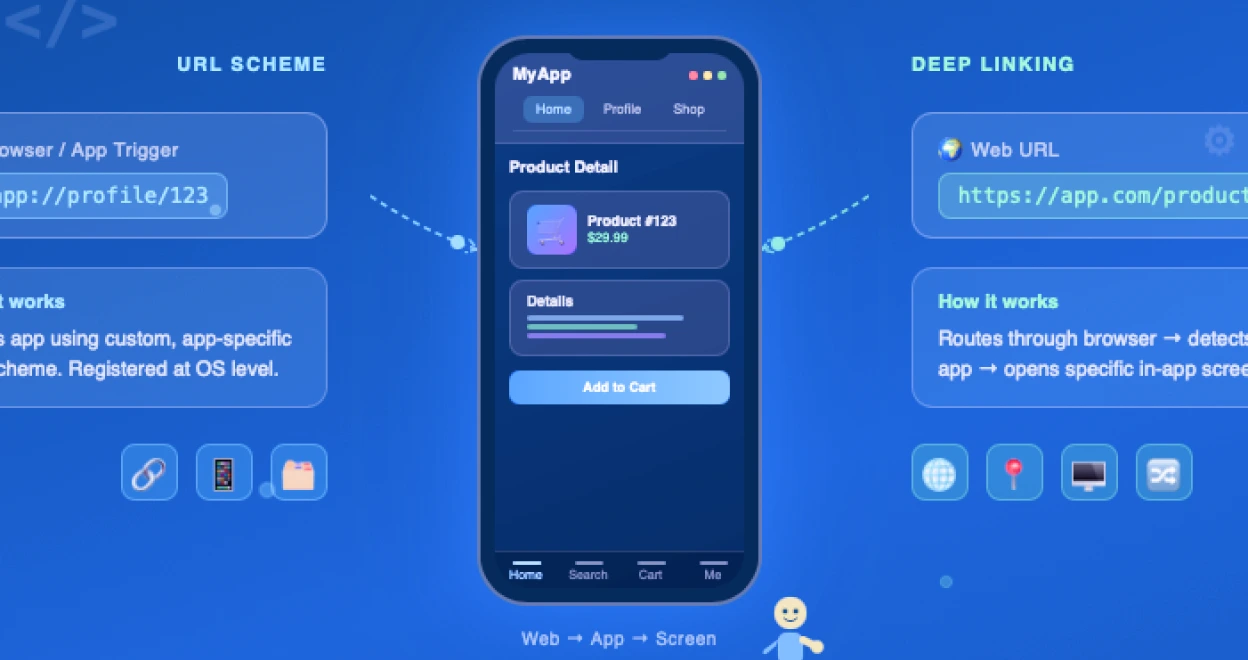
Deep linking and URL schemes are the two important technologies that control how links open inside mobile apps. They look similar but function completely differently. And choosing the wrong one at the wrong time breaks the user experience and engagement flows.
This guide walks you through the meaning of both technologies, their working, examples, a detailed comparison, and mistakes. So you don't miss anything.
What is Deep Linking?
Deep Linking is used to direct users to a particular page or a piece of content inside a mobile app on their mobile device instead of opening the app’s home screen. They improve engagement & conversion rates and achieve better results for mobile marketing campaigns. Without deep links, users click on the mobile ad and land on the app’s home page. Now, they have to find the particular piece of content they clicked on.
How Deep Linking Works?
Deep linking works similarly to normal website links. The difference is that these links direct you to content within an app rather than a website on a mobile device.
A normal website link takes you to a specific page on the website. A deep link takes you directly to a specific page or functionality within an Android and iOS mobile app. For example, you have clicked on a mobile ad for a pair of shoes, and the link takes you straight to that product page on the dedicated app instead of showing the home screen.
If the app is not installed, the link will open in the browser and redirect the user to the website. That’s the fallback, making users end up somewhere useful.
Deep links produce a smooth user experience that reduces friction and increases the chances of app installation. It also helps in building brand visibility and customers' trust.
Real Examples of Deep Linking
Below are a few real-world examples of Deep Linking:
- E-commerce (Amazon & Flipkart)
Amazon uses deep links to take users directly to particular product pages through shareable links or carousel ads. Flipkart uses Google Ads to take them straight to a product inside their app.
- Push Notifications in Games
A gaming app can run a re-engagement campaign to target inactive users by sending a push notification with a deep link that opens the app directly to a page. It encourages them to take an action inside the app without opening the home screen.
- Travel Agencies
Suppose a traveler comes to Vueling's website who wants to manage their reservation. Taps on a discounted price banner and gets redirected to the app store to download the app. After the app is installed, their discounted page opens automatically within the app.
What is the URL Scheme?
A URL Scheme is an advanced configuration used to define a non-standard link format that will only open in your app and not in the browser. For example, yourstring://yourwebsite.com/path. It is a unique identifier that allows an app to launch another or perform specific actions.
URL schemes allow direct communication between apps, unlike standard URLs. A custom URL scheme allows users to open your app from other apps. But the ultimate power of URL schemes is in the ability to perform specific actions as your app opens.
How Does a URL Scheme Work?
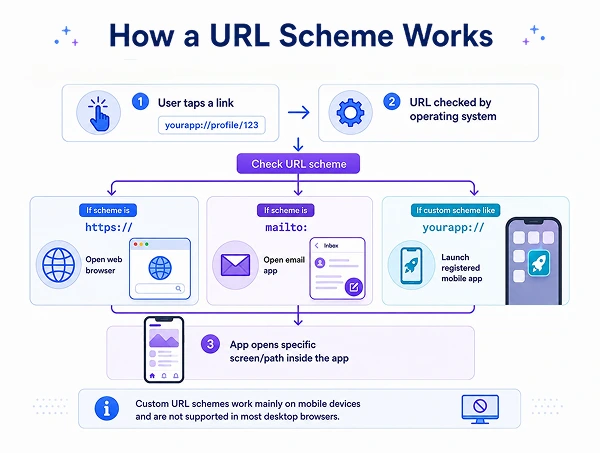
The primary part of a URL is the "scheme," that defines which app handles that URL. Links to websites start with https: and your browser handles them. For example, mailto: followed by an email address will create a new email in your default email app.
A custom URL scheme is a unique protocol that can be registered by apps. So instead of the familiar http:// or https://, an app can be registered like this: yourappname://. When a user clicks on a link or is redirected to such a URL, that particular app will be triggered to launch.
If a user has your app installed on their device and clicks on a link using your custom scheme. The system will launch your app and open that particular path within the app. URL schemes only work on mobile devices and are not compatible with desktop browsers.
Real Examples of URL Scheme
Below are a few real-world examples of URL schemes:
- Google Maps
The Google Maps URL scheme can be used to open the Google Maps app, conduct searches, obtain directions, and view map views. For example, a URL like, comgooglemaps://?center=40.765819,-73.975866&zoom=14&views=traffic opens Google Maps with a traffic view centered at a specific location.
- Spotify
If you clicked on a Spotify link in your mobile browser and the Spotify app opened, you have experienced URL schemes in action. Spotify uses spotify:// to open the app directly. For example, spotify://track/xyz takes you to a dedicated song section inside the app.
How Does Your Mobile Phone Decide Which App to Open?
If the app is installed, both Android and iOS implement their own operating systems for routing website URLs to an app. The system is called App Links on Android. And the system is called Universal Links on iOS.
When a link is clicked, instead of opening the browser, the operating system checks whether that link is registered for the associated domain or not. It also checks if the corresponding app is installed on the device or not. If no corresponding app is found for a custom URL scheme, the system either fails or shows an error.
If the app is installed on the mobile device, the link opens immediately, directing the user to the app. The response time is quick because the OS launches the app instantly without opening it in a browser.
Deep Linking and URL Schemes — A Comprehensive Comparison
| URL SCHEME | DEEP LINKING | |
|---|---|---|
| Format | appname:// | https:// |
| App not installed | Link fails (no automatic fallback unless you build your own logic) | Opens in a web browser as the fallback |
| Security | Two different apps can claim the same scheme prefix unknowingly, and the OS might launch the wrong app. | More secure. It is decided to use a verified domain, so no one can claim your link. |
| Works on websites/SMS/email | Limited | Works from emails, banners, QR codes, ads, and social media posts |
| Particular Page Navigation | Limited | Yes, it takes the user to the exact screen |
| Works Offline | Yes | No |
| Platform Support | Mobile Devices only | Works across different platforms and devices |
| Modern Standard | Less effective | Current industry standard |
| Setup Complexity | Easier—just add strings | Complex—needs website access |
| Ideal For | App-to-app communication and auth flows | User acquisition and marketing campaigns |
When to Choose URL Scheme
-
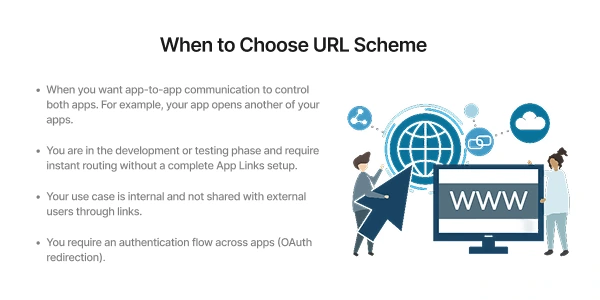
When you want app-to-app communication to control both apps. For example, your app opens another of your apps.
-
You are in the development or testing phase and require instant routing without a complete App Links setup.
-
Your use case is internal and not shared with external users through links.
-
You require an authentication flow across apps (OAuth redirection).
When to Choose Deep Linking
-
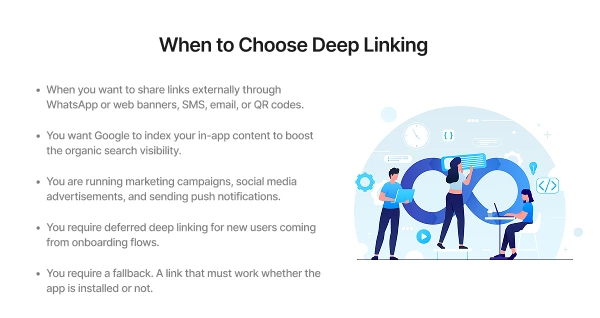
When you want to share links externally through WhatsApp or web banners, SMS, email, or QR codes.
-
You want Google to index your in-app content to boost the organic search visibility.
-
You are running marketing campaigns, social media advertisements, and sending push notifications.
-
You require deferred deep linking for new users coming from onboarding flows.
-
You require a fallback. A link that must work whether the app is installed or not.
Common Mistakes Developers Make
1. No unique scheme name
Apple does not require app schemes to have unique names. If you have used a similar scheme as another app, iOS has no differentiating factor as to which app to launch.
Rules for a Unique Scheme:
-
Don't include hyphens, lowercase letters, and numbers.
-
Keep it short and recognizable.
-
Avoid generic words used by other apps.
-
For example, use mystore, zomato-app, or replit123.
2. No fallback when the app is not installed
A custom URL scheme does not support a fallback. Developers must implement custom logic to detect if the app is installed or not on the user's mobile device. If the app is not installed, redirect the user accordingly.
3. Using uppercase letters in the scheme name
It is marked as inconsistent behavior across platforms when using uppercase letters in the scheme name. It is always recommended to use lowercase letters only.
4. Not handling all app states
Deep linking can arise when your app is running in the background or is active in a section. A common bug is navigating immediately before the user interface can launch, leading to a blank screen or crashes.
5. Testing the app on Emulators
Universal links and app links fail when tested on non-real devices that are not reliable, resulting in failed domain verification. It is recommended to test everything on a real and physical device.
6. Association file severed behind redirects
If your association file is behind HTTP redirects, iOS will reject it immediately. The file must be served directly from the canonical domain without redirects.
FAQs
Q1. What is the difference between deep linking and URL schemes?
A. Deep linking uses a standard link, a https:// link, to take users to a specific page inside an app with a fallback inside the web browser. A URL scheme uses a custom URL format like appname:// and only works if the app is installed without any fallback.
Q2. What happens if a user taps a deep link but does not have the app installed?
A. The link tapped by the user will open in the web browser. It helps to keep the user engaged within the app without installation.
Q3. What happens if a user clicks on a URL scheme link and does not have the app installed?
A. The URL scheme does not have any fallback option. If the user does not have the app installed on the device, they will see an error.
Q4. Can two apps have the same scheme name?
A. No, you should not have the same scheme name as another app. It might confuse iOS as to which app to launch. These are bugs or errors that lead to confusion and app blocking.
Q5. Is deep linking a safer option as compared to the URL schemes?
A. Yes, Universal Links and App links are the modern standard of deep linking used by most developers. They are more secure and reliable because of their verification process that tells the OS to ensure which URLs belong to which apps.
Q6. Do deep links work on both Android and iOS?
A. Yes, both Android and iOS implement their own operating systems for routing the website URLs to an app if it is installed on the user's device. In Android, this is called App Links," and in iOS, this is called Universal Links.
Q7. Which should I use, deep linking or URL schemes, for my app?
A. For user-centric features such as push notifications, social media links, and marketing campaigns, use deep linking. URL schemes are ideal for app-to-app communication and authentication flow where you control both apps.
Conclusion
Deep Linking and URL Schemes both assist in connecting users to particular content or a page inside a mobile app with different purposes. Deep linking is a standard, reliable, and secure method for users that works smoothly. URL schemes are still effective for a few scenarios. Understanding the key differences between the two might help you pick the right one.
Similar Blogs