


How Much Does It Cost to Build an App? Custom Development, Agency, and Website-to-App Converter Costs Compared (2026)
Published on:
4 November, 2026

TL;DR:
Your choice of route determines what an app costs. A comprehensive 2026 guide based on Moburst's app-building cost estimates puts a basic custom app for one platform at $15,000 to $60,000 and a complex app at $150,000 to $400,000. Freelancers and agencies are in the middle. If you already own a fully functioning website, a converter changes the scenario completely. Webtonative’s one-time Android & iOS plan is billed at $99. Add Apple’s $99 billed annually and Google's $25 one-time fee, and the first year comes to $322. This guide breaks down each route, the app store fees, and an easy way to estimate your budget.
What Decides What an App Costs?
Below are the four things that might help you decide the price of an app.
1. Whether you already have a working website or a web application. If you have, a big part of the app is already built, eliminating the need to begin from scratch.
2. Native functionality required for the app affects the price. Device features like custom animations, hardware integration, and offline access can raise the app development budget.
3. The choice of who built the app matters too. Your own developers, a freelancer, a website converter, and an agency all work differently even with the same idea.
4. Beyond the build, ongoing expenses deserve prior attention. Hosting, ongoing development, updates for each Android & iOS version, support assistance, and app store fees add up to more time and resources.
Most cost guides focus on the initial app development price. In my view, the yearly cost after launch is what surprises the most.
App Cost Comparison: Custom, Agency, & Converter
Below is a tabular cost comparison of what each route costs to build and to keep running the app.
| ROUTE | FIRST BUILD | YEARLY MAINTENANCE COST |
|---|---|---|
| Basic Custom App | $15,000 to $60,000 for one platform | 15% to 20% of the build cost every year |
| Advanced Custom App | $150,000 to $400,000 depending on the scope | 15% to 20% of the build cost every year |
| Development Agency | $40,000 to $400,000+ for build and design | Hosting, security, and maintenance are additional |
| Freelancer | $150 to $500 for basic work and $3,000 to $10,000 for advanced work | Paid per job, so updating the app costs extra |
| Website to App Converter One-Time Plan (Webtonative) | $99 for Android & iOS each with unlimited builds for 60 days | App store fees plus a cost per rebuild after the first 60 days |
| Website to App Converter Monthly Plan (Webtonative) | $9 for Android & $14 for iOS | Same monthly fees continue |
| Apple Developer Membership | $99 billed annually (recurring) | Renew annually |
| Google Play Registration | $25 One-Time | No yearly renewal required |
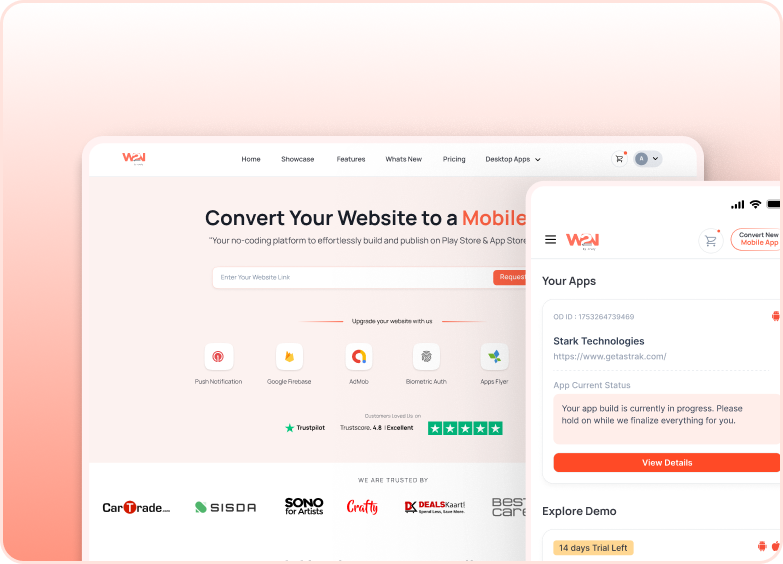
The above table shows how wide the gap is between different routes. Webtonative offers monthly, annual, and one-time pricing plans for Android, iOS, or both. It also offers a 14-day free trial plan to explore the features, how the app behaves, and advanced functionalities.
According to Moburst, hourly rates explain why custom work is growing so quickly. Senior developers in North America and Western Europe charge $150 to $250 or more for more than an hour.
That is why the first question rises is not which option one should choose but how much of the app base already exists. If your website is already built and works perfectly, you just pay to package it as a mobile app. This is the difference from where the actual saving comes.
What Do Apple and Google Charge to Publish?
The app store fee remains the same whether you choose any route. Apple’s developer program fee is $99 per membership billed annually. The Google Play developer account fee is $25, billed once.
These are account fees only. Building the app, marketing it, and hosting are separate expenses. If your app sells subscriptions or digital products, app stores will take a cut of each sale. Google Search Console Help lists 15% on auto-renewing subscriptions. And on a developer’s first $1M of annual earnings rising to 30% above that. Apple has set its own rates on their official pages.
There is one helpful thing about Apple. It allows non-profit organizations, government agencies, and accredited educational institutions that meet their requirements to request the fee waiver. Check out the Apple’s Official Developer Program Fee Waiver to get the complete details.
When is Custom Development Worth the Money?
A website-to-app converter is not the right route for every app development, and it tells you after you have bought it.
Custom app development is only fruitful when the app itself is the product, and no website does that job today. For example, a fitness tracker, a photo editor, or a ride booking tool that is built from the ground up.
It is also an ideal route when you want faster graphics, as in a game, or when the app goes fully offline for a longer time. Apps built around complex native features such as advanced Bluetooth control, augmented reality, or video editing.
An agency is the better route when you need custom work but have no in-house developer team to manage it. You have to pay more, but someone else handles planning, design, and delivery.
A website converter fits in a different situation. You already have a working website on a mobile phone. Now, you want a mobile app on the user’s home screen with push notifications and app stores visibility without building everything from scratch.
And if you only want a home screen shortcut, a progressive web app costs nothing. The best route is the one that matches what your product needs.
How to Estimate Your Own App Budget?
A perfect budget begins with a simple checklist. Start by writing down what the app must do on launch day. A small version is the easiest way to control cost.
Next, go through each item and ask whether your website already does it. This shows how much of the work is new. If most items already live on your website, you should use a website converter and test it using a free trial before even spending anything.
If there are new functionalities, go to agencies or developers. Whichever way you go, add app store fees and a yearly maintenance cost, not just comparing.
It also helps to decide early who owns the app. It must be published under your Apple and Google accounts, keeping yourself in complete control.
Here is an operated example: a store with a responsive website needs both Android and iOS apps in a year. On the converter route, Webtonative’s one-time plan cost $99 for Android and iOS each. To publish on the Apple App Store, it adds $99 a year. For the Google Play Store, it adds $25 once. All together it makes $322 before any add-ons. On the custom route, the same app store pays for the app development, app store fees, and developer time for every new Android or iOS release.
Frequently Asked Questions
Q1. How much does it cost to build a simple app?
A. A simple app for a platform costs $15,000 to $60,000, according to the Moburst App Development Costs in 2026. When you appear in that range, it also depends on the features you need, maintenance costs, and app store fees. After launch, you must have an idea about the annual maintenance and other additional costs. So a 30,000 app would need around $4,500 to $6,000 annually to keep running smoothly.
Q2. Why do app cost estimates vary so much?
A. They charge different prices due to their different pricing systems. Some price estimates will only cover development, others will include design, backend, and yearly maintenance. Some don't include them in the price of the store, and some do. It's also important what the route is because each of these situations: custom app, an agency project, a freelancer, and a converter plan is charged differently. The number also changes when it comes to features, particularly native ones such as the offline mode or the hardware access.
Q3. Is it free to put an app on the App Store?
A. No. Although Apple developer account membership costs $99 per year. That is a membership that must be paid for to publish the app on the Apple App Store. One thing to be noted: Apple will waive the fees for nonprofit organizations, accredited educational institutions, and government entities meeting its requirements. Any sales of subscriptions or digital products in the app will also be subject to Apple's cut, which Apple determines on its own pages.
Q4. Is it free to put an app on Google Play?
A. No. A Google Developer account is free to register with a one-time fee of $25 with no annual renewal. This is less expensive for most teams when compared to the Apple App Store. It only covers the account and not the app itself. Google Play Console Help states that 15% of auto-renewing subscriptions and your first $1M of yearly sales are taken as a percentage. After that, it switches to a 30% percentage.
Q5. What does an app cost to keep running each year?
A. You have to pay for the Apple membership and your hosting. With custom apps, the going figure is 15% to 20% of the original build cost on an annual basis. That is used to make fixes, security updates, and updates for each new release of iOS and Android. Agencies will usually charge a maintenance fee, host, and secure the build as well. Converter plans are different. They have a monthly fee or charge for rebuilds after 60 days. Make sure to include this yearly line on all quotes.
Q6. Can a website-to-app converter replace custom development?
A. Yes, for much content, store & service websites. If your website is already a success on a mobile phone, a converter can push your website into the app stores, with the app icon on the home screen and push notifications without needing to rebuild your website. However, it's not suitable for all situations. Custom development is still required for games, apps that rely on native features for extended periods of time, and apps that must work offline. Match the route with your product.
Price Your Own App
If you have a website that is functioning well on the cell phone, the easiest method to obtain a real number is to test it. If you currently have a site that is effective on the smartphone, the most convenient way to get a real number is to try it. Don't wait for quotations or for sales calls. Fill in your site URL, and start your 14-day free trial, then view your site as a genuine Android and iOS app. Push notifications, navigation, and also the home screen icon can be tried prior to any type of payment being made. Alternatively, if you prefer to discuss plans and add-ons first, you can schedule a demo call with the WebToNative team and receive answers specific to your project.
Similar Blogs