



Convert Your Website into An Android App: Features, Cost & Complete Process
Published on:
8 April, 2026

Creating a strong mobile presence for your business is a necessity in today’s tech-driven world. According to Appinventiv, users spend 6% of their mobile phone time in the browser or searching for apps. The rest of 90% of their time is spent inside mobile apps. This indicates how people rely on mobile apps and the time they spend on them. Thus, developing an Android app can increase traffic and conversions, contributing to long-term growth for your business.
In this blog, we will deep dive into why the conversion is needed, essential features for an Android app, and how to convert the website into an Android app.
7 reasons why businesses should convert their websites into Android apps:
Thousands of individuals depend on mobile phones for their everyday tasks or actions. Businesses have accepted this shift and converted their websites into mobile apps to gain wider audiences. The increasing number of mobile users has led many businesses to convert their websites into mobile apps. This shift is not optional but essential to stay in the competition.
According to StatCounter data, Android alone holds a 68.24% share in the global market share. Most businesses target Android users because of their wider audience and market share as compared to iOS.
Below are a few reasons to convert your websites into Android apps.
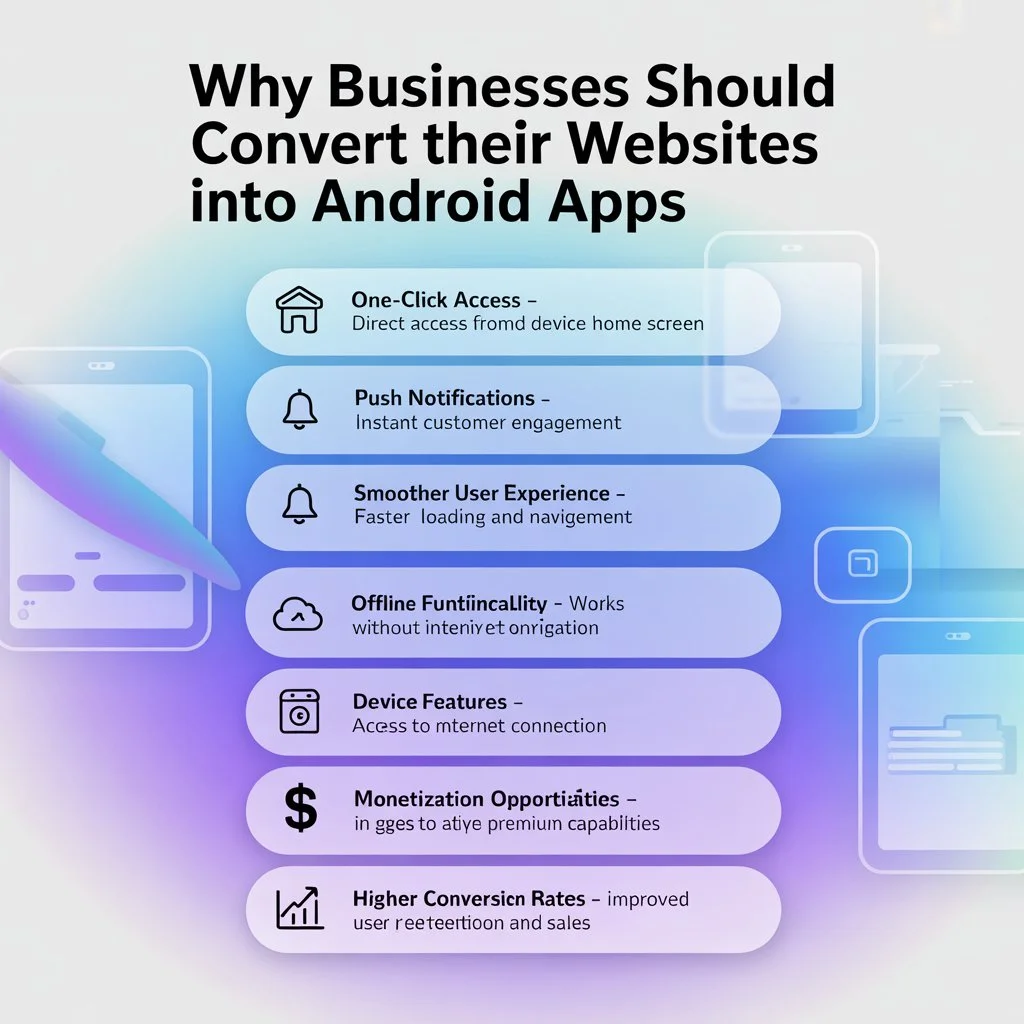
1. One-Click App Open
Users don't have to search for your business on browsers. They just have to click on the app and scroll. Having your Android app on a customer's home screen means you are just a click away from getting a conversion.
2. Push Notifications
Just send a notification, such as an alert, offer, update, or discount, that will directly show in the Android app. It will increase the chances that the user will definitely open your app or get engaged without forcing.
3. Smoother User Experience
Android apps deliver faster loading as the data is stored on the device, not inside a browser. Apps offer personalized recommendations and experiences based on user preferences and behavior.
4. Offline Functionality
A web browser cannot function without an internet connection, making users frustrated. On the other hand, apps save all your data, preferences, and information without an internet connection. It delivers basic features and functionality in low-internet connections, providing a consistent user experience.
5. Device Features
A combination of an Android app with device features is what a business needs for its customers. When an app is installed on an Android device, it also has access to its features. Your Android app with the mobile features provides a richer app experience.
6. Monetization Methods
An Android app lets you generate revenue from the app, such as in-app purchases, subscriptions, and exclusive offers. It helps to maintain the user engagement and earn both at once.
7. Higher Conversion Rate
The intuitive interface, user-friendly experience, and notifications make the users keep coming back. The Android app visible on the user’s home screen means you are always in their sight.
8 Must-Have Features in Your Android App
When transforming your website into an Android app, the design is not alone. Many features must be in your app for an effective user experience.
Below are a few features that should be in your Android app:
1. Push Notifications
One of the most effective and easiest ways to engage users within your app. Businesses can push notifications, alerts, or offers to users’ devices even when the app is not active. It makes users interact with your app, making them keep coming back.
2. Reliable Security
When a user shares personal information or details, they trust the app completely. The app must have proper security measures to protect the user's details at all times without any breaches.
3. Intuitive User Interface
As the user lands on your app, they first notice the user interface of the app. A well-structured interface helps users to simply navigate within the app using features and advanced functionalities.
4. Apps and Integrations
Market trends and user demands are evolving rapidly. So, having an app connecting with other apps and integrations is essential for the long run. Integration of the third-party apps can make businesses' workflows smoother and faster.
5. Analytics and Reporting
Business decisions should be based on valuable insights and data for efficiency. Integrate analytics and reporting tools to track every action, pattern, and behavior for better decision-making.
6. Loyalty Programs
It is important to keep loyal customers rather than attract new customers. Loyalty programs, rewards, or challenges that encourage customers to make purchases again and again. It helps businesses build a trusted relationship between the brand and its customers.
7. In-App Purchases
Generating revenue from the mobile app is the top priority for any business. The app must support in-app purchases and multiple payment gateways to boost purchases. It will make payment processing more convenient for the customers.
8. Optimize App Performance
A slow-loading app can lead users to leave the app instantly, making the app's performance optimized. The app should be fully optimized for different screen sizes and devices for a smooth app experience.
Cost to Convert Your Website into an Android App
The cost of converting your website into an Android app depends on the approach you choose for the conversion.
Native development begins from $50,000 to $500,000 per platform. This amount requires a huge app development budget to even start the development process. The approach is suited for large organizations and high-profile businesses.
Cross-platform development is more affordable than native development. It begins from $25,000 to $60,000. It still demands maintenance, a development team, and other expenses per month.
The last approach is using low-code or no-code Android app builders. A well-known low-code mobile app builder is WebToNative. Instead of building an app from scratch, it requires your current website URL to build an Android app for your business. WebToNative transforms your current website into a fully functional Android app without coding. The cost begins at $49 to $299. It reflects your website on an Android app in real-time. Visit WebToNative's Pricing Plans to explore the unmatched power of your website.
Step-by-Step Process to Convert an Existing Website into an Android App
So now you know why it is necessary to convert your existing website into an Android app. The next thing is how you will actually convert. That is where WebToNative comes as a powerful solution. It is a well-known no-code app development platform that converts your current website into an Android app without writing lines of code. It supports essential mobile features like push notifications, customized splash screens, downloads, uploads, and deep linking. The platform offers 120+ add-ons for premium functionality inside your mobile app. WebToNative is an ideal solution for businesses looking for affordability and an app-like feel, all in one platform.
Now, follow the steps below properly to convert your website into an Android app with WebToNative.
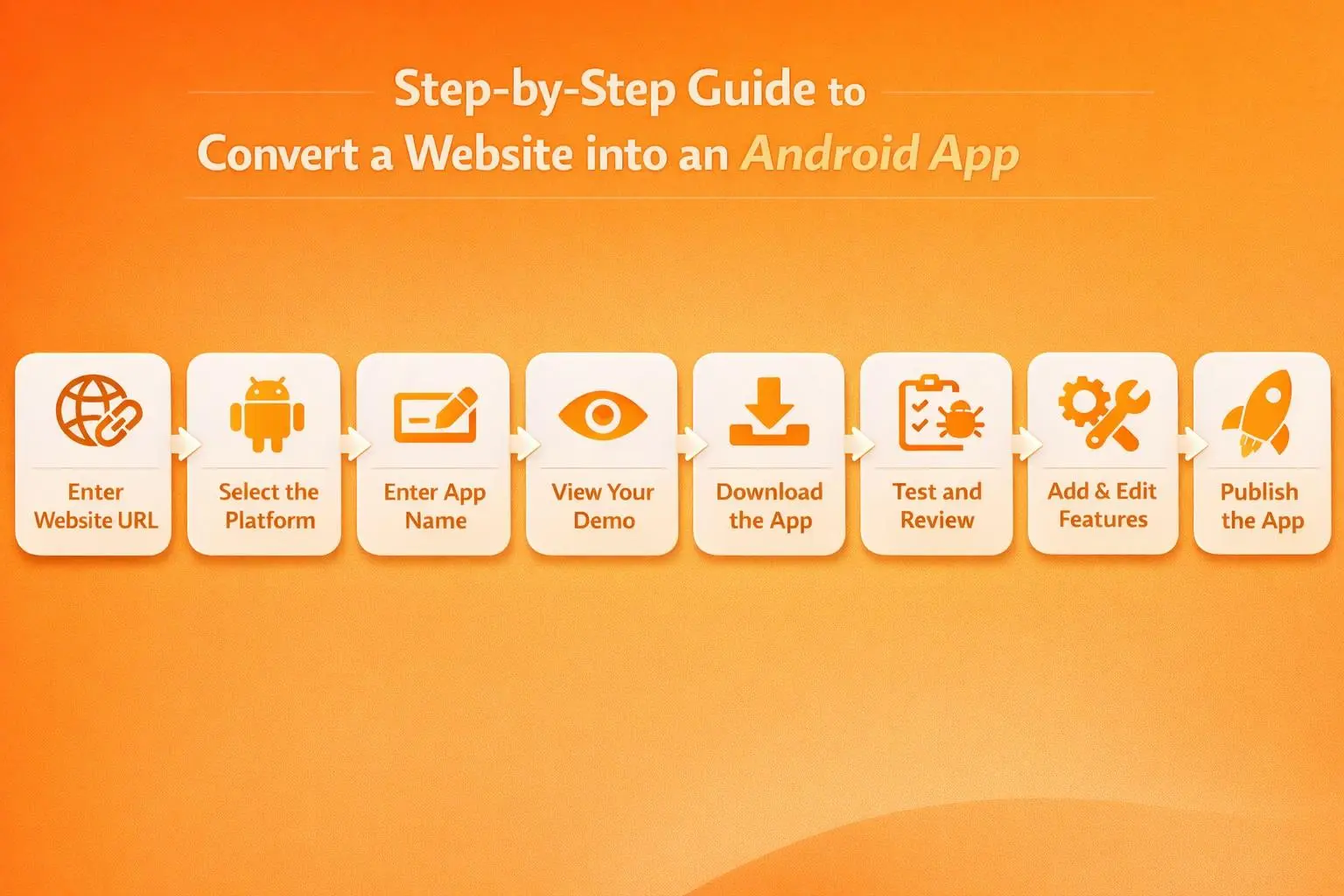
Step 1: Enter Your Website URL
-
Navigate to WebToNative.
-
Enter the URL of your website into the field.
Step 2: Select the Platform for Your App
You have to select the platform of your choice:
1. Android 2. iOS 3. Android & iOS
Step 3: Enter the Name of Your App
-
Enter the name of your app to reflect your brand.
-
Fill out the active email address to get all updates.
Step 4: Click on View Your Demo Now
Click on the “View Your Demo Now” to be redirected to the checkout page.
Step 5: Download the App
-
As you appear on the checkout page, you can scan the QR code to download the app for Android.
-
For iOS, you have to download the ZIP file to your iOS device to set up the demo of the app.
Step 6: Test and Review your App
After downloading the app, you can test it across devices to review whether all the features and functionalities work properly.
Step 7: Add and Edit Features and Functionalities
If you want, you can edit the features in the app and control their functionality through Edit Android or Edit iOS.
You can also add add-ons to your app by clicking on “Add Addons” on the checkout page.
Step 8: Publish and Launch your App
After your app is fully customized and feature-packed, you can publish it on the Google Play Store or Apple App Store for users.
Following the above steps will make you go from a website to a fully functional mobile app without any technical knowledge.
FAQs
Q1. Any change to the website will be reflected inside the app?
A. Yes, if you make any changes to the website, it will be reflected in the app in real-time. Make sure the website is properly synced with the Android app.
Q2. Can WebToNative convert a website into an Android app for free?
A. Yes, WebToNative offers a 14-day free trial where you can convert the website into an Android app and view all the functionalities and features.
Q3. WebToNative only converts the website into an Android app?
A. No, WebToNative supports conversion of websites to Android, iOS, Windows, Linux, and Mac.
Final Thoughts
Mobile apps are considered one of the most reliable ways to connect with customers and gain their trust and loyalty to a business. From increased conversion rate to attracting customers, the advantage of having an Android app is insane.
With platforms like WebToNative, transforming the website into an Android app is no longer expensive. It is a game-changer for businesses that want to meet the market trends and user demand at the same time without any complexity and higher development costs.
Similar Blogs