



How to Implement In-App Updates in Android: Complete Guide
Published on:
8 January, 2026
By Webtonative
Author
How to Implement In-App Updates in Android: Complete Guide
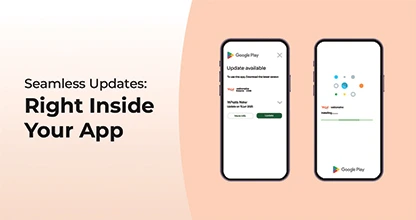
Keeping your app up-to-date is the best way to deliver your users with new features, security, and advanced performance. This means your users do not need to manually visit the Google Play Store for new updates. In-App-Updates Android enables developers to activate the updates within the app, improving adoption rates and user experience. This Android app update guide will explain how in-app updates work, how to implement them, and the best practices you should follow.
How Android In-App Updates Work
1. Flexible Update
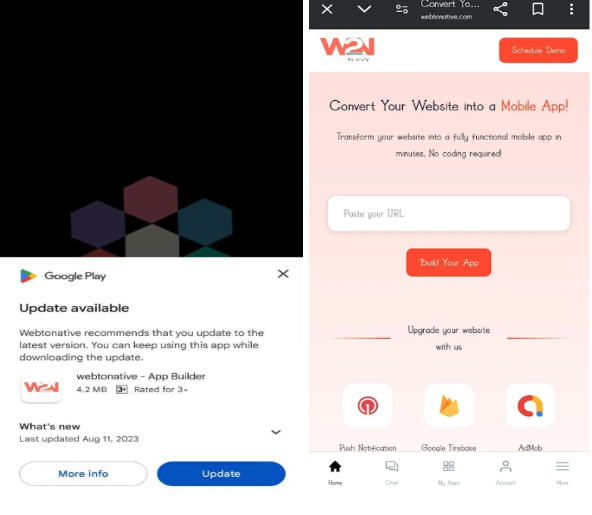
Flexible update is when the update is not urgent but still needs attention. With this requirement, users can keep on using the app while the update is downloading quietly in the background. As the download completes, the app will ask the user to restart the app to apply the update. It maintains a good balance between user experience and regular updates.
2. Immediate Update
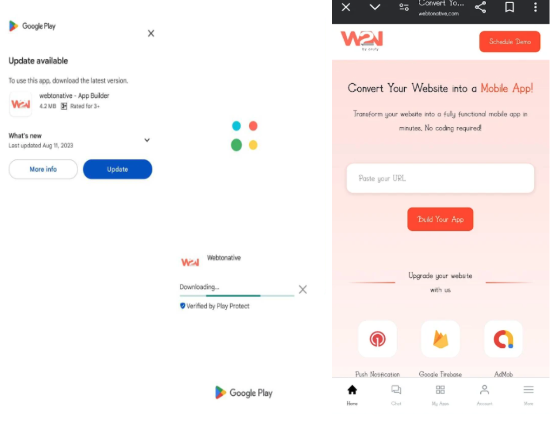
Immediate Update is a force update Android app option that represents a full-screen command asking the user to update the app without delaying. In this, the user cannot use the app until the app is successfully updated and installed to make sure that users are using the updated version of the app.
Requirements for Android In-App Updates
Before you start implementing the updates, you should keep in mind that:
- The app must be published on the Google Play Store
- It must include the higher version code rather than the installed version
- The device must run Android 5.0 (API level 21) or higher for in-app updates Android
Handle app update in Android without Play Store
However, native android in-app updates depend on the Google Play Core API. Sometimes, developers need to alert users about new updates in the app outside of the Google Play Store. You can do it by:
-
Prompting users to visit your website to download the new apk update
-
Use remote configuration or server-side checks to ensure users update the app if their version is no longer supported.
Conclusion
In-app updates Android improves the experience of the update by letting customers install the update inside the app. Whether you are using flexible or immediate updates, these features ensure users always have the latest version of their app.
You should follow the best practices, like appropriate ux flows, version checks, and clear messaging, to get the most out of your update strategy. Additionally, while Android in-app updates improve the app's performance, you can focus on other aspects of your app for consistent brand visibility.
Similar Blogs