



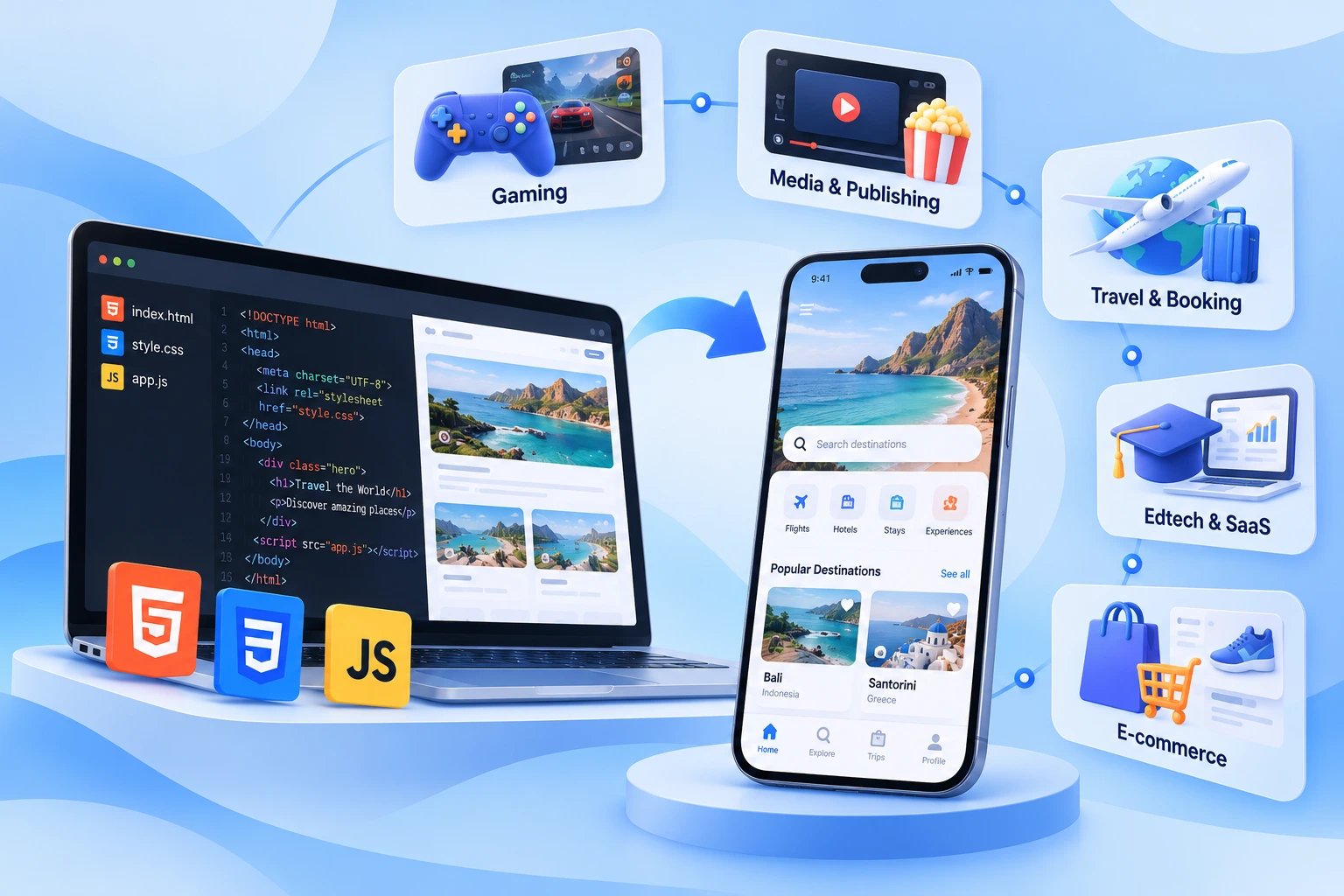
Top 5 Industries to Turn HTML, CSS, & JS Projects Into Apps
Published on:
27 October, 2026

Picture this: a developer spends weeks building a small browser game with HTML, CSS, and JS files. Friends and relatives play it, share it with strangers, and the numbers look good. Then the real problem arises: Is it installable from the Google Play Store or the Apple App Store? The project works. It just doesn't live where users spend their time.
The story remains the same. Only the industry changes. Many products begin as web projects, and few transform into a mobile app. Travel apps, gaming studios, publishers, and online store apps are just a click away from the user’s tap. Web projects can be accessed through different search engines inside different apps. And you also don’t know whether the user will come or not, spend time inside the browser, or come back again.
The blog covers the industries that benefit the most from HTML, CSS, & JavaScript files, what an app offers, and what gets built there.
Why HTML, CSS, & JS Files Make Good Apps?
Web projects are easier to transform, as the hardest part is already done. The screen, the design, and the logic—everything is written in a codebase. Instead of writing separate codebases for Android & iOS from scratch. Making it more convenient for startups, developers, or small businesses to start from what they have and take it to a mobile app.
One Codebase. Two Platforms. HTML, CSS, & JavaScript projects run inside a browser on each device. The same project that empowers the browser can become the base of your mobile app. This keeps the web version and the app close together, eliminating the need for fixes to be done twice.
Faster to Publish. The interface is already built and tested by actual users. Now the teams only have to focus on appearance, polishing logic, and how it will behave. They also have to look at how they will publish on the app stores and meet all the requirements.
Affordable & Requires Smaller Team A group of people having complete knowledge about web technology can manage the entire journey. You don’t require any separate developers for each platform, which makes this process client-friendly for startups, founders, and other businesses.
What Does a Mobile App Add?
For example, user 1 plays the game inside the browser and leaves. On the other side, user 2 plays a game inside an app on the device. For months, neither user has come to play the game either in the browser or in the app. But you can send reminders, alerts, and notifications to user 2 on their device, which the browser cannot send. These notifications increase the chances of bringing users back and spending more time inside the app.
-
A visible appearance on the Google Play Store or Apple App Store, where many users search for relevant apps.
-
Appears on the user’s home screen as an app icon with a name, making your app just a click away from use.
-
Push notifications play a vital role in keeping users connected to the app even if they are not using it or spending time inside the app.
Top 5 Industries to Turn HTML, CSS, & JavaScript Projects Into Apps
1. Gaming
This industry is one of the absolute fits because HTML5 games are built exactly with these files. Developers can create a quiz, puzzle, or arcade game using HTML for structure and content, CSS for responsive design, and JavaScript for logic building, running inside any browser. Game engines like Phaser and Construct make this even simpler. More than 15,000 games were released in the first few months of 2025, which is 2.7 times more than the year before. The same report shows Unity leading with 55% of releases, Construct at 16.4% and Phaser at 7.1%.
Browser games face performance limitations compared with native mobile or desktop applications. Here is where a mobile app helps.
Browser-based games depend upon links; often players forget links quickly or enter incorrect links in the browser, making it difficult to find. On the other hand, a mobile app puts the game on the user’s home screen. It also opens up ways in terms of running game-specific ads, push notifications, and in-app purchases. This also helps bring users back to the app even if they forget.
For individual developers and small gaming studios, for them, turning their existing web game into an app is often the fastest way to reach a wider audience without spending too much.
2. E-commerce
Product pages, categories, catalogs, product demos, filters, and checkout screens are built with HTML, CSS, & JS. This is a reason why so many e-commerce and retail brands begin their journey on a web browser first instead of a mobile app. In today’s mobile-first world, mobile e-commerce is expected to make up about 60% of global e-commerce sales in 2026. Mobile apps accounted for around 54% of mobile commerce transactions.
Web-based mobile experiences have already shown strong results. Alibaba saw a 76% higher conversion. Jumia saw a 33% hike in conversion after adopting progressive web apps. These are considered web technology wins that happened on phones. They show how much the mobile experience matters to buyers.
Repeat buyers are the most valuable customers. A home screen app icon keeps the brand visible in front of them every day. Push notifications for sales, restocks, and order alerts give the online store a direct channel that does not depend on ads or email opens.
An app also offers users complete control of the app experience, from the splash screen to the checkout flow. Since the online store already exists as a web project, the same pages can power the app, which keeps catalogs and designs consistent between the website and the mobile phone.
3. Travel & Booking
Hotel research, itinerary planners, fare calculators, booking forms, and tours are classic web projects. Travellers use them on phones, often on the move with weak or no internet connections, which makes speed and lightweight design very important.
Travel brands have reported strong gains from taking web experiences to mobile. For example, As per MobiLoud’s Progressive Web App Examples, MakeMyTrip saw 160% more sessions, and Triavgo saw 150% more engagement. Another case study found that Triavgo’s web app with push notifications led to a 97% increase in clickouts to hotel offers across 55 countries.
Weight matters too. A Jumia Travel case study showed that its web app used 80% less data than the native app to complete the first transaction and needed 25 times less storage. In markets where phone storage is tight and data is costly, that difference can decide whether someone installs the app at all.
Storage matters too. A Jumia Travel case study showed that its web app used 80% less data than the native app to complete the first transaction and required 25 times less storage. In tech markets where phone storage is limited and data is expensive, this difference decides whether someone installs the app or not.
As with other web app case studies, many of these are several years old, so they show what is possible, but not every brand will achieve it.
For travellers, an app brings quick access to bookings during a trip, alerts when prices change, and sends reminders about departures. For the brand, it creates a direct line to customers who often book again for the next holiday or business trip. Booking tools are also a good match for a simple conversion because the core screens like confirmation, search, and results already work on the web.
A home screen app icon matters more in travel than people expect. If a flight gets delayed or a gate changes, travellers reach out for the app they can open in just a tap, not the website inside a browser they have to search for.
4. Media & Publishing
Magazine layouts, content hubs, and news readers are built with HTML, CSS, & JS. This industry business depends on repeat customer visits. Readers and publishers who return daily are worth far more than those who arrive once from a search result.
The powerful example comes from publishers. The Financial Times has maintained and improved its progressive web apps for years. It is among the most used implementations in any industry. Flipboard, which collects content from social media, news channels, and other websites, is another well-known example built around a lean and fast web app experience.
Publishing content has a daily schedule that suits web-based apps. New stories arrive every day, sometimes every hour. When an app loads its content from the live website, changes appear in the app without a new app store submission for ordinary content updates. That means the editor does not have to make changes at the time of publishing.
The biggest advantage for the publisher is a direct channel for readers. Push notifications allow the news to reach people before breaking stories, newsletter drops, or exclusive reports without relying on search engines & rankings or other social media platforms, which change overnight. A mobile app also offers readers a place to save articles, follow topics, and read anywhere without typing a web address.
If a website has loyal readers and publishers, an app gives them a faster way to come back. It provides publishers a strong sense of ownership over their content.
5. EdTech & SaaS
Learning projects often begin as web projects. Lessons, practice tests, flashcards, progress dashboards, and quizzes are all well adapted to HTML, CSS, & JavaScript. For teachers, lecturers, or professors, it is an easy way to create and update content inside the app.
The mobile side of learning is growing fast. According to the Mobile Learning Market Size, Share, Trends, and Growth Analysis Report (2026-20234), the mobile learning market is USD 86.37 billion in 2025, growing to USD 340.65 billion by 2034. Estimates differ between research firms, but they all point in the same direction.
Students frequently use mobile phones for a short period of time between their exams for a quick sneak peek into the subject. A website requires a browser, a long or a bookmark every time adds conflict. An app eliminates this rising conflict. The learner taps an icon and continues from where they stopped.
The features an app adds are more useful than a web browser. Push notifications allow sending class updates, result alerts, and test dates. Streak reminders can build a daily study habit. Offline access where the project supports it. Allowing students to revise without a strong connection.
A mobile app helps build trust and concentration. Coaching institutions, tutors, and course creators look more structured when they have an app store listing and parents often feel comfortable when they can find the app on the Google Play Store or Apple App Store that they are already familiar with.
The lessons, tutorials, quizzes, assignments, and other materials already exist on the web. The same materials are already on the mobile app, making it helpful for teachers to update and students to have updated content easily.
How Does Webtonative Come Into the Picture?
Every industry above shares one need. A working web project already exists. The team wants it on users’ phones without a long rebuilding process. Webtonative is a no-code mobile app builder platform built for exactly this. The platform transforms an existing website into a fully functional mobile app for Android & iOS. There is no need to learn coding skills, spend an extensive budget, or hire separate development teams.
The process is simple. You only have to enter the website link. The platform starts bundling the website into a mobile app. You can customize the app with an app name, logo, native features including push notifications, deep linking, in-app purchases, splash screen, and more. You can also test the demo app builds on real Android and iOS devices for perfect functionality. Webtonative also offers done-for-you publishing, where our team will publish the Android app on the Google Play Store or the iOS app on the Apple App Store from your developer accounts.
As your live website loads inside a mobile app, most content changes appear in the app without a new app store submission. Your project stays the single source of truth, so the web project and the app are always synced together and work effortlessly. Mobile app features and app store details can still need an update, which is worth keeping in mind. This makes it a practical fit for travel, e-commerce, EdTech, local businesses, healthcare, gaming, SaaS, and media teams.
FAQs
Q1. Do mobile apps built from HTML, CSS, & JavaScript files support push notifications?
A. Yes. Push notifications are one of the most important and demanded features in a mobile app. Webtonative supports apps built from HTML, CSS, & JavaScript with not only push notifications but also a wide range of native features for a complete mobile experience. They allow you to reach customers with direct updates, reminders, alerts, and offers even if the user is not using the app. This pushes customers to spend more time and become familiar with the offers, discounts, and orders, resulting in increased repeat visits to the app. Push notifications work wonders when they are sent at the right time with proper relevance. Avoid sending too many notifications that might frustrate or irritate the user, which can lead to app uninstallation.
Q2. Among the five industries, which gain the most from turning web projects into mobile apps?
A. Gaming, travel, and e-commerce industries benefit the most from turning HTML files into an app. These industries rely on web projects and technologies. Games gain app store presence and push notifications. The travel industry gains booking alerts, informing customers of every update in real time. E-commerce gains more native features to offer, including push notifications, logins, sign-up, and storing personalized preferences of the users, which a website or a web project cannot.
Q3. Can an HTML, CSS, & JavaScript project become a mobile app without coding?
A. Yes. No-code platforms such as Webtonative convert web projects into Android and iOS apps without coding or any technical knowledge. You don't have to build separate codebases for Android & iOS apps. Inside the Webtonative dashboard, you only have to upload a compressed ZIP folder containing HTML, CSS, & JS files. The platform will start building the app and provide a demo app build for you to test on real devices. After thorough testing, you can either customize the app or add advanced native functionality.
Q4. Do I need to rebuild my web project to publish it on the app stores?
A. No. You can use the exact web project to make it a mobile app instead of rewriting the entire project again. Platforms like Webtonative offer this solution, eliminating the need to hire a group of developers, spend on hiring budgets, maintenance expenses, and more. The platform converts exciting web projects into fully functional Android & iOS mobile apps without any coding or technical skills. It makes the platform ideal for non-technical founders, small business owners, startups, and individual developers.
Conclusion
HTML, CSS, and JavaScript projects are already on the way to becoming a mobile app. Industries like gaming, travel, education, and media stand out because their traffic depends on repeat customer visits. A mobile app offers an app icon on the user’s home screen, app store visibility, mobile features, a direct notification channel, and more. The right choice depends on users and how often they return to the app. If your web project app fits their preferences and requirements, you can have a boom in your business.
Similar Blogs