



Mistakes Made While Publishing a Lovable Mobile App
Published on:
17 September, 2026

By Chavi Chandani
Technical Content Writer
Table of contents
Your Lovable web app is ready, and now you want to turn it into a mobile app and get it on the App Store and Google Play Store. But this is where things can get confusing.
A lovable web app that works smoothly on your browser may still need a few changes before it is ready for mobile users and app store review. When you turn a web app into a mobile app, features such as login, permissions, payments, and mobile layouts can cause problems if they are not checked properly.
If you wish to publish a lovable app, you must know these common mistakes before you submit it. Let's dive deep into the mistakes one should not make while going from a lovable web app to a lovable mobile app
Things to Check Before Publishing Your Lovable Mobile App
Turning a Lovable web app into a mobile app is only the first step. Before you publish it on the App Store or Google Play, you need to check how it works on real devices and make sure it meets store requirements. Here are some common mistakes to watch out for before publishing your app
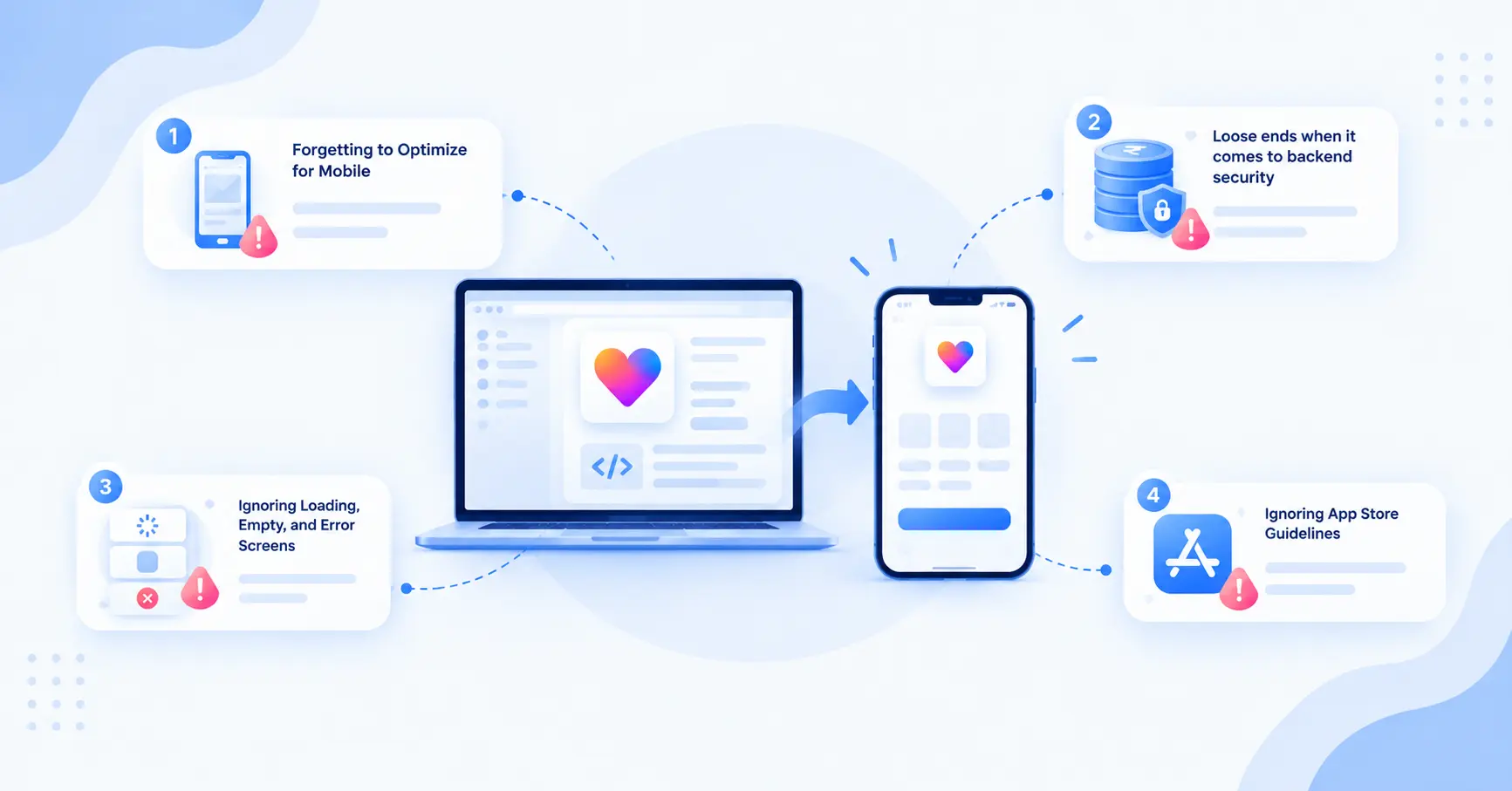
1. Forgetting to Optimize for Mobile
Your Lovable website may look great in a browser, but that doesn't mean it is ready to be a mobile app.
If you simply wrap the web app and publish it, some parts may still feel like a website squeezed onto a phone. A menu that works well on a desktop may be harder to use on a phone. Small buttons can be difficult to tap, and some features may not work well on a touchscreen.
Fix:
Look after your app screen by testing on a real working device before you publish. Make buttons easy to tap, keep text readable, simplify menus where needed, and remove features that only work with a mouse. Also check that pages fit smaller screens without scrolling or cutting off content.
A few small, mobile-friendly changes can make your lovable-to-mobile app experience feel much smoother.
2. Loose ends when it comes to backend security
Just because your app looks secure doesn’t mean the data behind it is secured and protected.
Many lovable web and mobile apps use a backend such as Supabase to store user accounts and app data. If the database rules are not set up correctly, users can access data that belongs to someone else. Just hiding a button, keeping a page, or any information out of the menu does not protect the data.
This becomes necessary, especially when you’re publishing your lovable app and making it available to real users.
Fix:
Before you publish your app, make sure to check that your database has the right security rules in place. If you’re using Supabase, make sure row-level security (RLS) is enabled for tables that contain user data. Test the app with a normal user account and make sure it cannot view or change another user's information.
It's better to find a security problem during testing than after your app is already live.
3. Ignoring Loading, Empty, and Error Screens
Your Lovable app may work perfectly when you test it with sample data and a good internet connection. But real users won't always have the same experience. A list might have no items yet, the internet might become slow, or a page might fail to load.
Without proper messages, users might think the app is frozen or broken. For instance, if a screen is blank while data loads, users may not know whether to wait or try again.
Fix:
Add three simple states to each data loading screen:
-
Loading state: Show that the app is loading.
-
Empty state: Tell users when there is nothing to show yet, such as “No saved items yet.”
-
Error state: Let users know when something went wrong, and offer a Retry option.
These little things add value, especially on mobile apps, where users may be switching between Wi-Fi and mobile data or else have an interrupted internet connection. Test these situations before you publish a Lovable mobile app so that users always know what is going on..
4. Ignoring App Store Guidelines
Once you've created your Lovable app for mobile, there is still more to do. You have to check whether your app has met the requirements of the app store that you want to publish on.
Many people think that a mobile app is just a website in a wrapper. This is not the case for either Apple or Google Play. They expect more from your app to be published. Apple expects you to deliver something that adds more value. So does Google Play.
There are other issues that can lead to your app being rejected. For example, incomplete features, incomplete information, incorrect privacy policies, and undocumented permissions can also cause failure.
Fix:
Check the Apple App Store and Google Play Store guidelines before you submit your app. Test every important feature on a real phone, make sure your privacy information is correct, and clearly explain why your app needs permissions such as camera, location, or notifications.
If your app requires users to sign in, then make sure the tester can sign in and access the application. Apple suggests developers or testers to use a demo account or demo review mode.
Doing these checks before submission can help you avoid common app review problems and make publishing your Lovable mobile app smoother.
5. Missing or Incorrect Permissions
The Lovable mobile app may require permissions for the camera, location, contacts, photos, notifications, etc. But adding permissions without understanding their functions may lead to problems.
Let's say your app needs a feature to scan a QR code and needs camera permission for this. But if you don't handle the permissions correctly, the feature might stop working. Also, asking for unnecessary permissions makes users feel interrupted and irritated while browsing inside your app.
Fix:
Do not request for permissions that your app does not require. Before you release your Lovable mobile app, test every permission on your phone. Check the different variable permissions and what happens when a user allows or denies permissions inside your app.
6. Leaving Fake or Placeholder Content Live
It’s natural to use sample content to see how a screen will look while building your Lovable app. However, there is a problem when you publish a Lovable app with sample content still present.
Dummy testimonials, profiles, random reviews, “Lorem ipsum," and placeholder content can make your app look unfinished. So can test images, dummy products, or sample data that was only added in development.
Fix:
Before publishing your Lovable mobile app, you must review each screen and the content of the app. Replace all sample content, including sample data, with real data. It is better to remove sample test data instead of leaving space for something that looks fake.
You should also review the screenshots and description of your app’s page in the app store. Real content of your app should be visible across all pages.
An app will appear to real users as complete and trustworthy if you take the time for a last-minute content review.
7. No Plan for Updates
Launching your app is only the beginning. Your native app will also need constant updates to fix bugs, implement features, or modify the design.
A common mistake is believing that an update to the Lovable web app will automatically update the published mobile app. How a mobile app is built and published can determine if the mobile app needs to be rebuilt or if a new version needs to be published.
Without a plan for this, your web app and mobile app would eventually become inconsistent. Users may see an old feature in the mobile app while the latest version is already live on your website.
Fix:
Develop a plan for dealing with updates to your Lovable app before you publish it. After major changes, make sure you check the mobile app as well. If a new app build is needed, test it and submit the updated version to the App Store or Google Play.
It is also helpful to keep track of your app versions and changes. This makes future updates much easier to manage and helps keep your Lovable app to mobile app experience consistent.
8. Weak App Store Listing
A poorly made App Store page can ruin an app, even when it functions great. A poor app page contains a negligible app title, vague app description, and poor app screenshots.
Remember, users will decide if your app is worth downloading based on your app icon, app name, screenshots, and description that you upload to the Apple App Store or Google Play Store.
Fix:
Your app should receive the same focus and attention as the other apps. Other elements of the listing should include a clear name, icon, screenshots, and descriptions that communicate what your app does and why it is useful and valuable.
Ensure that everything you add to the listing is accurate. Your screenshots and description should match the current version of your app.
Read through your complete listing from the perspective of a user who is seeing it for the first time. Can users understand what your app does in just a few seconds?
Why These Mistakes Happen
A Lovable web app can work perfectly in a browser but still have issues when you turn it into a mobile app. This is due to several differences between a desktop screen and mobile displays.
For example,
-
A login flow works in the browser but fails on mobile: A user may be able to sign in normally on the website, but a redirect or social login may not work as expected in the mobile app.
-
A feature works on Wi-Fi but struggles on mobile data: A page that takes less time to load on Wi-Fi may take a significantly longer time to load on a mobile device with a slower connection. This may make the mobile app appear unresponsive or blocked.
-
A permission works differently on a real device: A feature that needs the camera, location, or notifications may work during development but fail if the permission is not requested or handled correctly on the phone.
Test your app against the App Store and Play Store's rules before publishing. Test your app on a real mobile device to check if your app functions as intended.
Final Checklist Before You Publish Your Lovable App
- The app is mobile-optimized (buttons, menus, and text work well on a real phone screen)
- Backend security is set up correctly (row-level security enabled, tested with a normal user account)
- Loading, empty, and error states work on every screen that loads data
- App Store and Google Play guidelines have been reviewed
- Privacy policy information is accurate and up-to-date.
- All permissions (camera, location, notifications, etc.) have been tested and are only requested when needed
- Reviewer access (demo account or review mode) is ready if your app needs login
- All fake, placeholder, or dummy content has been replaced with real content
- Screenshots and app description match the current version of the app
- You have a plan for handling future updates to the app
- App icon, title, and screenshots are ready and accurate
- The app has been tested on a real device like an actual user would use it
If you can tick off everything on this list, you're in a good place to hit submit.
Frequently Asked Questions
Q1. What should I check before publishing a Lovable app?
A. Before you publish a Lovable app, check the mobile layout, login, backend security, permissions, loading and error screens, app content, store listing, and important features. Testing the app on a real phone can also help you find problems that may not appear in a browser.
Q2. Why does my Lovable app work fine in the browser but cause issues after publishing to mobile?
A. A browser is forgiving about things like slow loading, small buttons, or a missing permission message. App stores and mobile users are not. The app needs a separate mobile-focused check before it's submitted, not just a working web version.
Q3. Do I need to rebuild my Lovable app to fix these mistakes?
A. No. Almost all of these issues, mobile-friendliness, security rules, loading states, permissions, and listing content can be fixed with a review pass before publishing. A rebuild is rarely needed.
Q4. What's the most common reason a Lovable app gets rejected from the App Store or Google Play?
A. Incomplete features, incorrect or missing privacy information, and undocumented or unnecessary permissions are among the most common reasons. A plain website wrapper with no real value added is also a frequent cause.
Q5. How do I know if my backend security is actually working, not just hiding things?
A. Hiding a button or menu item is not the same as blocking access to data. Test your app by logging in as a normal (non-admin) user and trying to view or change another user's information. If that's possible, your security rules need fixing before you publish.
Q6. Will changes to my Lovable web app automatically update my mobile app?
A. Not always. Depending on how your Lovable app to mobile app setup works, you may need to rebuild or release a new version after making changes. It is better to have an update plan before publishing.
Conclusion
Publishing a Lovable app to the App Store and Google Play is not simply packaging your website in a mobile app. You need to optimize the app for phones, protect user data, manage permissions, and provide a seamless user experience.
Before you publish a Lovable app, consider the user experience one last time before publishing. Go through the app. Test the login flow, check the features, see how the app functions with different internet connections, get rid of dummy content, and check your app store page.
Do NOT submit your app for review and find last-minute bugs. That will only create more delays for mobile app publishing and will frustrate users.
A little extra checking before you hit Submit can save you from bigger problems later.
Similar Blogs