


PWA vs Native App: Which Should Your Business Choose? (And Can a PWA Go on the App Store?)
Published on:
3 November, 2026

TL;DR:
Choose a PWA if people mainly browse, book, or buy. You just need one codebase without app store review. Choose a native app if you need deep device access, offline functionality, or efficient performance. A PWA cannot be published on the Apple App Store. There is a third way that is transforming your existing website into an Android and iOS app with native features.
Your website is performing well, and now customers are asking for the mobile experience. This is where the question arises. This guide shows how a PWA and a native app differ, how they are different, app store guidelines, and who should avoid each one.
A progressive web app (PWA) is a website that can be installed and work like an app. On the other hand, a native app is built for Android or iOS and installed from the app stores. Select a PWA for reach, affordability, and faster results. Pick a native app for hardware features and best performance. If you want an app store listing but do not want to rebuild, wrapping your website into an app stands in between.
The right answer depends on who your users are, what actions they will perform inside the app, and which devices they use. At the end of this blog, you will know which option fits your budget, what Apple and Google review approvals are, and where a wrapped website can save a lot of money and time.
What is the Difference Between a PWA and a Native App?
A Progressive Web App (PWA) is a website that can be installed on the mobile device and used like a real app. It reaches any device from one codebase. To make the website installable, you need a web app manifest, HTTPS, and a service worker. The web app manifest offers the mobile device your app’s name & icon. The service worker can store pages so the app works on a weak network. When your website updates, the PWA also updates.
A Native App is written for one platform, either Android or iOS, using that platform's own tools. Users download it from the Google Play Store or Apple App Store. It uses mobile features such as push notifications, deep linking, camera access, splash screen, and more.
The main difference between a PWA and a native app is where the app lives and how much control it has. A PWA runs in the browser engine, is affordable, and updates automatically without app store review and limited device access. A native app has a higher budget, app store reviews, and full access to phone features. This gap is more frequent with apps that require Bluetooth, background tasks, or heavy graphics.
How Do a PWA and a Native App Compare?
Cost
PWA can be the most affordable solution, since it leverages your existing website. No store fees, no separate team required! A native application is the most expensive option, as iOS and Android are typically developed separately, which means that they require testing and maintenance on both platforms. In addition, developer accounts are required for a store app. Apple currently costs $99 per year. Google costs a one-time $25. A wrapped site will be similar to the PWA cost, as it is using your website, but with the addition of a store listing.
Updates and Review
There is no review process between site changes. A PWA changes when it is published. Native apps are reviewed by the stores with new versions before users. That not only provides additional waiting time but also provides quality assurance on every release before it gets to the user. A wrapped site is a combination of both. Changes to content appear immediately since the app displays your live website, but changes to other native settings (e.g., icon, new native functionality) will require a store update. Schedule your release program accordingly.
Offline Access
The offline use differs for each option. You can make a PWA work offline using a service worker, but your developers need to add and test it. A native app will allow you to have complete control over what is stored on the phone and how it syncs. The same applies to the devices too. Unlike a PWA, a native app has access to everything the phone has, and a PWA can only be as powerful as the browser. A wrapped site includes native features via add-ons, making it accessible to more of the phone than a plain PWA. Before you choose, ask your developers what features you really need.
Push notifications on iPhone
PWAs' biggest flaw is push notifications. Web push was introduced to iOS and iPadOS 16.4, but is limited to web apps that have been added to the user's Home Screen. The user will also have to click a button to enable notifications, and Safari tabs are not allowed to request them in any way. These notifications appear on the lock screen and in the Notification Centre like any other app. In Android, Web Push is more general and can be used within a Trusted Web Activity. On iPhone, many users never add a site to their Home Screen, which means the push reach on iPhone may be significantly less than on Android.
Can a PWA Go on the App Store or Google Play?
Google Play Store accepts a PWA once it is packaged as a Trusted Web Activity. The Apple App Store does not accept a general PWA because it expects more than just a repackaged website. This section explains how each app store treats a PWA, what you must add to get approved, and more.
Apple App Store
Not by itself. Apple’s guidelines 4.2 say an app should offer features, design, and content that is not just a repackaged website. A PWA is a website, so submitting it as a mobile app has a higher risk of rejection. If you want to publish an iOS app on the Apple App Store, your PWA must be wrapped in a native app shell with mobile app features. Apple reviewers look for things like camera access, notifications, sharing documents, offline support, and more.
Apple does not publish any app review checklist. The reviewer opens your app and decides for themselves. A useful trick is to ask what is left when your website is removed. If the app is left with only a splash screen, it's likely to be rejected. Reviewers look for complete app functionality, including logins, sign-ups, app features working properly, payment flow, and more. Adding native and advanced features can lower rejection risk but won't eliminate it. You must have an Apple Developer account, which costs $99 billed yearly.
Google Play Store
Google Play is much easier for a PWA than the App Store. Google Play Store allows you to publish your PWA as a normal Android app. The technology that supports this is called a Trusted Web Activity. In simpler words, it is a small Android app that opens your website in full screen without any address bar or browser link. Users see it as a real native app, but the content still comes from the website.
There is one rule. The website must be yours. Google checks that the website and the app belong to that developer. Nothing happens automatically. Your PWA will not appear on the Google Play unless you create the Android package and submit it yourself. You don't have to put your website files inside, as the content loads from your website and stays updated in real time. Free tools such as PWA Builder or Bubblewrap can help create the Android package.
Google Play has its own quality guidelines for functionality, user experience, and spam policies. So an app with limited features without appropriate functionality can also get rejected. To publish your Android app on the Google Play Store, you must have a Google Play developer account with a one-time fee of $25.
What is the Third Path Between a PWA and a Native App?
The third path between a PWA and a native app is Wrapping your existing website as a mobile app.
The way is simpler than you think. Your existing live website is the base of your content, building a native app shell around it. The updates made on the website will be reflected in the app instantly without rebuilding. While the native shell adds a PWA, it lacks app store listing, dependable push notifications, and native navigation. The mobile app loads your existing live website, making your team familiar with working inside the platform. You don’t have to rewrite separate codebases for Android and iOS. This is ideal for startups, non-technical founders, businesses with a website, or individuals looking for an app that is faster to build and affordable.
How Does Webtonative Do It?
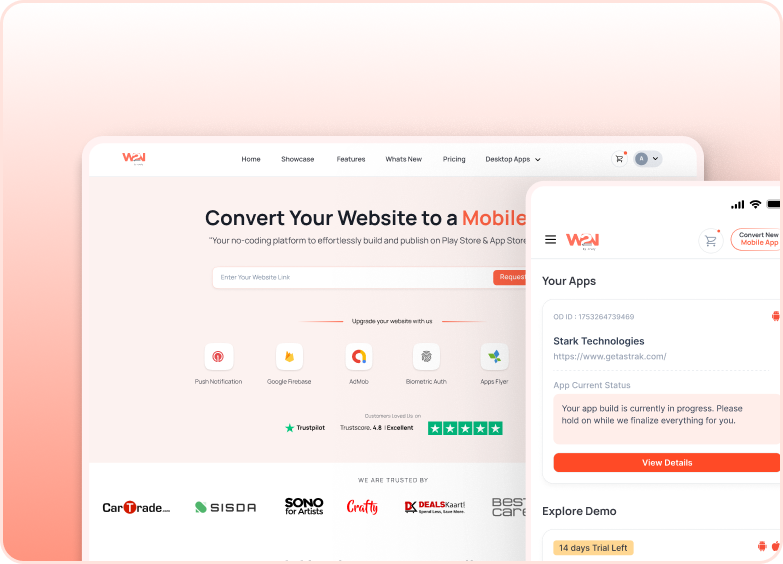
Webtonative is a no-code mobile app builder that transforms your website into an app. You have to enter your existing website’s URL and select the platform, either Android, iOS, or both. Following the app customization, including the app icon, splash screen, bottom navigation, and more features. The platform offers 120+ extensive ranges of add-ons, including monetization, user interface, security, device, and hardware. Webtonative also offers done-for-you publishing from your developer accounts or publishing by yourself. The mobile app is synchronized with your existing website in real time. A 14-day free trial is also offered to see how the apps behave, what all functionality they have, and how a user sees them.
Who Shouldn’t Use a PWA?
A PWA is the wrong choice if most of your users are on iOS and you depend on push notifications. iOS limits web push notifications to web apps that the user has added to the Home Screen. And the user must agree to push notification permission. Safari tabs cannot ask for this permission at all. If push notifications help boost your sales, that extra effort might limit your reach.
-
It also fails if buyers search the App Store for apps like yours, but a PWA has no listing there. App Store search is a wide discovery channel that a PWA cannot use on its own.
-
App install is another weak point. On iOS, users must open the Share menu and add it to the home screen. Not every visitor will know to do that.
-
Offline access is also a limitation. A PWA works without a connection only if your developers build and test a service worker for it.
If you require Bluetooth or background tasks functionality, web support is limited and often uneven across browsers. For this functionality, an app store, a native, or a wrapped app fits better. Choose a PWA only if your users find you through website links or browser searches.
Who Shouldn't Use a Native App?
A Native App is the wrong choice if you have a limited budget, content-based app, checkout flows, or don’t want two separate codebases. Building Android and iOS separately means two different sets of codes, two testing rounds, and two app publications. And the work continues like performance and maintenance of the app.
-
It overloads if your users visit once in a month. Since a PWA or a responsive mobile website will offer limited functionality. A booking or shopping journey that works well in the browser really requires a complete native app.
-
App store rules add more weight. Each app update goes through an App Store review before users receive it. You must have developer accounts, which cost $25 for Google billed one time and $99 for Apple billed annually. Users have to find and download the app before they can use it.
Native apps consume a lot of time in development. A native build takes longer to reach users than a PWA or a wrapped website app. If you are still testing demand, that delay becomes very costly.
Frequently Asked Questions
Q1. What is a Progressive Web App (PWA)?
A. A progressive web app is a website built to behave like a real app. It can be installed on the home screen, opens in its own window, and sends notifications on supported devices. A service worker allows you to load quickly on weak networks and functions offline when your developers set that up. It runs inside the browser rather than as an app store. It requires no installation from the Google Play Store or Apple App Store. One codebase is used inside phones, tablets, and computers.
Q2. Is PWA cheaper than a native app?
A. Yes. A PWA uses one web codebase, while native apps need separate Android and iOS codebases. A PWA eliminates App Store visibility and reviews. Both Google Play and the Apple App Store require developer accounts with a fee for further processing. PWA is cheaper but offers less functionality than a native app. A wrapped website app is affordable, but PWA is cheaper.
Q3. Do PWAs get push notifications on iPhone?
A. Yes. It is only possible when the user has added the website to the home screen and then granted notification permission. The request must come from a direct tap, such as the subscribe button. In Safari, web push is not offered on iOS. Once it is allowed, notifications appear on the lock screen just like any other app. On Android, web push works more widely. If push matters for your business, a wrapped website app or a native app is the safest option on iOS.
Q4. How is a PWA different from a regular website?
A. A PWA adds a web manifest and a service worker, which allows installation and also works offline. A regular website can still be added on the home screen as a shortcut. In practice, a PWA opens in its own window, showing the website icon with the name on the home screen. But it also requires HTTPS. Both have the same web codebase; turning a good website into a PWA is usually smaller than building an app.
Q5. What is a PWA builder?
A. A PWA builder is a tool to help developers build, audit, and package PWAs across different platforms and app stores. It often saves developers a lot of time but does not guarantee app approvals. Before publishing, you must check that the produced store package meets Apple's approval guidelines.
Conclusion
A PWA, a Native App, or a Wrapped Website App each fit perfectly into different situations. Choose a PWA if your users browse, book, or buy on the web and have the lowest budget. Choose a native app whose product relies on deep device access and has an extensive growing budget. Choose a wrapped website app if you want an app store listing with mobile first features and instant content updates without rebuilds. Choose an ideal option that fits perfectly in your requirements and budget.
Ready to try? Enter your live website URL and begin with a 14-day free trial now.
Similar Blogs