



No-Code App Converter for Non-Technical Businesses With Websites
Published on:
28 October, 2026
Building an app can feel complicated when you come from a non-technical background. Many non-technical business owners give up on converting their website into an app, thinking that app conversion from an existing website requires coding skills, technical knowledge, or an experienced development team.
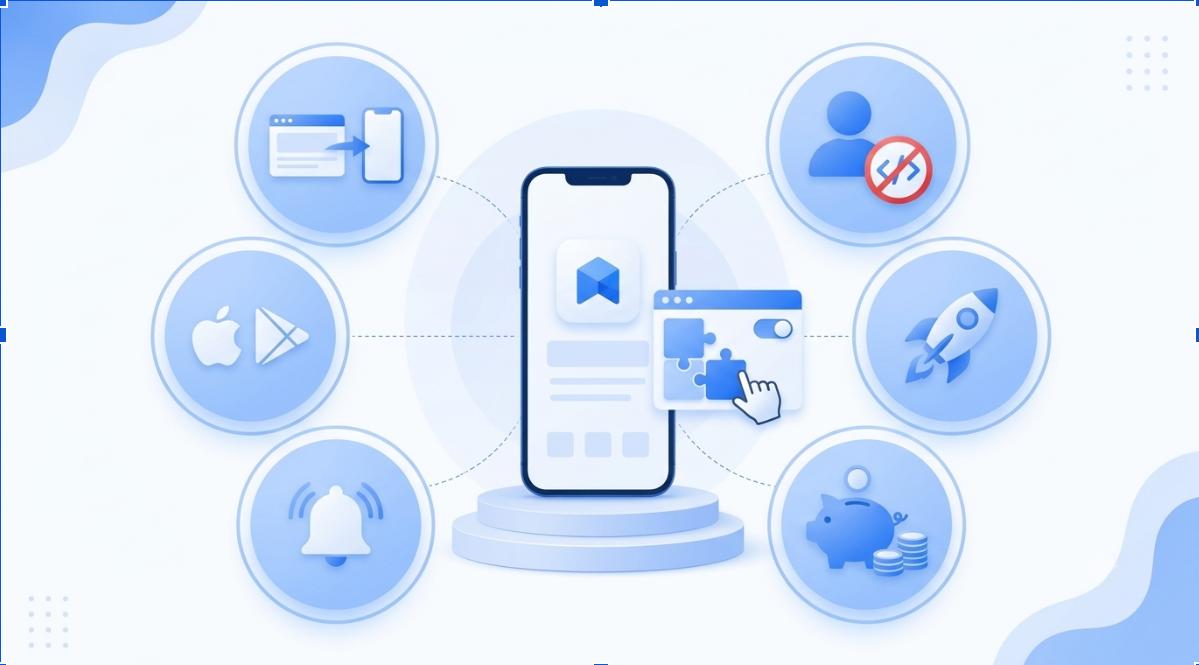
But here's the good news: Converting your website to an app is no longer restricted to IT experts. You don't need to know how to code or have a dedicated technical team to get started. With the right no-code app converter tools, you can easily turn your existing website into a mobile app and give your customers a comfortable experience on their phones.
Questions to Ask Before Starting to Build Your No-code App:
Consider a scenario where a local gym with an existing website wants to turn it into an app. A gym owner can use these five questions to figure out whether a mobile app would be useful for their business.
Q1. Would I like my brand to be single tap away on my members’ home screens? A. Yes. An app icon means members don’t have to open a browser and search for the site each time they book a session or check attendance.
Q2. Do visitors come back to my website often? A. Yes. Regular members visit often to book sessions, pay subscriptions, and check progress.
Q3. Would I like to send offers, reminders, and updates directly to my members’ phones? A. Yes. Push notification features can directly pop up discounts, class reminders, and rewards for members who reach their fitness goals.
Q4. Would it be easier for my members to book and pay if they didn’t have to enter their details every time? A. Yes. Members may need to log in again on a website, but an app with saved login and payment details lets them book a session or renew a subscription in a few taps.
Q5. Are there competitors who are already using mobile apps to connect with their members? A. Yes, Anytime Fitness is a worldwide gym brand that offers personalized workouts, goal setting, progress tracking, coaching for members, and a community to connect with others on their mobile app. Members now expect similar convenience from local gyms.
Result: All five answers are yes, so an app is likely to pay off for this gym. Since it already has a website, it can convert it with a no-code app converter platform instead of building from scratch.
Why Does Your Business Need an App?
The reason is that people now spend a large amount of their day using apps. Your customers are already in apps. Sensor Tower’s State of Mobile 2026 report shows that about 5.3 trillion hours were spent on Android and iOS apps in 2025, about 3.6 hours daily per average user. The same report shows that in-app purchase sales reached $167 billion, which is up by 10.6% from the year 2024 to 2025. These numbers make one thing clear: mobile apps are no longer just an extra feature for businesses. They're becoming an important part of how businesses reach customers, provide value, and generate revenue.
Here we are discussing a few major reasons why you should invest in a mobile app:
-
Increase Sales and Revenue:
A study issued by the Marketing Science Institute found that customers who used a retailer's mobile app bought 21% more often and returned 73% more frequently than non-users.
The total app usage was linked with a 24% increase in the net economic value of purchases. The study also projected an annual revenue increase of $550 million to $890 million for the retailer. These findings show how a well-designed mobile app can encourage repeat purchases and create massive revenue opportunities for businesses.
-
Direct Communication with Customers:
Websites often are dependent on search engine rankings to gain new visitors. Apps make it simpler for clients to share opinions, feedback, and experiences with the business. Mobile apps help businesses communicate with their customers through features like push notifications. This helps the business owners to identify what their customers want, which helps them to refine the product or the services.
-
Encourages customers to revisit the business:
Here we will find out the difference:
| Websites | Mobile Apps |
|---|---|
| Repeating an order may take more steps unless the customer is logged in. | Saved details help you order more easily. |
| The customer must use a browser or bookmark to return to the site. | The app icon is placed on the screen, so reopening is easier. |
| Features can take several clicks to reach. | Key features are quick to reach. |
| Visits rely on search, ads, and email links only. | Regular notifications and reminders encourage more visits. |
| Customers may miss a business that isn’t on their device. | An app icon is a constant reminder. |
-
Smarter Business Decisions:
Mobile apps help businesses understand their customers better by showing which features they use the most, which features they ignore or dislike, and what makes them return to the app. For example, a business can find out which products customers view the most, which offers get more attention, and where customers leave without completing their purchases. This information helps businesses understand what their customers actually want and what needs to be improved.
In this way, decision-makers can make better choices about fees, discounts, offers, app features, and customer service. They can also plan new updates based on customer needs and shopping habits instead of simply making assumptions.
For example, if an e-commerce business noticed that customers are not using the wishlist feature, the business can try to understand the reason and make it easier to use. Similarly, if a particular offer attracts more customers, the business can plan similar offers in the future.
-
Increases Brand Loyalty:
Brand loyalty is a key part of a successful business. It is important because it keeps customers choosing the same business over their competitors. When customers trust a brand, they keep purchasing things from that brand over and over again. This builds a long-lasting relationship with the customers.
The Amazon app is a great instance of how a mobile app can build brand loyalty. With biometric login, customers can sign in quickly, while push notifications keep them updated about deals and deliveries. Features like one-tap reordering make it easy to buy their favorite products again without going to the website’s URL and logging in repeatedly. These small comforts keep customers coming back to Amazon.
Native vs. Hybrid vs. No-code: Which is right for you?
A native app is built for one operating system, either iOS or Android; a hybrid app runs on both from a single codebase, and a no-code app is built with an existing website instead of code.
Here are the differences between the three:
| Features | Native | Hybrid | No-code |
|---|---|---|---|
| Built with | Separate code for iOS and Android | One codebase for both | Platform needed, no code |
| Cost | Estimated $25,000 to $300,000+ | Estimated $15,000 to $100,000+ | Estimated $0 to $250+ |
| Time | Longer | Average | Fastest |
| Skills needed | Team of Developers | Team of Developers | None |
| Best for | Complex high-performance apps | Apps that need both platforms | Website-based apps |
For most non-technical businesses, no-code is the quickest and most affordable way to start.
10 Things to Keep in Mind While Converting a Website to an App
Here are some important points to keep in mind when building a no-code app from your existing website.
1. Choose the Right No-Code Platform
Select a platform that works smoothly with your existing website and supports the features you need. Choosing the right no-code platform helps your business grow with the functionalities that you want to integrate into your app.
2. Check Website Compatibility
Make sure your website’s content, design, and features work properly in the app, too. Sometimes, a website may look fine on a browser but appear differently in an app, with buttons out of place or features not working as expected. Check everything carefully to make sure your app looks right and works smoothly for your users.
3. Focus on User Experience
Keep the app simple, easy to navigate, and convenient for users. This helps users to find what they need. Here you can check out the blog on essential features for a better user experience.
4. Maintain Consistent Branding
Keep your app’s colors, fonts, and design consistent with your website so users feel familiar with it from the start. When the app looks like the website they already know, they can navigate it more comfortably without feeling confused by unexpected changes. This makes the overall experience smoother and more enjoyable.
5. Optimize App Performance
Make sure the app opens quickly and works properly without unnecessary delays. Good performance ensures easy and smooth operation of the app. If the app is working slowly and the features are not easily accessible, it may frustrate the user and can lead to a negative impact on the business’s brand.
6. Ensure Mobile-Friendly Design
Your app should fit different screen sizes and make buttons, menus, and content easy to access. People may be using your app on different devices, so ensure that it works well on all of them without making the usage difficult.
7. Integrate Essential Features
Your app must ensure it has all the essential features required by the user to access your business. Include useful features such as push notifications, search, payments, or user accounts, depending on your business needs.
8. Test Before Launching Always test your app before delivering it to your clients. Testing the app on different mobile devices helps to identify problems, broken connections, and other issues so that you can ensure a smooth and error-free experience for the user.
9. Consider Future Growth
Before choosing a platform, make sure it can support your business as it grows to avoid any last-minute delays and chaos. Pick a platform that can grow with your business and lets you add features whenever you need them.
10. Understand the Costs and Limitations
Before choosing the platform, check its pricing, subscription plans, and required terms and conditions. Look for extra fees, usage limits, integration costs, and app release requirements. This helps to avoid unnecessary expenses and choose a plan that fits your business needs and expenses.
Common Mistakes To Avoid
1. Not matching the business logic and no-code platform capabilities
One mistake businesses make is choosing a no-code app converter platform without first understanding their business requirements. Every business has different needs, and not every platform offers the same features and functionalities.
For example, if a business needs a payment feature in its app but the chosen platform doesn't support it or doesn’t offer a suitable integration, it may not be the right choice for that business. Therefore, it's important to identify your requirements and check the platform's capabilities before making a decision.
2. Having an unclear development plan
Many business owners focus only on building and launching their app without having a clear plan for how it will look, which features to include in the first version, and what to add in future updates. Without a proper development plan, they may end up spending time and money on features that aren't immediately necessary. This can lead to unnecessary expenses, delays, and confusion during development. It's better to start with the essential features and gradually introduce new ones as your business grows and customer needs change.
3. Choosing the wrong tools
No-code app converter platforms offer various tools that you can integrate into your app based on your business needs. Many business owners choose tools simply because they are popular or used by well-known applications. However, what works for one business may not work for another. Instead of following trends, choose tools that match your business requirements and help you achieve your goals.
4. Ignoring the customer’s feedback
Your app is built for your customers, so ignoring their opinions and suggestions can lead to a loss of trust and affect brand loyalty. Some businesses make the mistake of adding features based on their own preferences rather than understanding what their users actually need. As a result, the app may become difficult to use and fail to solve the problems customers face.
You don't need to make changes based on every suggestion, but listening to your customers can help you make better business decisions and understand what they actually expect from your app. That's why customer feedback plays an important role in the app conversion process.
5. Overlooking testing and regular updates
Launching an app doesn’t mean your job is finished. Even if you're choosing a no-code converter to build your app, be sure to test everything before your users begin working with it. Slow loading, broken links, or payment problems can frustrate users and make their experience less enjoyable. After launching the app, monitor its performance regularly and release updates whenever necessary to fix issues, improve features, and keep the app running smoothly.
Frequently Asked Questions
Ques 1. Is there a need for a mobile app when my business already has a website?
Ans: A website helps new customers discover your business through search engines and social media, while a mobile app helps you stay connected with them and encourage them to return. With features like push notifications, one-tap access from the home screen, and easy sign-ins with saved login and payment details, customers can interact with your business without going through the same steps every time. You can also offer loyalty rewards and personalized deals to make customers feel valued and give them more reasons to come back. These small things can encourage repeat purchases and build stronger customer relationships. Use your website to attract customers and your app to keep them coming back.
Ques 2. Can I convert my existing business website to an app?
Ans: Yes, if your website is already mobile-responsive, then no-code app converter platforms like Webtonative can wrap your website into iOS or Android apps in no time. Along with the conversion process, it provides tools and functionalities such as push notifications, offline support, and access to device features like the camera and GPS, so your app feels native rather than like a basic web page. Since the app is built from your existing website, any updates in the design and content you make to the site will reflect in the app, which saves time and development costs. This makes it a quick, budget-friendly way to launch your app and reach more customers
Ques 3. Are no-code apps appropriate for small-scale businesses and startups?
Ans: Yes, a no-code app converter is a great option for small businesses and startups that want to turn their existing website into a mobile app without spending heavily on development. These platforms let you create an app without coding skills or hiring a dedicated development team. You can save time and money while adding useful features like push notifications and access to device features. Instead of building everything from scratch, you can launch your app faster, reach more customers, and spend more time focusing on your business growth.
Ques 4. Do I need a developer team to maintain my app?
Ans: No, you generally don’t need a developer to manage and update a no-code app built around your existing website. Normal changes to text, images, products, and other website content can usually be made directly on your website and visible in the app. However, some technical help may be needed when adding new features, fixing complex issues, or troubleshooting integrations. The level of support required depends on your app’s functionality and the tools your platform provides.
Ques 5. Can I publish my no-code app on the Google Play Store and the App Store?
Ans: Yes, many no-code app converter platforms allow you to publish your app on both the Google Play Store and the Apple App Store. This helps you reach customers using both Android and iOS devices without building two separate apps from scratch. However, before choosing a platform, check whether it supports publishing on both stores and provides the features you need. You should also consider the app store guidelines, developer account requirements, and any additional publishing fees to avoid unexpected problems later.
Conclusion
If you've been thinking about building an app for your business but have held back because of technical challenges, now is a good time to explore your options. No-code app converter platforms make it easier to turn your existing website into a mobile app without writing code or hiring a large development team.
Before starting, understand your business needs, identify the features your customers expect, and compare platforms based on their capabilities, pricing, and ease of use. Choose a platform that meets your current requirements and gives you room to grow in the future.
You don't have to build everything at once. Start with the essential features, gather feedback from your users, and make improvements as you learn more about their needs. With the right approach and tools, you can build an app that improves the customer experience and supports your business growth over time.
Similar Blogs