



Top 7 Mistakes to Avoid When Building Your First Mobile App
Published on:
11 August, 2026

By Chavi Chandani
Technical Content Writer
Table of contents
Building your first mobile app is exciting at first, but as you keep moving forward and looking for more features and methods, it starts getting confusing.
Maybe your app idea came to you while taking a walk, during a boring meeting, or at 2 AM when you just couldn't sleep. Wherever it came from, you felt excited. You started imagining people using your app every day. Maybe you even wrote down a few features or functions in your notepad.
Then reality hit.
You realized that building an app isn't just about daydreaming about your app idea. It's about too many questions going through your mind. Should you hire a team of developers or use an AI app builder? Which platform should you launch on first? How much does it cost? And most importantly, what if you spend months building your app, only to find out nobody wants it?
So, if you've been through these thoughts, you're not alone. Many first-time app builders make a few common mistakes that cost them time, money, and users.
According to CB Insights reports, 43% of startup failures are linked to poor product-market fit, meaning they build products that don't solve a real user problem.
The good news is that these mistakes are avoidable. Most first-time app builders make the same mistakes, not because they are bad at it, but because they have no idea where to start or what to look for.
In this guide, we'll walk through the 7 biggest mistakes people make when building their first mobile app and, most importantly, how to avoid them so you can save time and money.
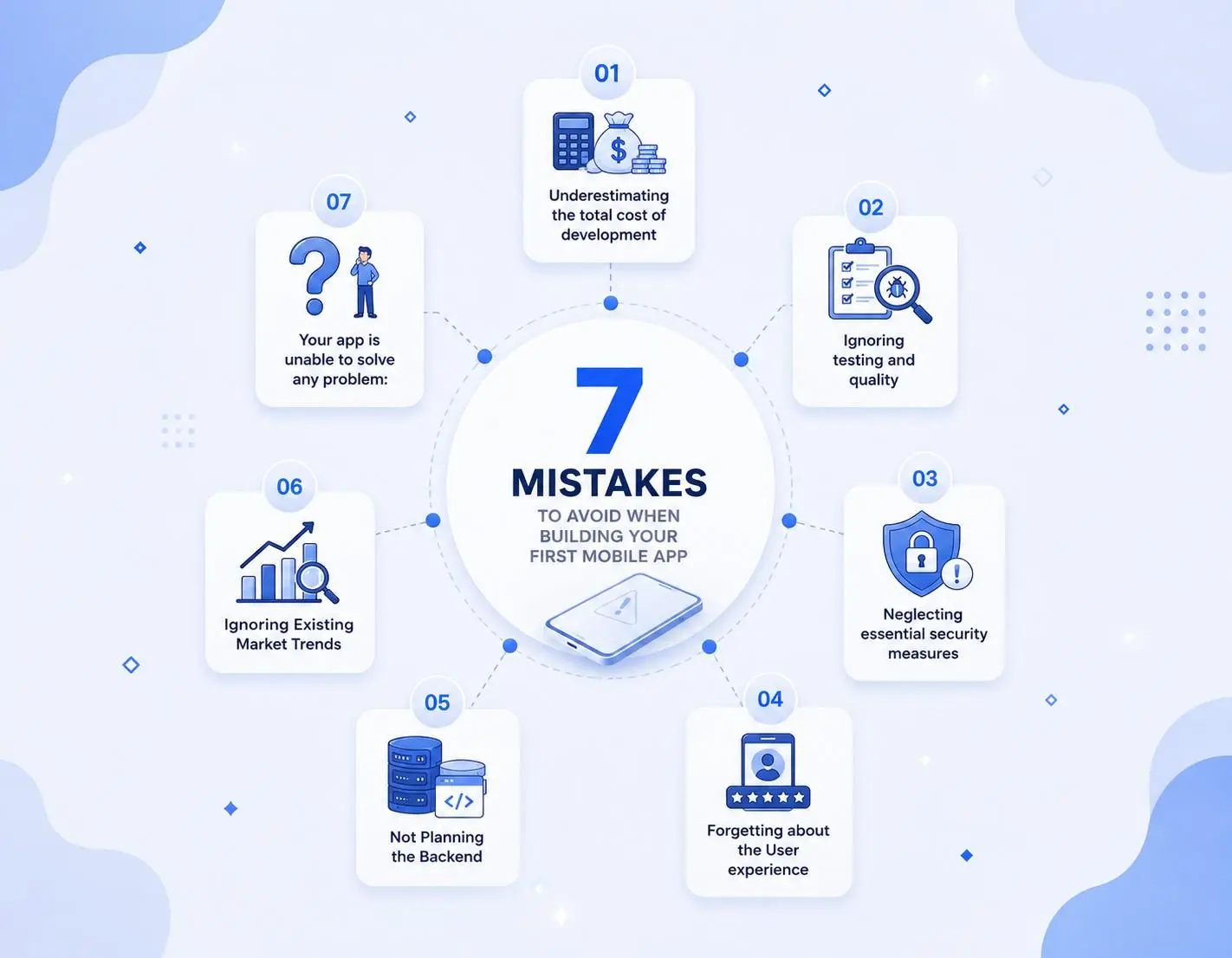
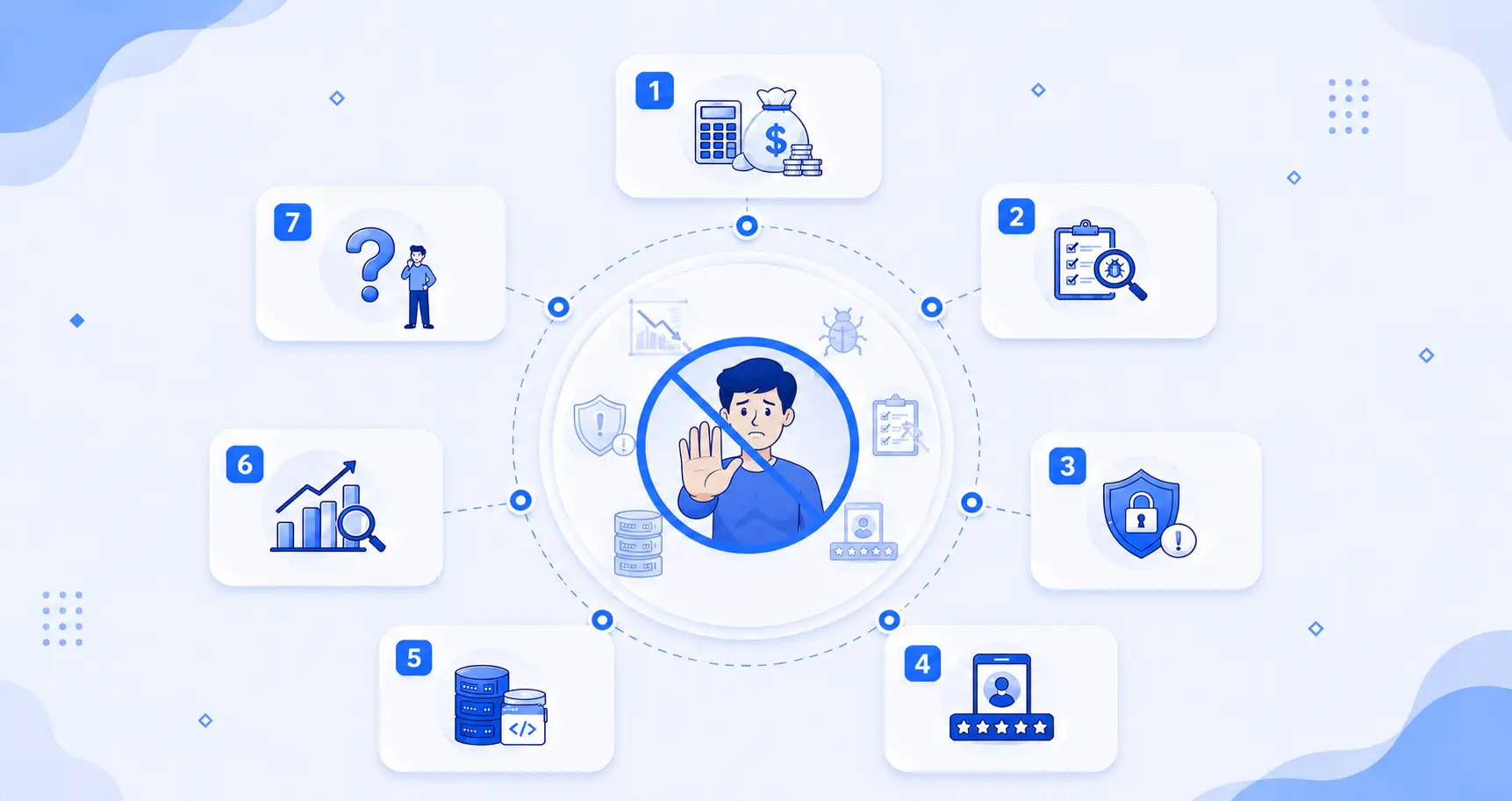
Things to Avoid When Building Your First App
Building your first app comes with a lot of decisions, and it's okay to make mistakes along the way. The good news is that most of these mistakes can be avoided if you know what to look out for.
Let’s look at the common mistakes first-time app builders make and how to avoid them.
1. Underestimating the total cost of development
When you’re building your first app, you might think the main cost is simply paying a developer or using an AI app builder, depending on your preference. But app development can involve many other costs before and after the app is launched.
For example, you may need to spend money on:
Research and planning: Understanding your users, competitors, and whether your idea is worth building.
Design: Creating the app’s screens, icons, and overall user experience.
Development: Building the actual app and making features such as login, payments, APIs, chatbots, or databases.
Third-party services: You may need to pay for extra tools or services your app uses, such as payment systems, cloud storage, or other features.
Testing: Finding and fixing bugs before users start using the app.
Publishing: You may need to pay fees to put your app on the App Store or Google Play Store.
Maintenance: Fixing bugs, updating the app, and making sure everything works properly.
Future updates: Adding new features later can cost extra time and money.
The fix:
-
Plan your idea properly before you start building.
-
Think beyond development costs and include things like design, testing, publishing, and maintenance.
-
Keep around 15–25% extra in your budget for unexpected costs.
-
Compare different ways to build your app, such as hiring developers, using a no-code tool, or using an AI app builder.
-
Start with the important features instead of adding everything at once.
-
Remember the costs after launch, as you may still need to pay for maintenance, updates, and other services.
-
Check your budget regularly as your app grows.
2. Ignoring testing and quality
When you’re excited to launch your first app and see that it works fine, you get impatient. Two more weeks of testing feels unbearable. So you rush the launch, skipping the boring parts like testing on different devices, slow internet, or what happens when someone taps the wrong button by mistake.
The problem is, “it works on my phone and looks good” doesn't mean it works everywhere, and your users may experience things you never noticed.
For example: You build an app for artists to upload their artwork. You test it only on your phone with a great camera and fast internet, and every image looks good and loads instantly, so you launch it. But soon, users with older phones or slower internet connections start complaining that images take forever to upload, some image quality fails completely, and the app freezes when they try to add multiple artworks at once. You never tested it on a weaker device, so you had no idea this was happening, and by the time you find out, many users have already given up and deleted the app instead of trying again.
The fix:
-
Test on different devices to make sure your app works properly on different phones, screen sizes, and operating systems.
-
Check different internet speeds so your app still works well when the connection is slow or unstable.
-
Test every important feature like login, payments, uploads, buttons, and forms before launch.
-
Try using the app in the wrong way by entering incorrect information, tapping buttons multiple times, or turning off the internet to see what happens.
-
Ask real people to test your app because they may notice problems that you didn't see yourself.
-
Keep a list of bugs and fix the important ones before your app goes live.
-
Don't stop testing after launch because new bugs or problems can appear when more people start using your app.
3. Neglecting essential security measures
When building your app, security may not be the first thing on your mind. You are more focused on making the app work and getting it ready to launch. But if your app stores user info, passwords, payments, or other personal data, you need to protect it from the beginning.
Your app can look and work perfectly fine while still being completely unsafe and insecure. And you won't even realize this until someone has already hacked it.
For example: You build a simple app where users sign up with just their email and password. It works fine, people start using it, and downloads keep growing. But you never properly protected your data, so one day, a hacker gets into your database, and thousands of users' personal info gets exposed. Your app gets defamed, users lose trust instantly, and no amount of new features or updates can fix that damage.
The fix:
-
Protect user information so passwords, emails, payment details, and other personal data stay safe.
-
Keep passwords secure and never store them in a way that anyone can easily access.
-
Keep your API keys private. API keys are like passwords that let your app connect to other services. Never put them somewhere users can see or copy them.
-
Check what users enter to prevent harmful or unwanted information from getting into your app.
-
Use HTTPS to keep information safe when it moves between your app and the server.
-
Give users only the access they need instead of allowing everyone to access sensitive information.
-
Test your app for security problems before launch, especially if it handles payments or personal data.
-
Don't ignore security after launch because new security problems can appear as your app grows.
4. Forgetting About the User Experience
You focused so much on making the app function that you forgot to ask if it's actually easy to use. To you, everything makes sense because you built it. If all functions and features work, you might believe that the app is sufficient. But users care about how easily they can understand and use the app.
For example: Imagine you build a game for kids. You know exactly which button starts the game because you made it. But when a kid opens the app for the first time, they see a bunch of colorful icons everywhere and have no clue where to tap. They try one icon, then another, getting more confused each time. After a few tries with no luck, they just give up and leave the app.
The fix:
-
Keep the design simple so users can understand the app without needing instructions.
-
Make important buttons easy to find instead of hiding them behind too many screens.
-
Use clear names and icons so users know what each button or feature does.
-
Keep the design similar on every screen so users don't get confused when they move around the app.
-
Don't add too many things to one screen because it can make the app feel confusing.
-
Test the app with real users and watch where they get confused or stuck.
-
Think like a first-time user because you already know your app, but your users don't.
5. Not Planning the Backend
When building your first app, you may spend most of your time thinking about how the app will look and what users will be able to do. But you may forget about what happens behind the scenes. This is where the backend comes in. It handles things like storing user accounts, saving orders, managing payments, and keeping your app's data safe.
For example: Imagine you build a shopping app where users can create accounts, add products to their cart, and place orders. The app looks great and all the buttons work, but you never properly planned where user details, product information, and orders will be stored. As more people start using the app, you may run into problems with missing data, slow loading, or features that don't work properly. Now you may have to rebuild parts of the app, which can take extra time and money.
The fix:
-
Plan what data your app needs before you start building, such as user accounts, orders, payments, or product information.
-
Decide where the data will be stored so you know how your app will save and access information.
-
Think about how different features will connect so your login, payments, notifications, and other features can work together.
-
Keep your backend secure because it may contain important user and business information.
-
Choose the right tools or services for storing and managing your app's data instead of choosing them at the last minute.
-
Test the backend properly to make sure data is saved, updated, and shown correctly.
6. Ignoring Existing Market Trends
While building your app, you may spend all your time making the app and think about marketing only after it's ready. But by then, you may have no idea how to reach your first users. Also, somewhere in your head, you assume that once it's live, people will just... find it, download it, and tell their friends.
The truth is, the app stores are packed, with millions of apps competing for attention. Nobody is out there searching for your app by name, because they don't know it exists yet.
For example: You build an app called ‘Quick Budget’ that helps people track their daily spending. You launch the app, and it works well and looks clean. But a week goes by, and only a few friends and family have downloaded it. No new users, no reviews, nothing. Not because the app is bad, but because nobody outside your close circle even knows it exists. Meanwhile, another budgeting app, and a much simpler one, is getting downloads every day, just because its creator kept posting about it online and asking people to try it.
The fix:
-
Start thinking about marketing while you're building the app so you don't have to figure everything out after launch.
-
Build a small audience early, like a social media page or by posting your progress somewhere online.
-
Make people curious before the launch so they already know about your app when it goes live.
-
Talk about the problem your app solves so people understand why they might need it.
-
Share your progress online to give people a reason to follow your journey and see what's coming.
-
Ask early users to leave reviews and share them to help more people discover your app.
-
Share your app with people who may actually need it instead of trying to reach everyone.
-
Keep promoting your app after launch because getting people to notice it doesn't stop when the app goes live.
7. Your app is unable to solve any problem
When you have an app idea, you get really excited thinking about your app idea and its features. And keep thinking, ‘This is so cool’ and people will love this. But have you ever stopped to check if the problem you’re solving is even a real problem for people? Or do you just assume it is because it makes sense to you?
You might spend months building it, only to launch and hear silence, not because your app is bad, but because the problem wasn't actually bothering anyone.
For example: You build a water reminder app that reminds people to drink water every few hours, and you personally forget to drink water, so you feel obvious that everyone needs this. But when you actually ask around, most people say they already get enough water reminders from their smartwatch, their fitness app, or they just don't think that drinking water is an issue worth solving with a whole new app. You spend two months building something for a problem that, for most people, barely exists.
The fix:
-
Talk to real strangers before building anything and ask if they actually face this problem.
-
Ask if they can relate to the problem instead of assuming everyone feels the same way you do.
-
Don’t just rely on friends and family. They may be too polite and tell you what you want to hear.
-
Listen to what people actually say instead of trying to convince them that your idea is useful.
-
Don't build all the possible features at first. Build the first version of the app with basic features.
-
Test the basic version with real users and see if they actually use it and find it useful.
-
Use their feedback to improve the app before you spend more time and money on additional features.
A quick checklist before you launch the app
Before you hit that launch button, go through this quick checklist:
1. Talked to real users: Have you asked at least 10–15 strangers if they actually face this problem? Don't depend only on friends and family, as they may not give completely honest feedback. Their answers can help you understand if your app is really needed.
2. Start with the main features: Does your app solve the main problem without too many extra features?
Focus on the features users actually need for the first version. You can always add more features later as your app grows.
3. Tested the app properly: Have you tested it on different phones, screen sizes, and internet speeds? Don't test only on your own phone and assume it will work everywhere. Testing early can help you find problems before your users do.
4. Made it easy to use: Can someone who has never seen your app understand how to use it? Ask a new user to try it without explaining anything to them. If they get confused, make the steps simpler.
5. Planned your budget: Have you thought about development, maintenance, updates, and marketing costs? Don't forget that some costs can continue even after your app is launched. Keeping some extra money aside can help with unexpected costs.
6. Kept user data safe: Are passwords and personal information protected? Keep sensitive information safe and don't expose things like API keys. Basic security steps can help you avoid bigger problems later.
7. Start marketing before launch: Do people know about your app before it goes live? Start sharing your app and its progress while you're still building it. Even a small audience can help you get your first users after launch.
Frequently Asked Questions
Q1. What is the biggest mistake when building a first mobile app?
A. One of the biggest mistakes is building the app without checking if it solves a real problem. Before you start, talk to potential users and find out if they actually need your solution.
Q2. How can I avoid wasting money while building an app?
A. Start with the most important features instead of building everything at once. Make a budget that also includes design, testing, maintenance, updates, and marketing.
Q3. Should I build an MVP for my first mobile app?
A. Yes. An MVP lets you start with the basic features your users need. You can test the idea, get feedback, and add more features later.
Q4. How important is security when building a mobile app?
A. Very important. If your app stores passwords, payments, or personal information, you need to protect that data from the beginning.
Q5. Should I start marketing my app before it launches?
A. Yes. Starting early can help people learn about your app before launch and give you a better chance of getting your first users.
Q6. Do I need to know coding to build my first app?
A. No. You can use no-code or low-code tools to build an app without coding. You can also hire a developer to build it for you. Not knowing how to code shouldn't stop you from building your app.
Q7. Should I build for iOS or Android first?
A. It depends on who you want to use your app. Android has more users worldwide, while iPhone users often spend more on apps. If you're not sure, start with one platform, see how people respond, and then launch on the other.
Conclusion
Building your first mobile app can feel exciting, confusing, and sometimes overwhelming. But you don't need to get everything perfect from day one.
The biggest thing is to avoid rushing into development before you understand what your users need. Test your idea, choose the right way to build it, start with the important features, keep your app simple and secure, and test it properly before launch. And don't forget to think about how you'll get your first users.
You will probably make a few mistakes along the way, and that's okay. What matters is learning from them, improving your app, and keeping your users at the center of every decision.
Okay, but the good news? Now you know what to watch for. You don't need to get everything perfect; you just need to avoid the mistakes that quietly kill most first apps before they even get a fair shot.
So, take your time, start small, and build an app that actually solves a problem. Your first app doesn't have to be perfect; it just needs to be useful.
Similar Blogs