



Custom Header
Think of it like a delivery slip on a package. Every time your app loads a page, it sends a request to your website - like sending a courier package. There is a standard label on that package, such as the device type, browser, etc.
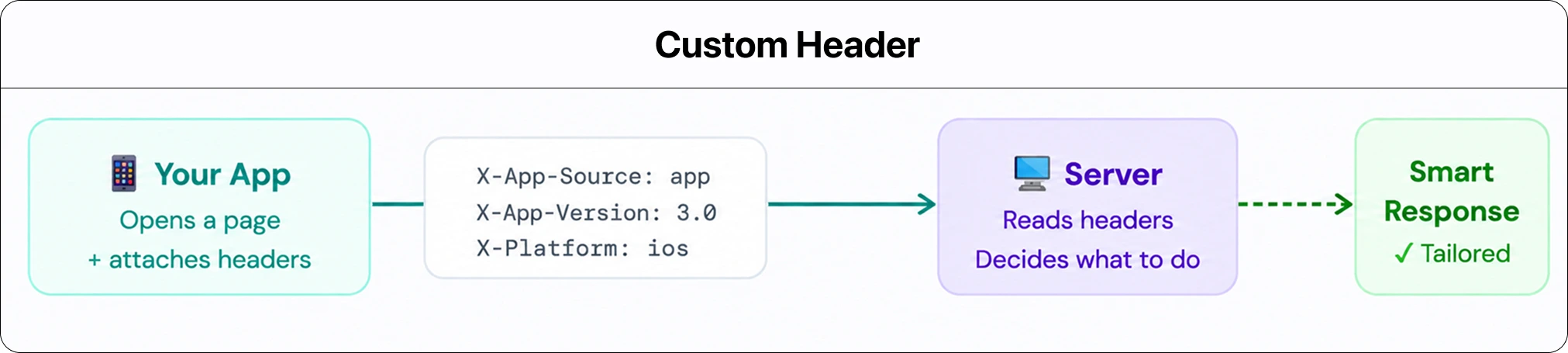
A Custom Header lets you attach an extra sticky note to that package. You can decide what is written on the note. For example, This request came from the app, User is on iOS 16.2, or App version is 3.0.
Your server reads that sticky note and can respond differently based on what it says - without you ever changing your website’s code. Still confused? Understand in detail - What are Custom Header and How They Work? (opens in a new tab)
Steps to Integrate Custom Header
Website Overrides
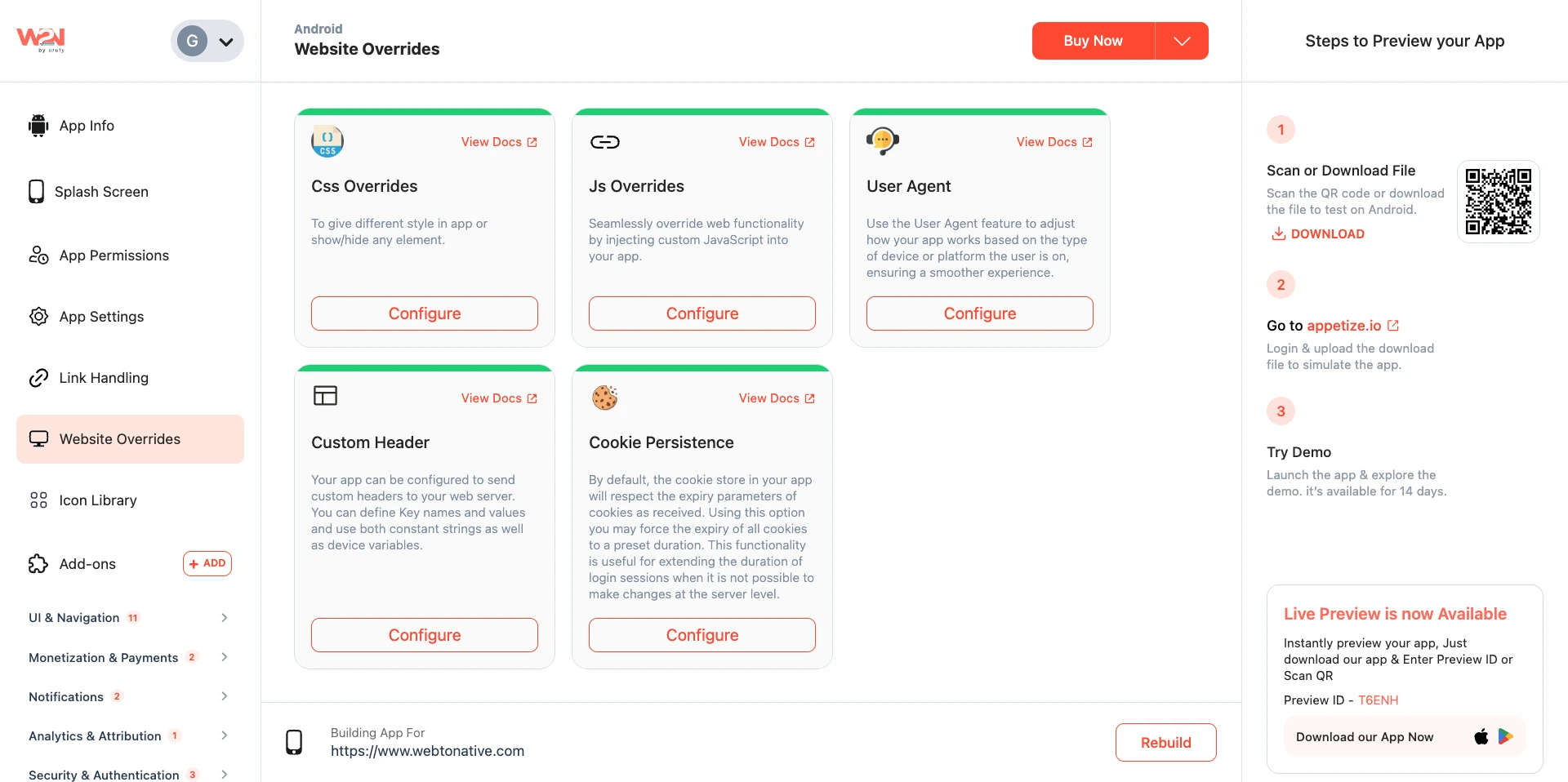
Open the WebToNative dashboard and navigate to Website Overrides from the left sidebar.
Custom Header
Click on Configure under Customer Header. This opens a pop-up where you can define your custom header settings.

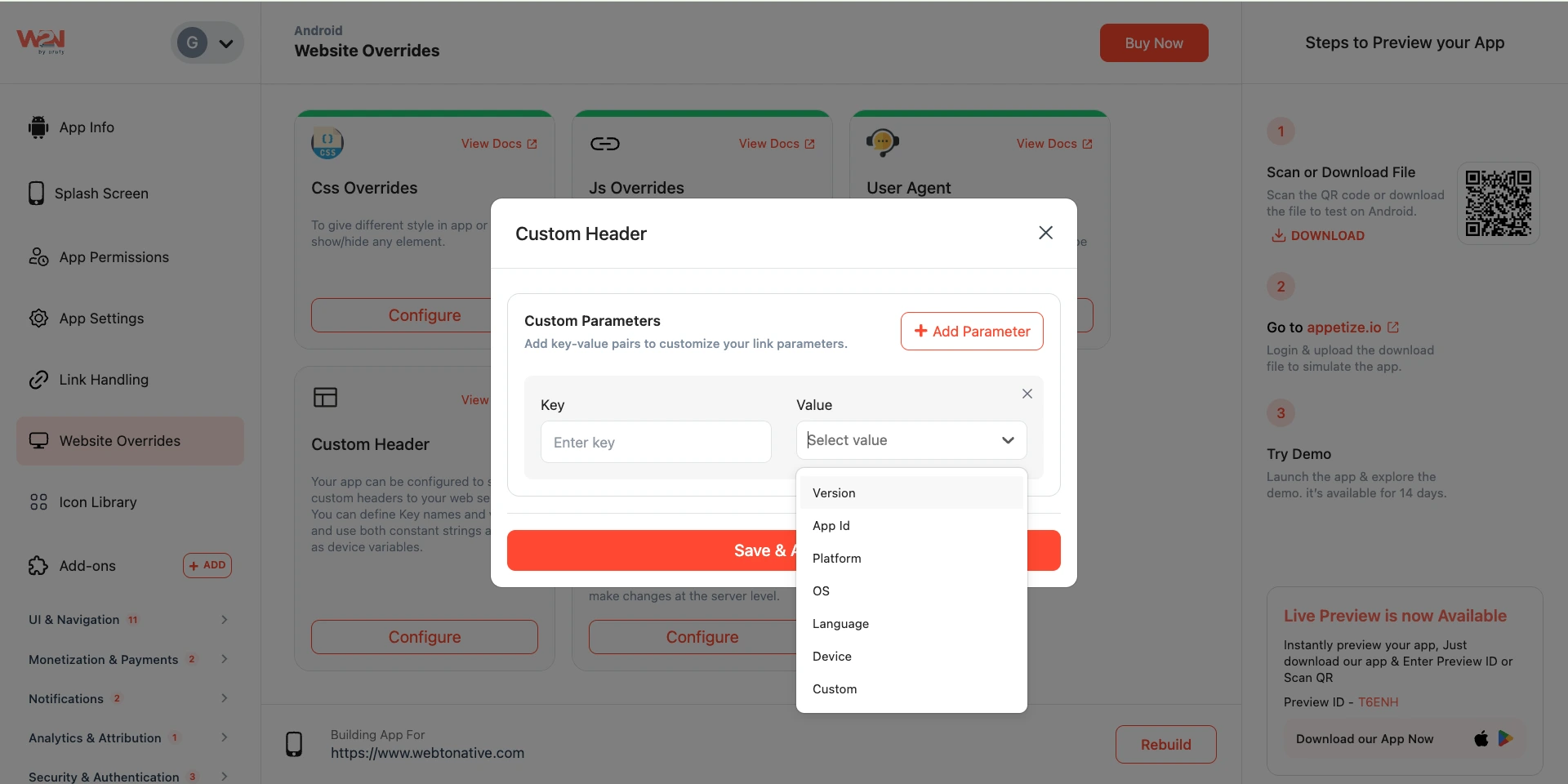
Value Type
Decide what type of value you want to add to your app experience.
Enter Key and Value
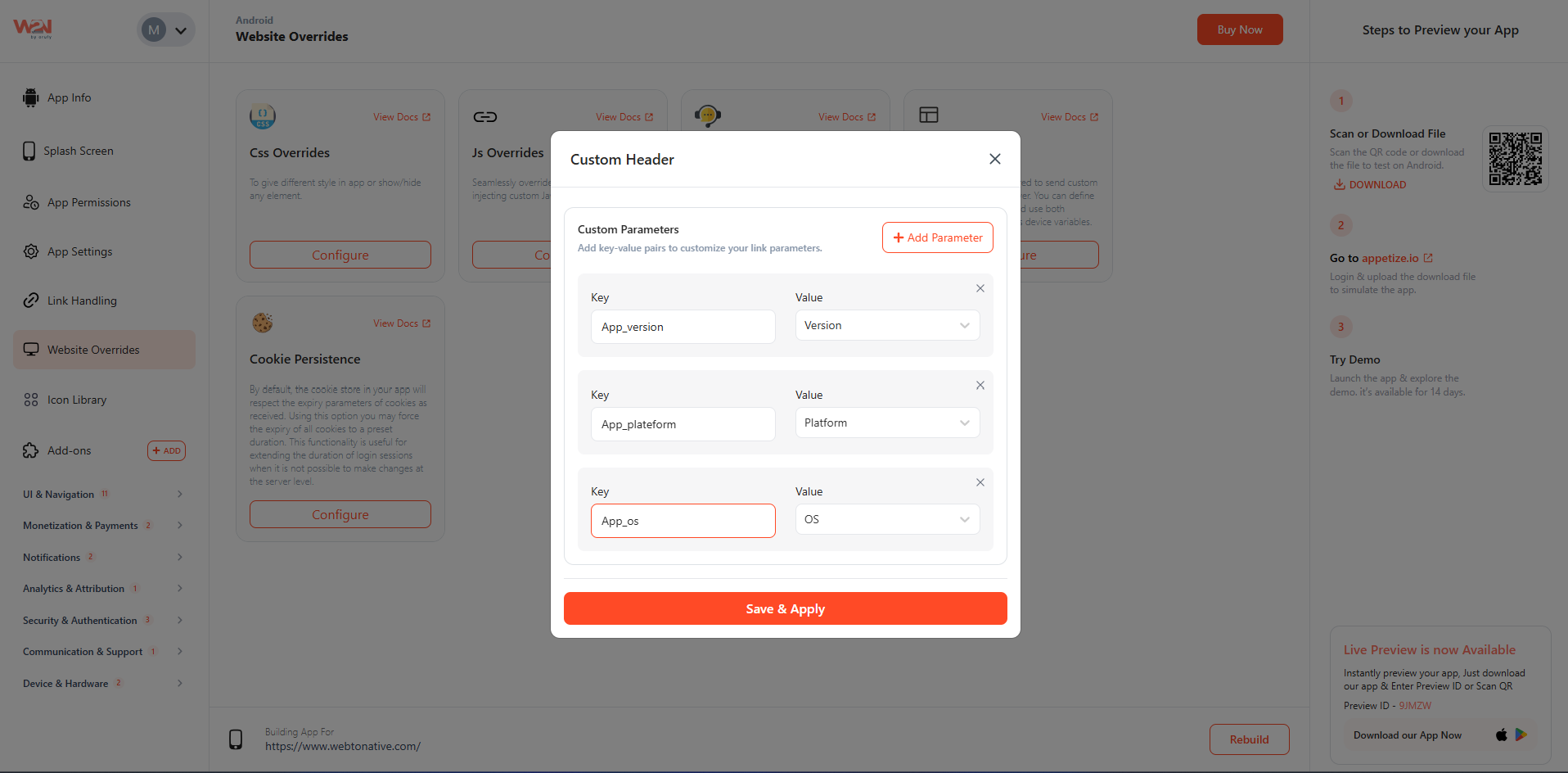
Now, you have to add the Header Key and Value. For example, you can specify header keys such as X-App-Version, X-Device-Type, etc. Your header value can be a constant string (mobile_app) and a device variable (OS version, device ID).
Key
The Key is the name of the information. It tells the server what category of information is coming. X-App-Version, X-Device-Type, X-Platform, X-App-Source, etc.
Value
The Value is the actual information for that label. It tells the server what the answer is for that category. Can be a fixed word or a live device variable. For example, 3.0 - for X-App-Version, mobile - for X-Device-Type, iOS - for X-Platform, App - for X-App-Source, etc.
Save & Apply
Click on the Save & Apply to confirm changes.
Rebuild
Tap on Rebuild to update and download the app again to check the effect.
- The defined key and value are reflected in the default browser.
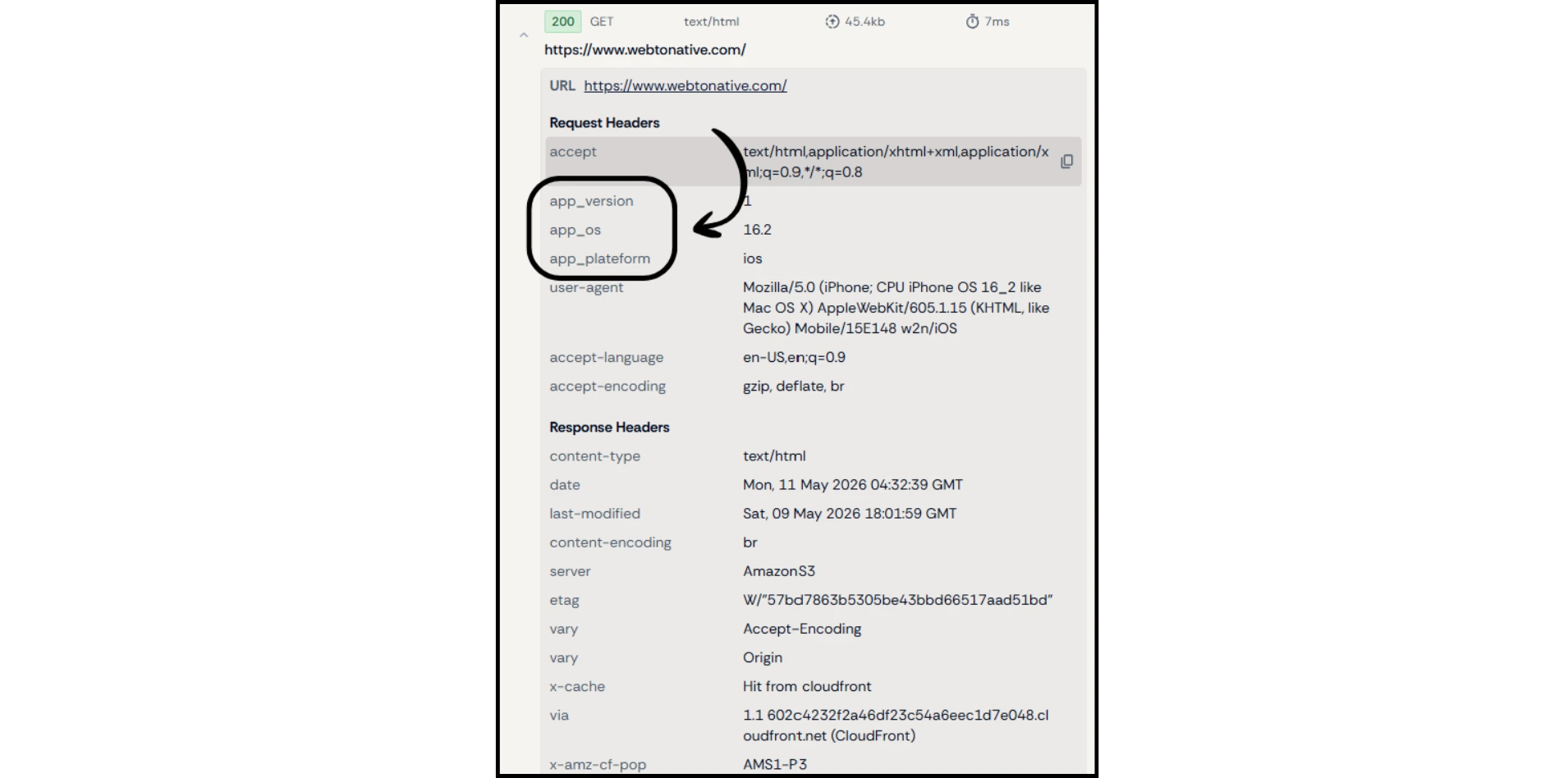
WebToNative controls what your app sends. What your server does with those headers is up to your backend developer or CMS. Share the header names and values with your developer so they can read and act on them.
Custom means the same value for every user: When you select Custom as the value type and enter something like “Android,” that exact value is sent to your server for every user — regardless of whether they are using an iPhone, Samsung device, tablet, or any other device. The value is fixed manually and does not change based on the user’s device.
Header key names are case-sensitive and must match exactly what your server expects. For example, X-App-Source and x-app-source are treated differently by some servers.

Block Unauthorized Requests
Add a secret token as a header (e.g., X-Auth-Token: abc123). Your server rejects any request that does not include it - protecting your API from scraping or unauthorized access

Platform Specific UI
Use the App_platform header to serve iOS-style UI elements to iPhone users and Material Design components to Android users - all from the same URL.

Track Version Adoption
Log the App_version header in your analytics. See exactly how many of your users are on old versions and prompt only them to update