



Internal Vs External Linking

Internal Linking
Links that stay within your app. They connect your own pages - like going from your homepage to a product page to checkout page -all without leaving. Best for: Your own website pages, navigation, content, forms, and anything hosted on your domain.

External Linking
Links that go outside your app - to third-party websites, social media, Google Maps, or any URL that’s not your own. These open in the phone’s browser or a supported app. Best for: External links take users away from your app. They may not come back, increasing your bounce rate.
Internal Vs External
Locate the Internal Vs External and click on Configure.
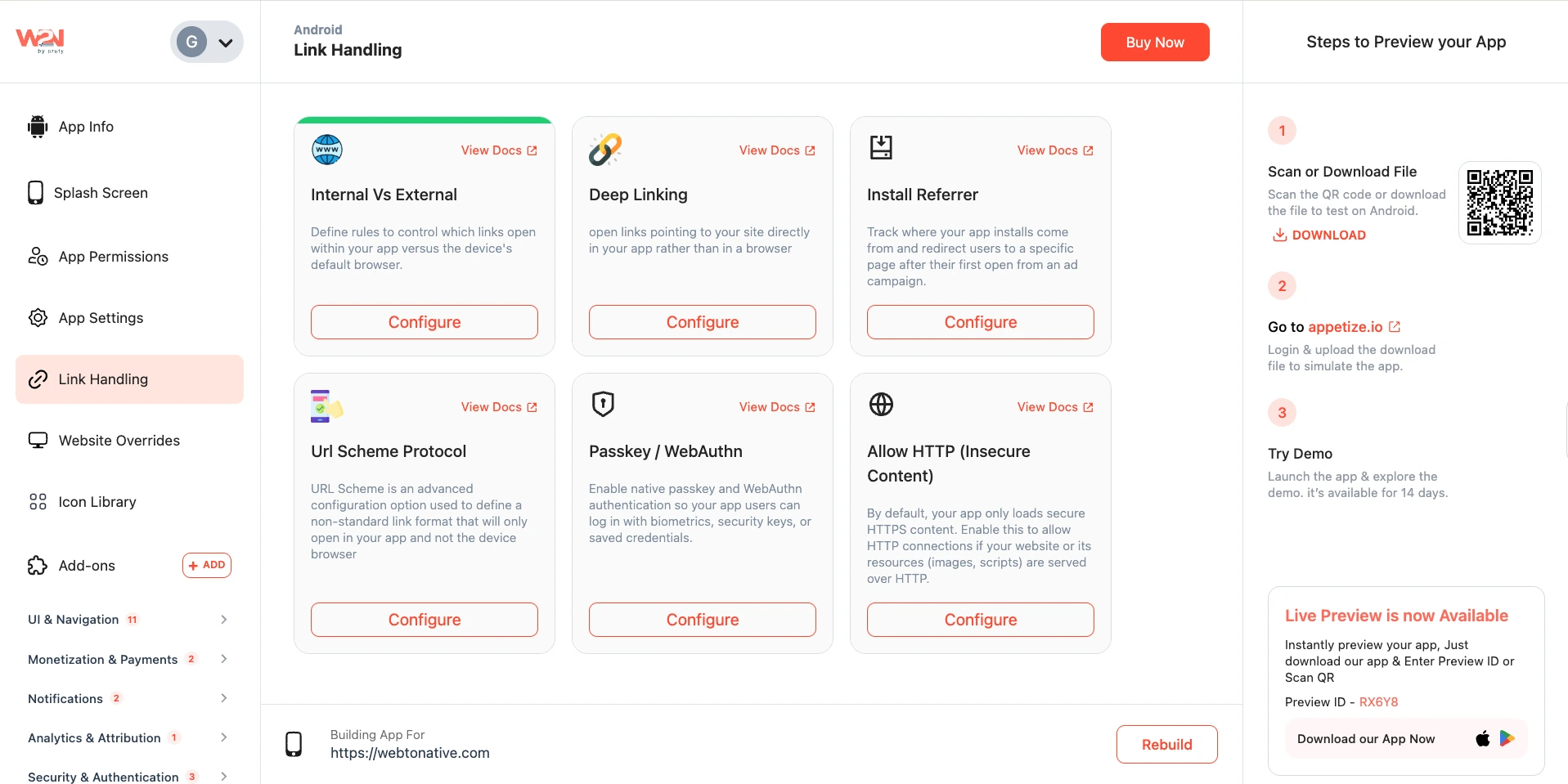
The 3 Modes - Internal (In App), External Browser, and In-App Browser
For every rule you create, you choose one of the three destinations for that link:

Internal (In App)
The link opens directly inside your app using the app’s built-in WebView. No browser chrome (no address bar, no tabs). Feels fully native.
External Browser
The link opens in the phone’s default browser - Chrome on Android, Safari on iOS. The user visibly leaves the app.

In-App Browser
The link opens in a browser window layered over your app. Has a close/back button. Users can dismiss it and return instantly.
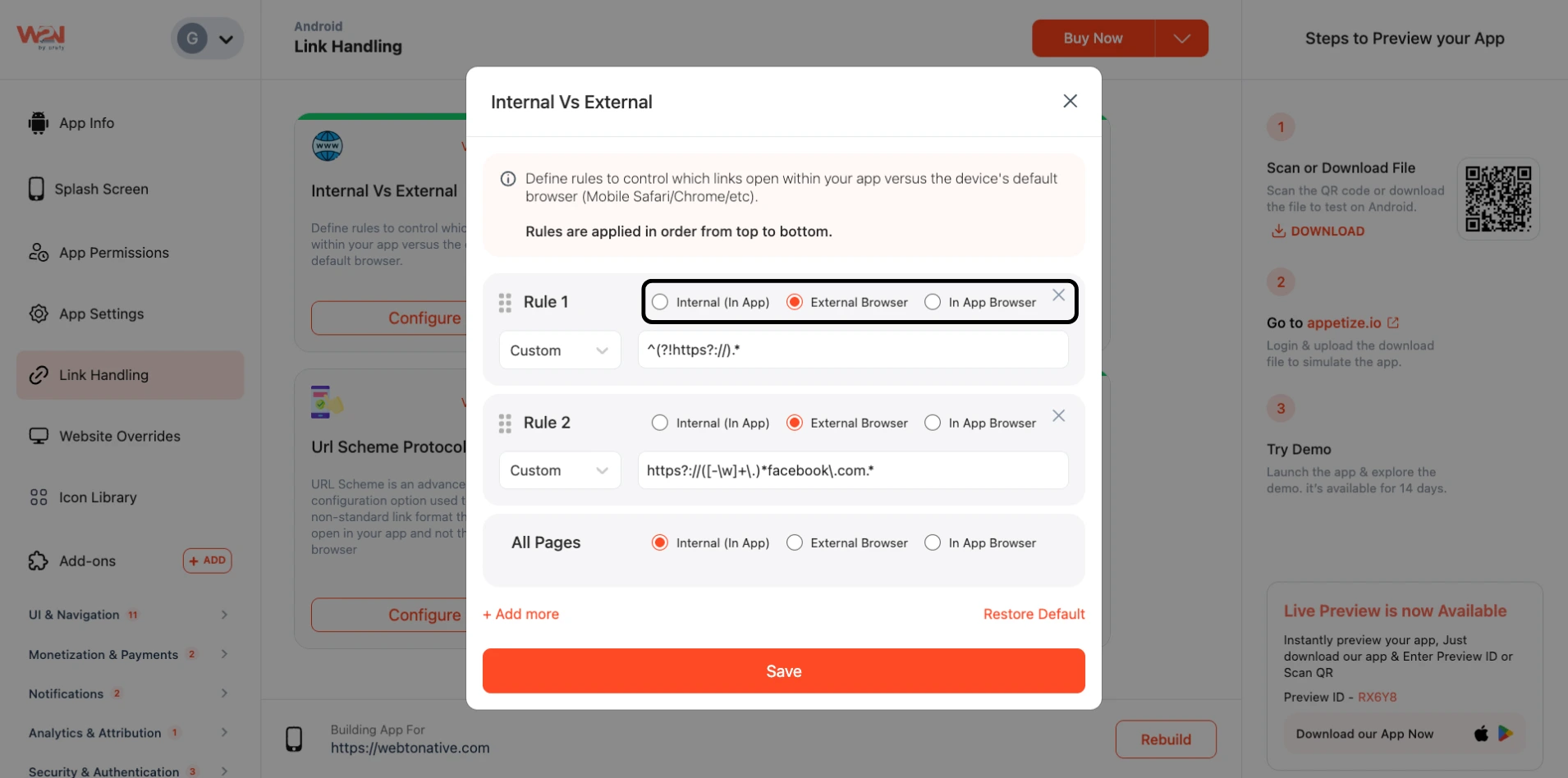
Choosing Where the Rule Applies - Single, Multiple, or Custom
For each rule, you also choose which pages it applies to. There are three options:
Single - One Specific Page
Paste the exact URL of a single page. The rule only fires on that exact URL. https://yoursite.com/checkout
Multiple - A Section of Pages
Enter a URL path that covers a group of pages - like an entire section of your site. https://yoursite.com/blog/* Matches all blog posts
Custom - Advanced Regex Pattern
Write a regex pattern to match exactly the URLs you want - for complex conditions. *https?://(facebook | instagram)\ .com.* Matches both social sites
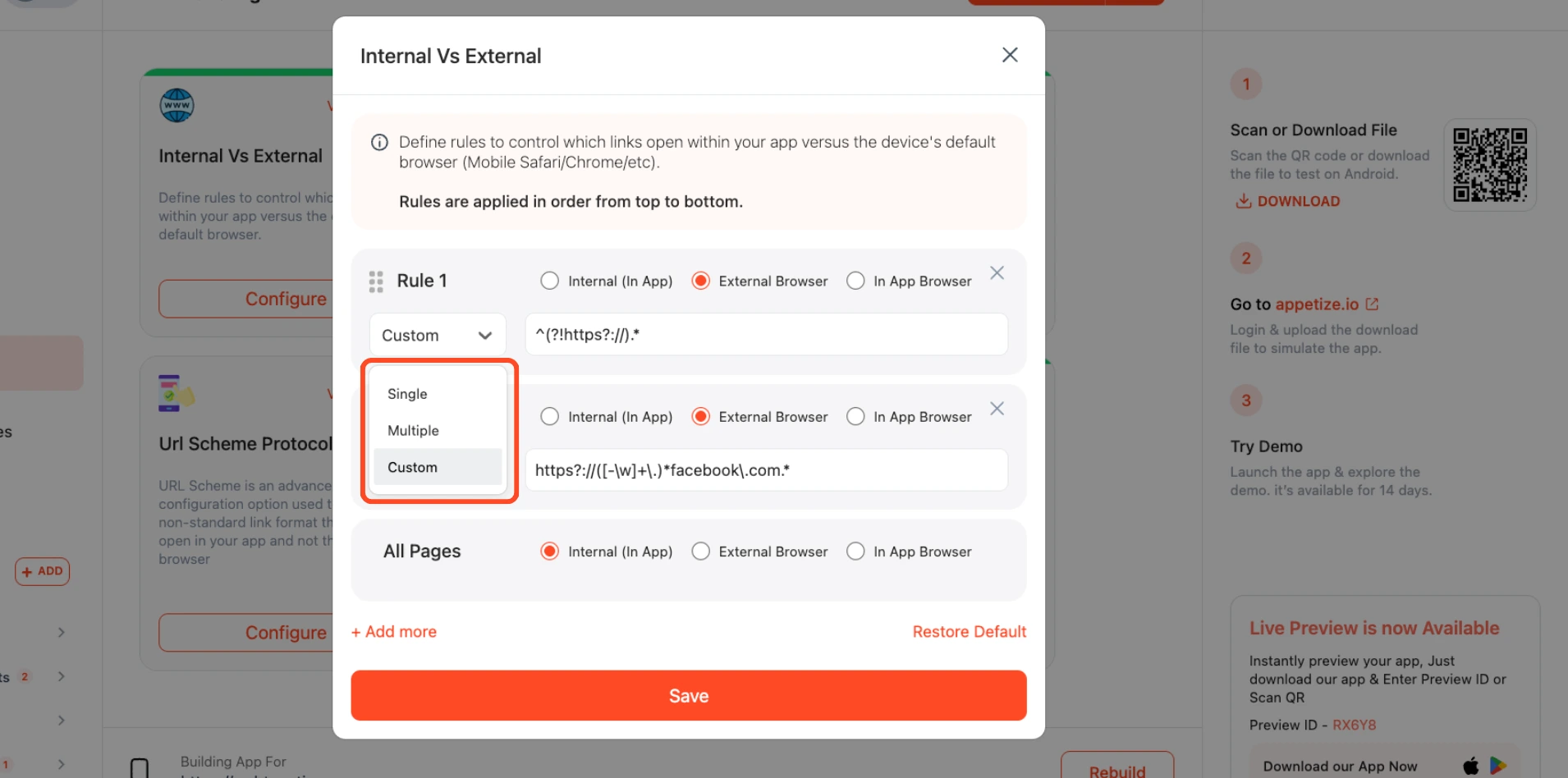
Save
Tap on Save to apply the changes you made.
Rebuild
Click on Rebuild to see the update in the app