



Cookie Persistence
Cookies are tiny memory notes that remember a user like staying logged in. So, Cookie Persistence lets you decide how long cookies stay active in your app, no matter if your web server sets a different expiry. Once it is enabled, all cookies expire according to the duration you set.
Suppose your app has a membership area. Without this, users log in, close the app, and have to log in again. If you set duration of cookies, the users stay logged in for as long as you set.
Steps to Enable Cookie Persistence
Website Overrides
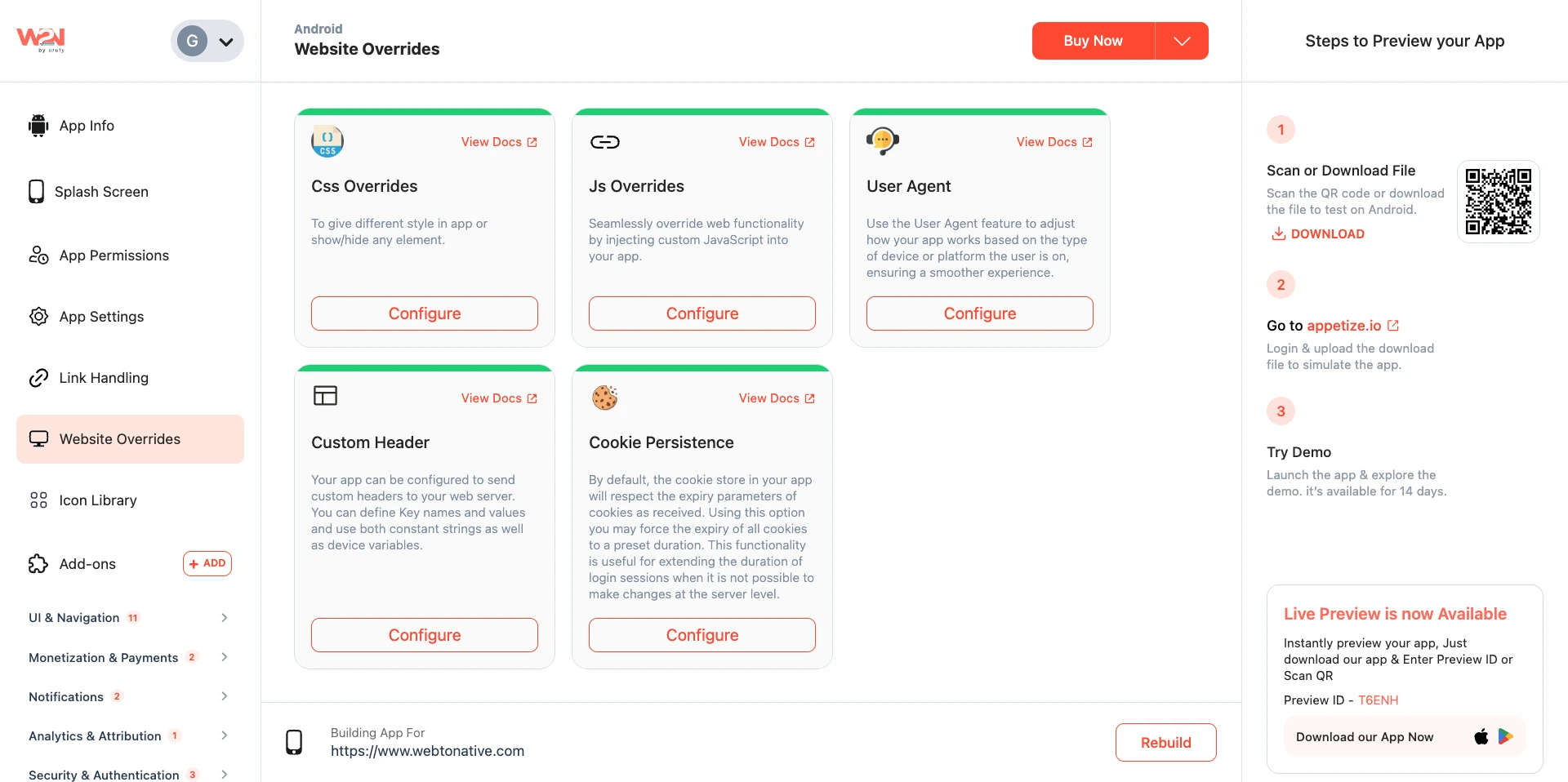
In the WebToNative dashboard, click on Website Overrides from the sidebar.
Cookie Persistence
Locate the Cookie Persistence option and click on Configure.
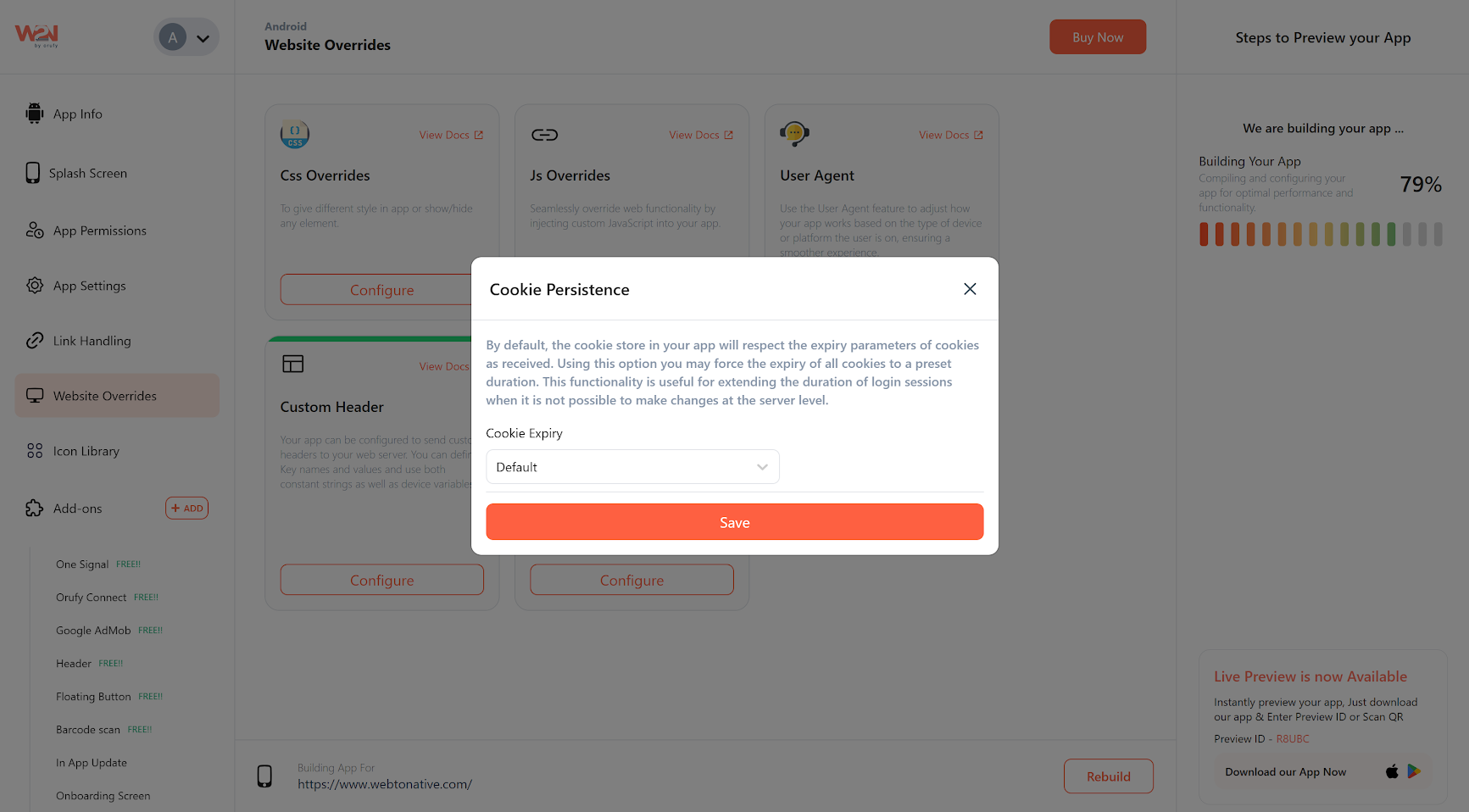
Cookie Expiry
You will see two options - Default and Custom Cookie Expiry. If you select the default option, then the app normally follows the original cookie expiry time set by the website/server.
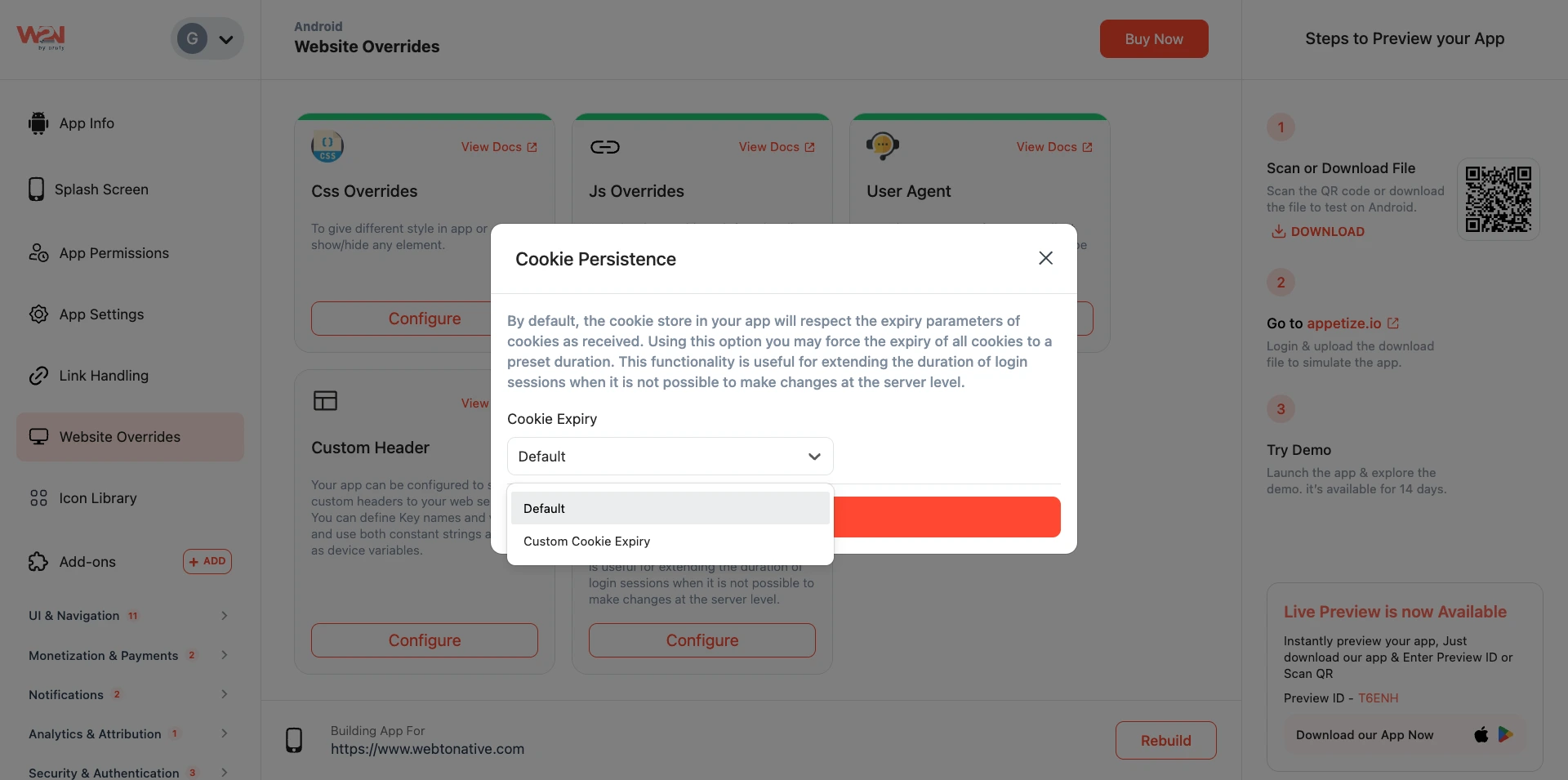
- Difference Between Default and Custom Cookie Expiry
Default
The app follows whatever export time your 'website’s serve' has already set for cookies. WebToNative does not override anything. This is the same as not using Cookie Persistence; all cookies expire whenever the server decides. Use this if your server already handles session length correctly and you do not want to change it.
Custom Cookie Expiry
You choose exactly how many 'days' cookies should stay active. The app ignores the server’s expiry and uses your duration instead. All cookies in your app will follow this duration - including login sessions, preferences, cart items, and more. Use this to keep users logged in for 7, 30, 90 days, or however long makes sense for your app.
Custom Cookie Expiry
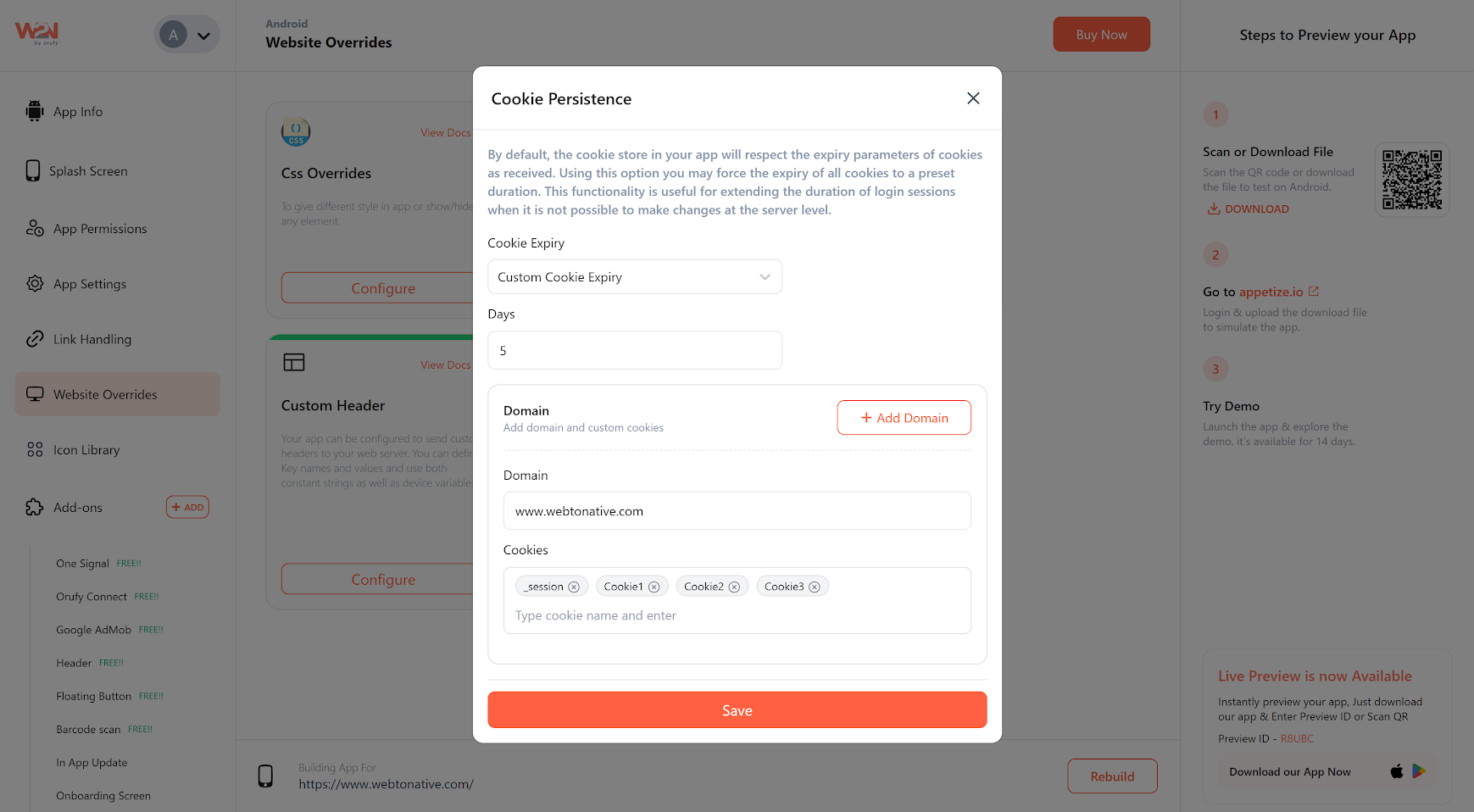
Selecting Custom Cookie Expiry allows you to set your duration for cookies, like 5 days, 30 days, etc. The app will follow this duration instead of using the server’s expiry settings.
Domain
Enter the website domain for which cookies should be saved and reused.
Cookies
In the Cookies section, you can give the name of the cookie, such as sessions, Cookie 1, Cookie 2, Cookie 3, etc. Clicking on the enter key allows you to add the next cookie name.
Save
Clicking on the Save button allows you to confirm the settings.
Rebuild
Tap on Rebuild to reflect the changes in your app.
When you enable Custom Cookie Expiry, all cookies in your app are affected- not just the login cookie. This includes shopping cart cookies, language preferences, consent banners, etc. Make sure this duration suits all your cookie types.

Saved Cart Items
If your site uses a cookie to save cart items, users won’t lose their basket when they close and reopen the app.

Ongoing Personalization Works
Personalized homepages, product recommendations, and content filters that rely on cookies will keep working across sessions.

Notification Consent Persisted
Cookie-based notification permission banners won’t keep reappearing for users who already accepted them.