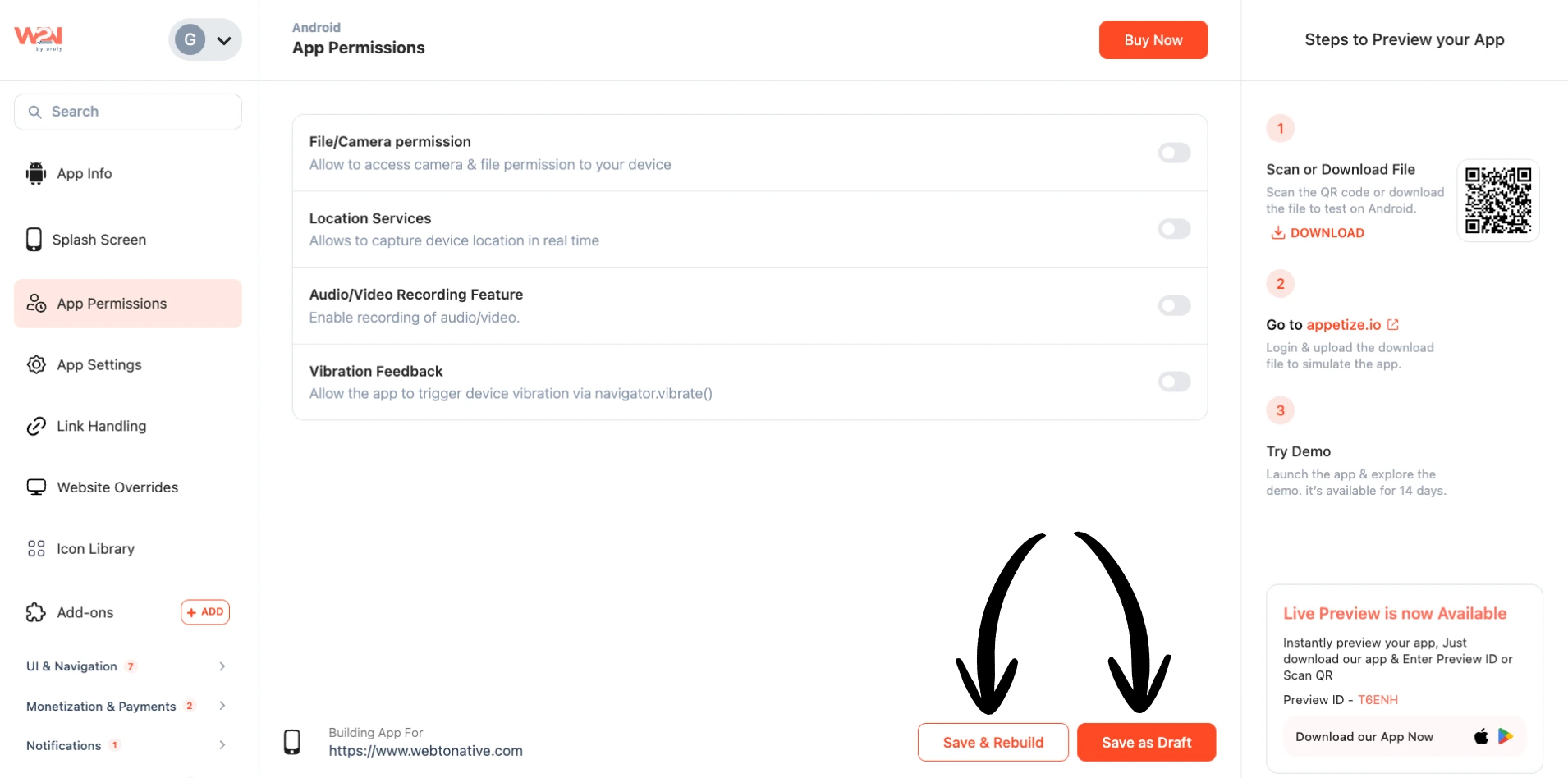
App Permission - Android
Control which device features your Android app can access — camera, location, microphone, and vibration. Only enable permissions your app actually uses.
Think of your phone as your house. Your phone is your house. Every app is a visitor knocking at the door. Before they come in, they ask: "Can I use your camera?" or "Can I see where you are?" You decide what they can access. Only grant permissions your app genuinely needs — unnecessary requests reduce user trust and can cause app store rejection.
App Permissions
Go to your WebToNative dashboard → App Permissions (make sure you select Android app). Toggle on only what your app needs.
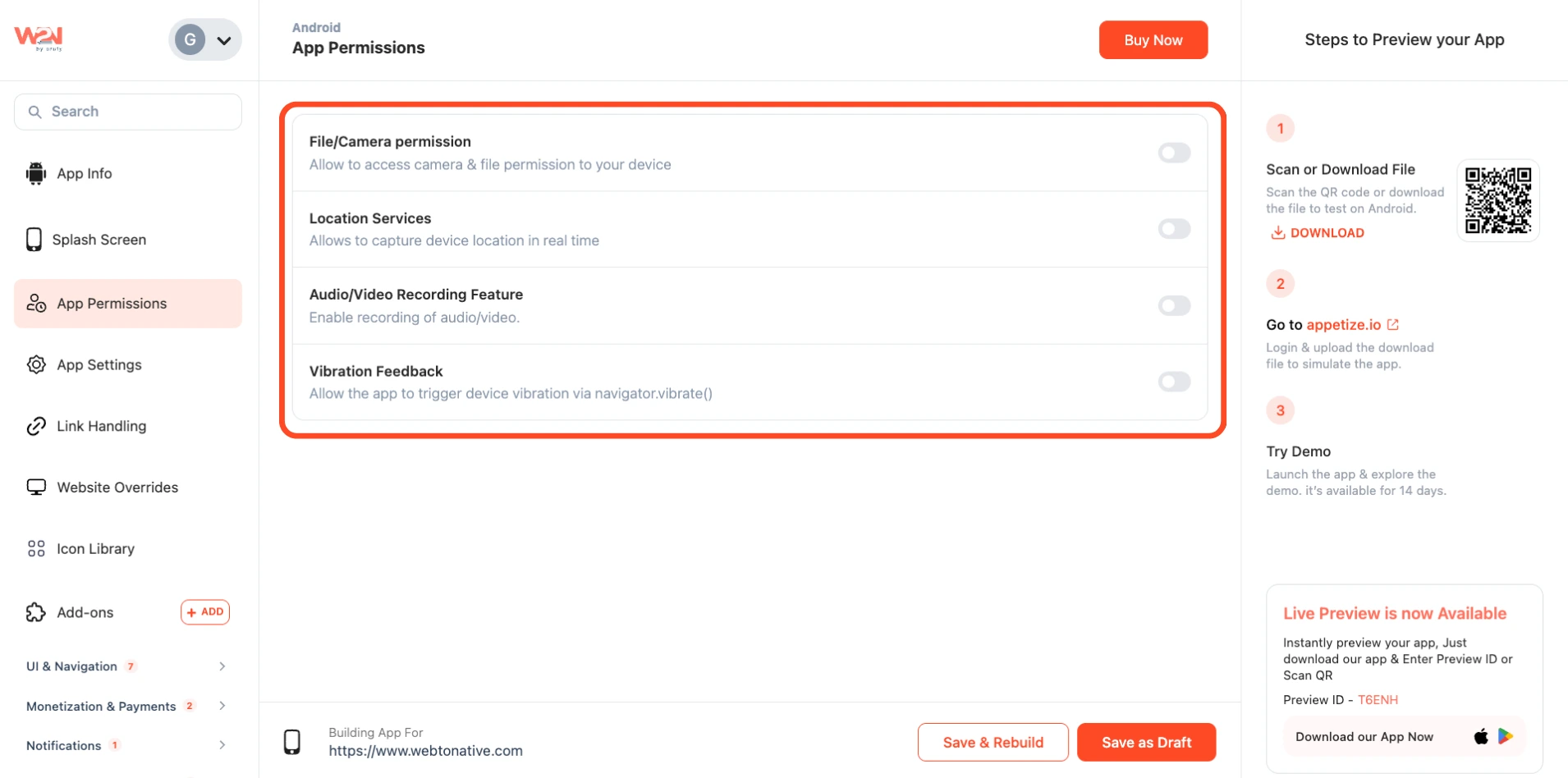
File / Camera Permission
Allows access to the device's storage and camera. Enables file upload, document picking, and photo capture directly inside the app WebView.
Location Services
Grants the app permission to access the device's real-time GPS location. Required for any feature that depends on where the user physically is. This is best when your app needs Maps, live tracking, store locators, delivery address auto-fill, geofencing, nearby search results, or location-based personalisation.
Audio / Video Recording Feature
Gives the app permission to use the device's camera and microphone simultaneously for recording or live streaming. The functionality is required if your app supports voice messages, video recording, video calls, live streaming, or any feature that captures audio or video.
Vibration Feedback
Allows the app to trigger the device's vibration motor, adding a sense of touch to user interactions — button taps, form submissions, pull-to-refresh, alerts, or any custom action you define.
You must also add navigator.vibrate() calls to your website code. Without that, the toggle has no effect — the phone will never vibrate. This is the Web Vibration API.

Button Tap
A short pulse when the user taps a primary action button — confirms the tap was registered.

Form Submission
A satisfying double-tap when a form is submitted successfully.

Pull-to-Refresh
A buzz when pull-to-refresh triggers, confirming the action without needing a visual indicator.

Alert or Error
A stronger, repeated buzz for error states, warnings, or important notifications.
Play Store Service APIs
This app permission connects your Android app to the Google Play Store Age Signals API. Once turned on, your app can check a user's age verification status, parental supervision status, and age range directly from Google Play. This is needed for apps that must comply with new age-verification laws across different locations.
This is a beta API from Google. It only gives you the age signal. Your app still needs to decide what to restrict based on that signal.
Why Does It Matter?
Helps you comply with new age laws
Replaces manual age verification with Google’s signal
Enables automatic action on age and parental status
For detailed information, Visit Age Safety Documentation (opens in a new tab).
Save as Draft
Stores your toggle states but saves without rebuilding a new app build. Use when still making changes.
Save & Rebuild
Saves settings and builds an updated app. Permission changes (including Vibration) only take effect after a rebuild.