



JS Overrides
Custom JavaScript allows you to make your website interactive and functional by integrating the custom JavaScript code into your app, like buttons that open a menu. This enhances user experience with real-time modification without changing the core source code. It is perfect for customizing user behaviors across website pages, fixing issues, and adding more features.
For example, you want a “Alert” button to welcome users every time a user opens the app. With Custom JS, you can add this feature without changing your website’s code.
Steps to Integrate Custom JS Overrides
Website Overrides
Go to the Website Overrides section from the left menu.
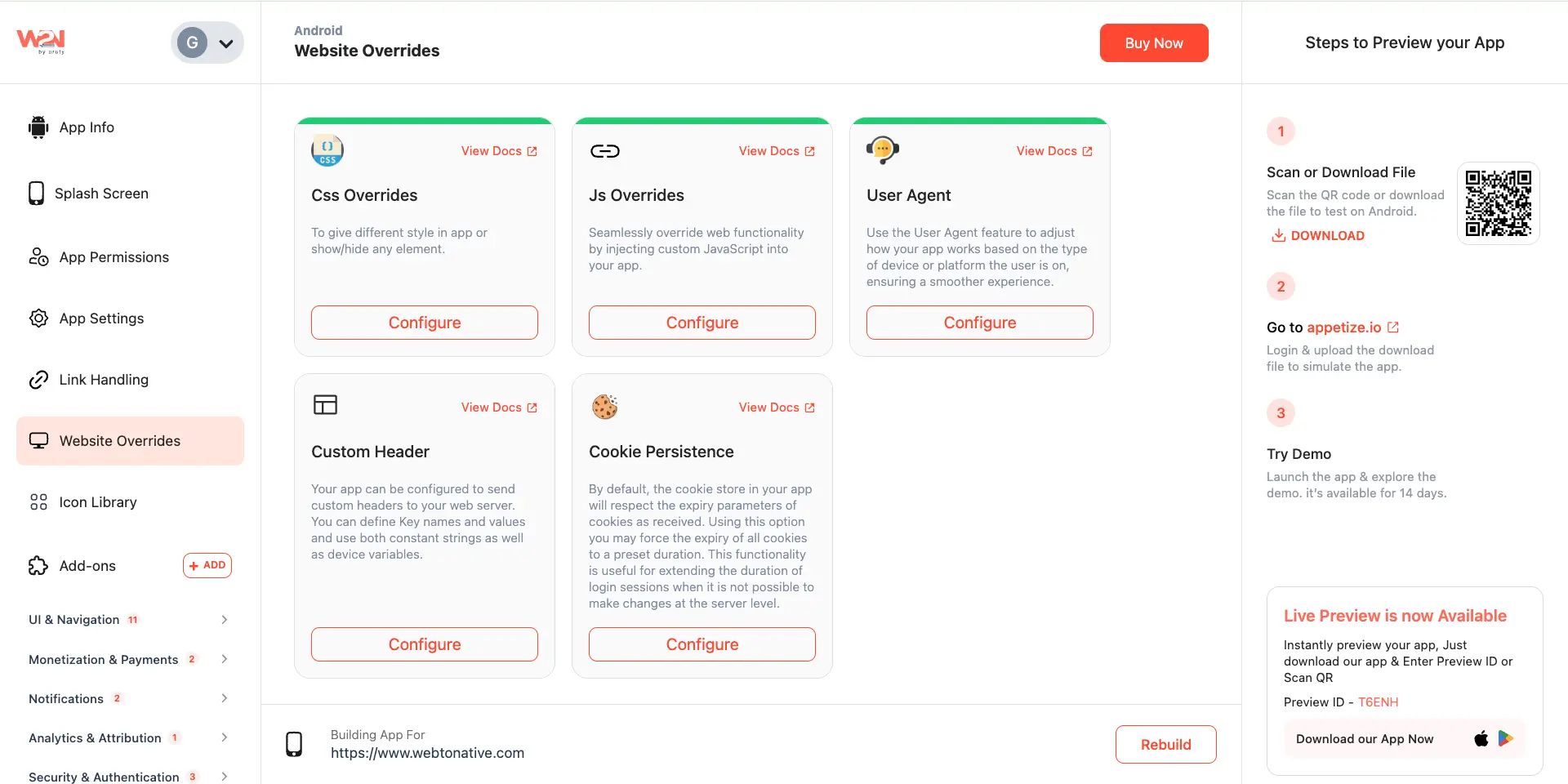
JS Overrides
When you click Configure, a pop-up will appear to Add Custom JavaScript code.

Add Rules
Now, add the Custom JavaScript rules for any feature or settings, such as alert, back button, etc.
Save
Click on the Save button to save your updates.
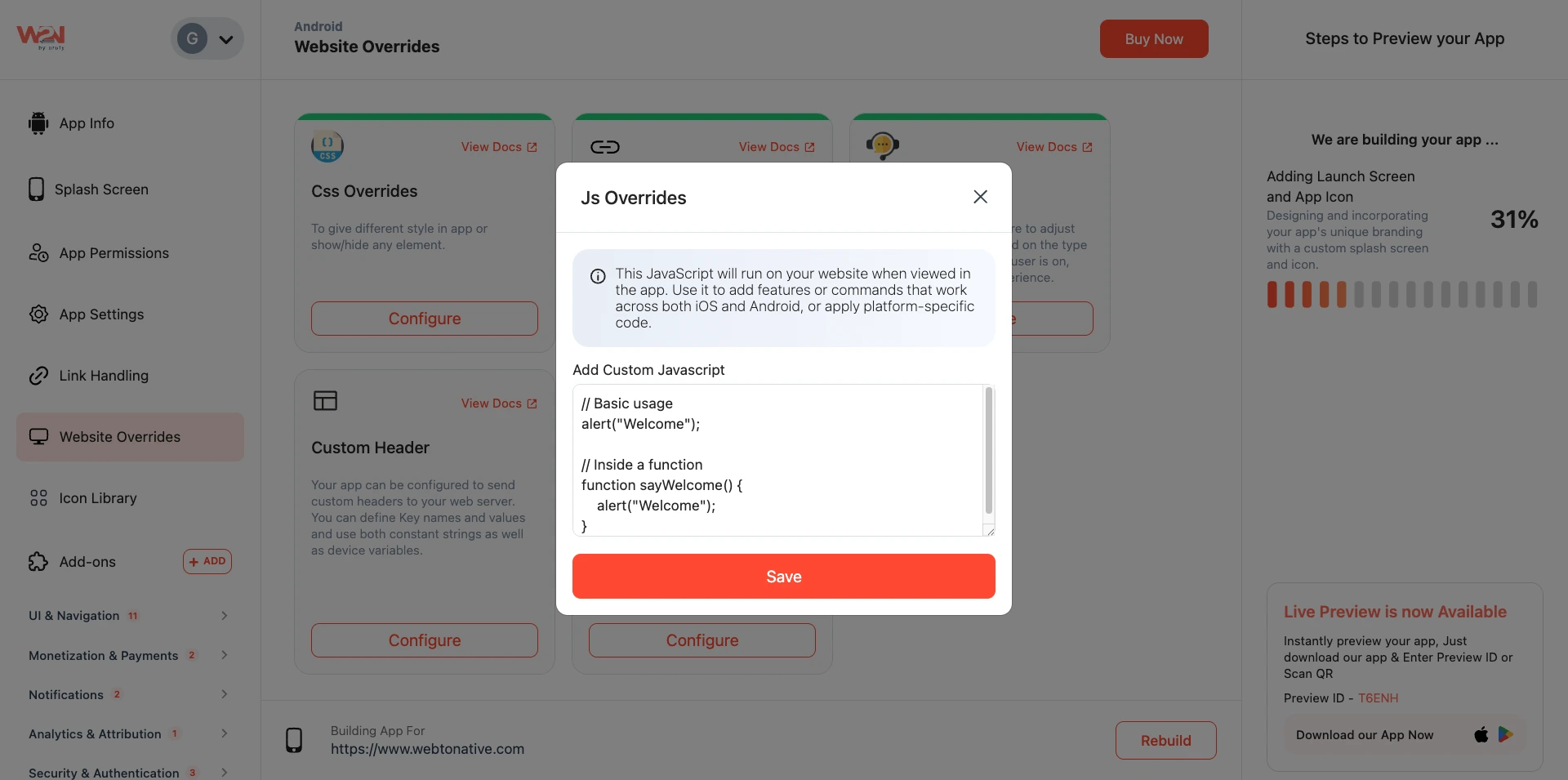
After adding this code, you can see a "welcome alert" feature in the app.
Rebuild
Tap on the Rebuild button to apply these changes and preview in your app.

Implementation Tips

Optimized Functionality
Use JavaScript in a way that improves user experience and adds value to your app’s features.

Cross-Platform Compatibility
Test your JavaScript code thoroughly on both iOS and Android devices.

Documentation and Comments
Add clear comments to your JavaScript code to make it easier to understand and update.