



Page Navigation Loader
When a user taps a link, there's a brief moment — sometimes just half a second, sometimes several seconds — where the app is fetching and rendering the next page. Without a loader, that moment feels broken: did the tap register? Is something happening? Should I tap again?
A Page Navigation Loader fills that gap with a clear visual signal — a progress bar sweeping across the top, a spinner in the centre, or a branded animation. The user knows their tap worked, content is coming, and they don't need to do anything else.
Why should I use Page Navigation Loader?

Prevents confusion
On slower connections, a blank pause between pages makes users think the app froze. The loader gives them immediate confirmation that their tap worked and that something is actively happening — stopping them from tapping repeatedly out of frustration.

Reduces Bounce Rate
Users who get no feedback after a tap often abandon the action and try something else — sometimes leaving the app entirely. An immediate visual response reassures users that the system is processing, lowers bounce rates, and keeps them engaged through the load.

Prevents layout shifts
Without a loader, incomplete pages can flash on screen mid-render — images in wrong positions, text shifting, elements popping in. A loader holds the transition until content is ready, giving users a clean, stable page every time.
Where to Find It In Your Dashboard
My Apps ➡️ Edit your app ➡️ Add-ons ➡️ Ui & Navigation ➡️ Page Navigation Loader
What does Webtonative provide in Page Navigation Loader?

Progress Bar
A thin bar that sweeps across the very top of the screen. Subtle and non-intrusive — the page content stays visible behind it.

Circular Loader
A spinning ring in the centre of the screen. Classic and universally understood — users everywhere recognise what it means.
Lottie Animation
A fully custom animation. Pick from built-in templates, upload your own Lottie file, and set size and background to match your brand.
Steps to apply the Pull To Refresh to your app with WebToNative
Enable/Disable Toggle
Switch the Page Navigation Loader toggle to ON to activate the feature. When OFF, no loader is shown during page transitions — taps appear to have no effect until the next page is ready.
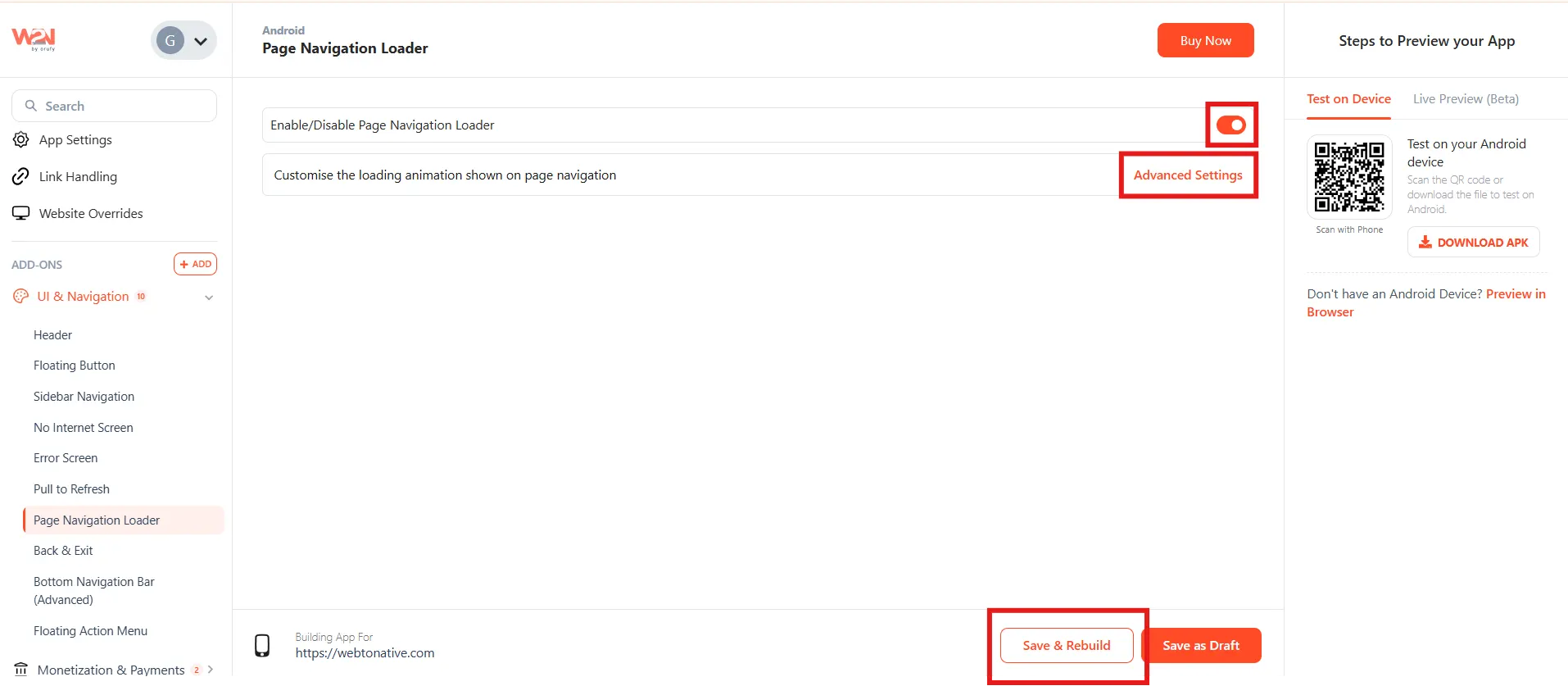
Customise the Loader
Click Advanced Settings to open the customisation panel. Choose one of the three loader styles — Progress Bar, Circular Loader, or Lottie Animation — and configure its appearance.
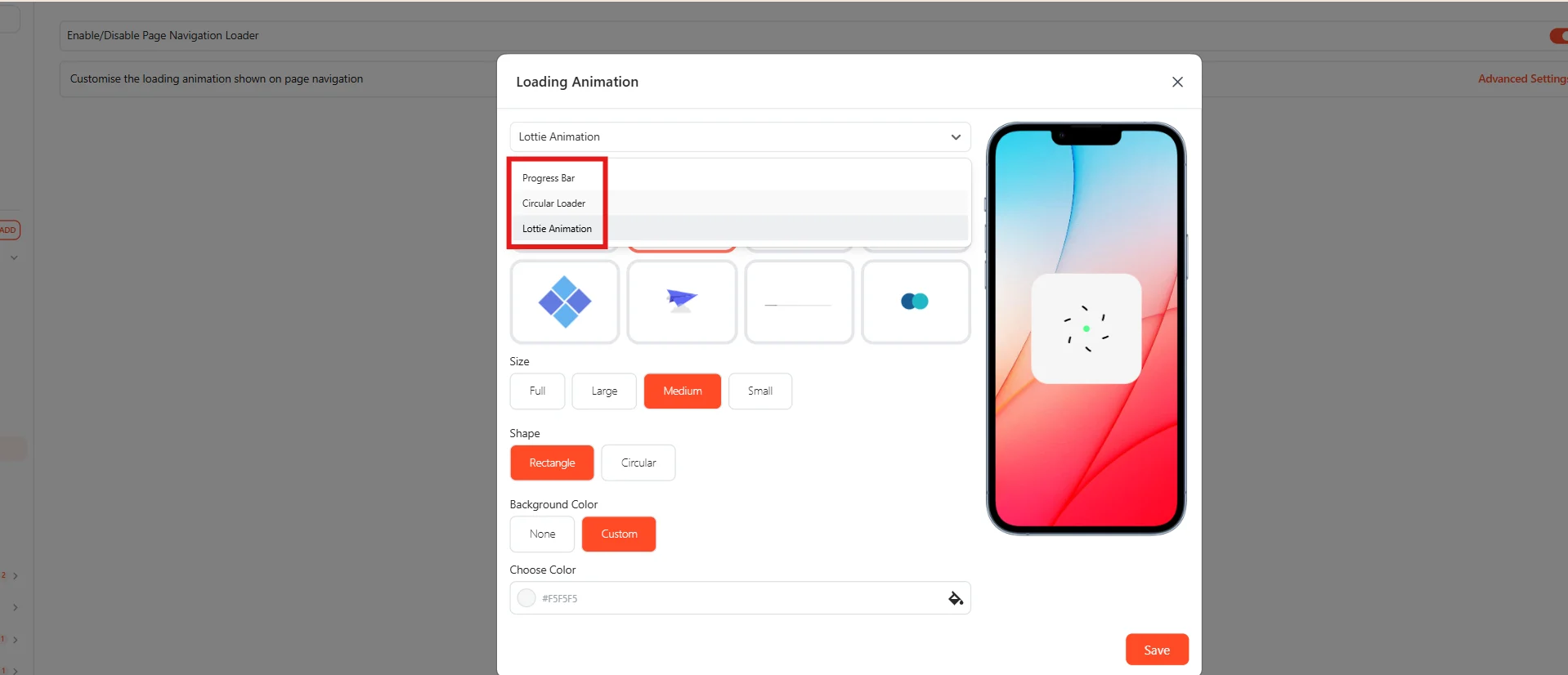
Save & Rebuild
Click Save and rebuild your app to apply and see the changes.
Frequently Asked Questions:
1. Does the loader appear on every tap or only slow ones?
The loader appears on every page navigation tap — regardless of how fast or slow the load is. On fast connections, it may only flash briefly. This is intentional: users still need confirmation that their tap registered, even when the next page loads near-instantly. A brief flash is better than no feedback at all.
2. Where do I find Lottie animations to upload?
lottiefiles.com has thousands of free and paid Lottie animations in .json format — search for "loading", "spinner", or "progress" to find loader-appropriate animations. Download the Lottie JSON file and upload it directly in the Advanced Settings. Keep the file lightweight (under 200KB) so it loads instantly.
3. Does this work for both Android and iOS?
Yes — Page Navigation Loader applies to both Android and iOS apps