



Back & Exit
Back & Exit allows control over what happens when users press the device’s Back button. You restrict users from navigating back to specific pages and configure how the app behaves when the back button is pressed.
Navigate to Add-Ons → UI & Navigation → Add Back & Exit
Why Use Back & Exit?
Prevent users from accidentally leaving pages
Restrict back navigation on selected pages
Show an exit confirmation message before closing the app
Exit the app immediately from particular pages
Back Press Exit Modes
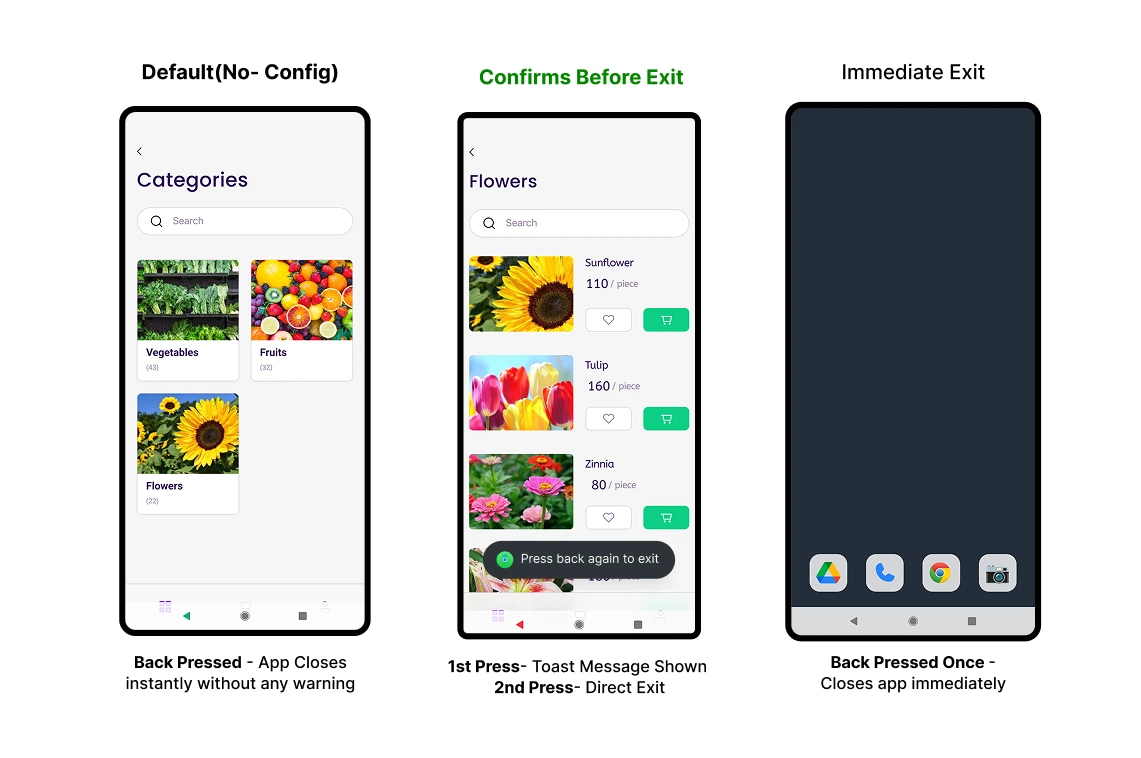
1. Default (No Configuration): Pressing the back button closes the app immediately without any warning.
2. Confirms Before Exit: The first back press shows a message like "Press back again to exit". If the user presses back a second time, the app closes immediately.
3. Immediate Exit: A single back button press exits the app instantly regardless of the current screen.
The Confirms Before Exit option helps prevent users from accidentally closing the app.