



Install Referrer (Available for Android only)
The Install Referrer feature helps you track exactly where your app installs come from using Google Play’s Install Referrer API. This way, you can redirect your users to a specific page when they open your app for the first time via a referral link. Additionally, the feature is only available for Android devices, and you must have a Pro or Premium version of your app to access it.
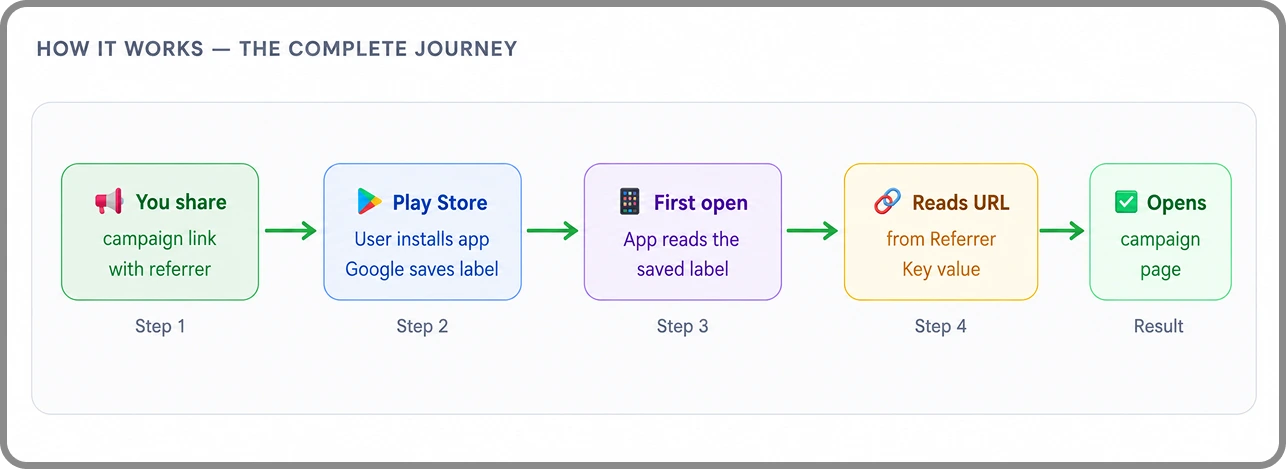
Do I Need to Change Anything On My Website?
No- your website needs zero changes

WebToNative Dashboard
Enable the toggle, enter your Referrer Key. Save & Rebuild. That’s all you do here.
Your Campaign Link
Create a Play Store link with a referrer parameter. Use the builder below - no coding needed.

Your Website
The target page (e.g.,/sale) Just needs to exist. No files, no codes, no server changes.
How to Enable Install Referrer
Go to Link Handling
First, sign in to your WebToNative dashboard and select the Android app
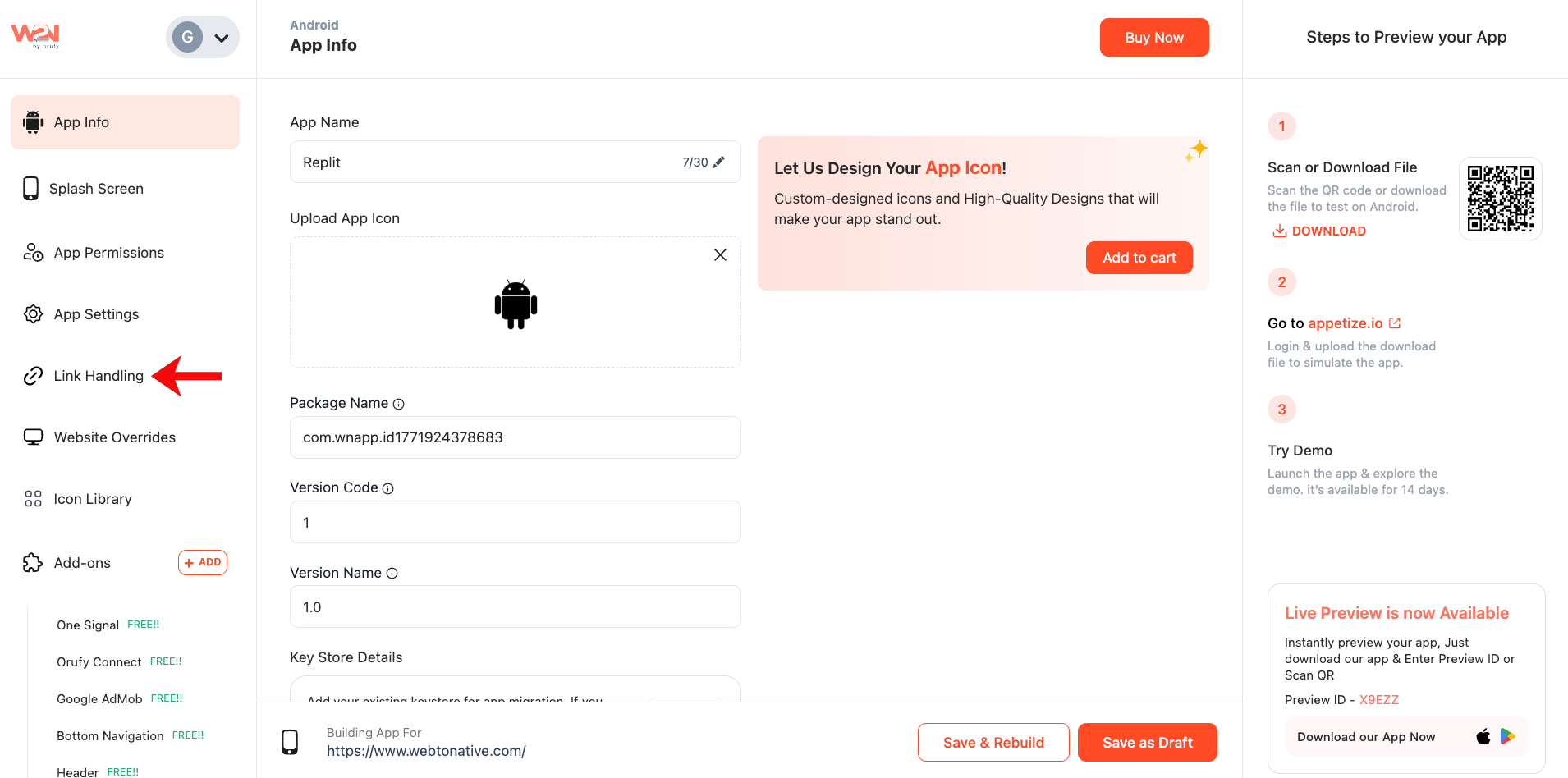
Install Referrer
Navigate to Link Handling and find Install Referrer
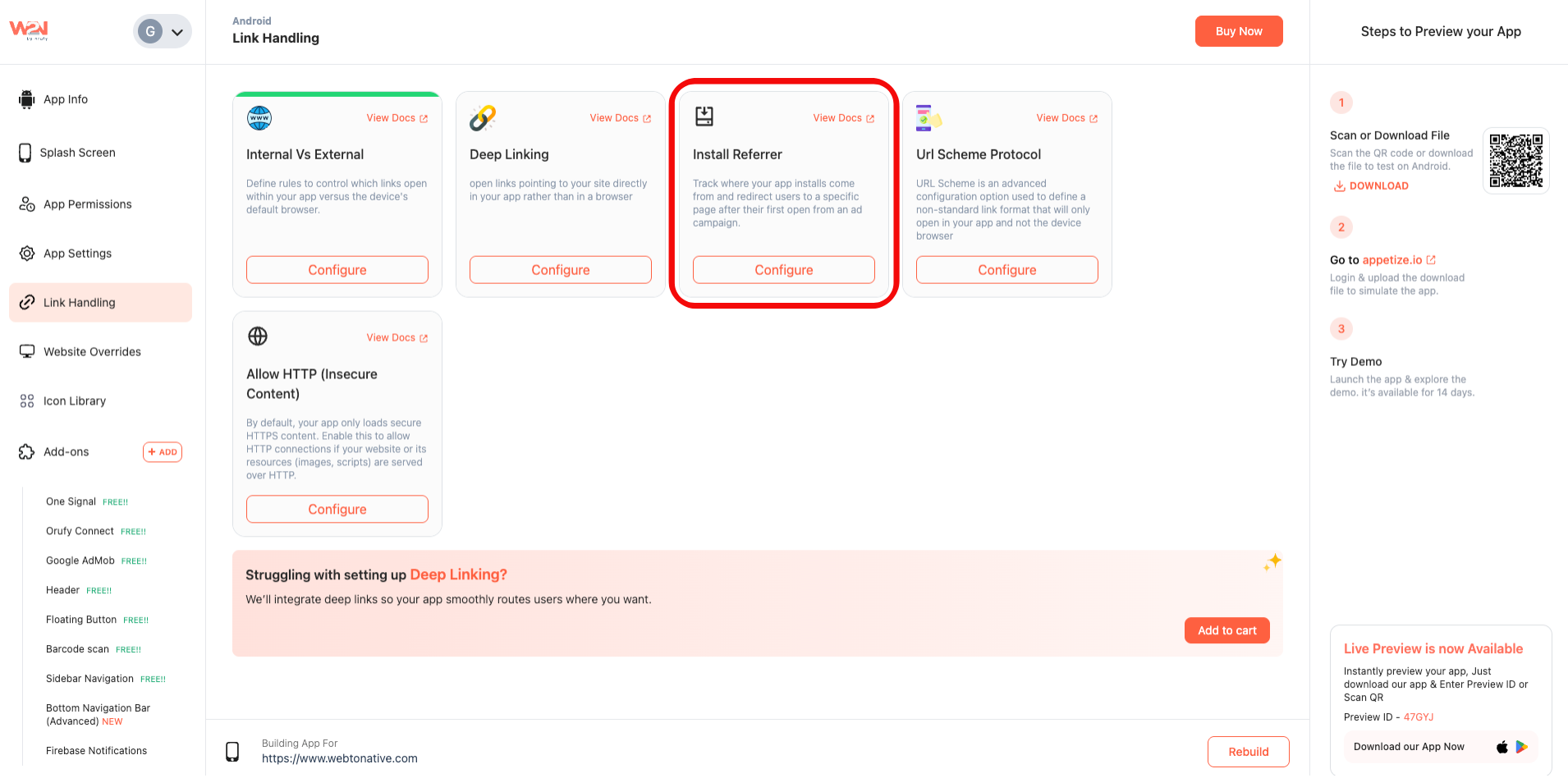
Configure the Feature
Click on “Configure” right under the Install Referrer card
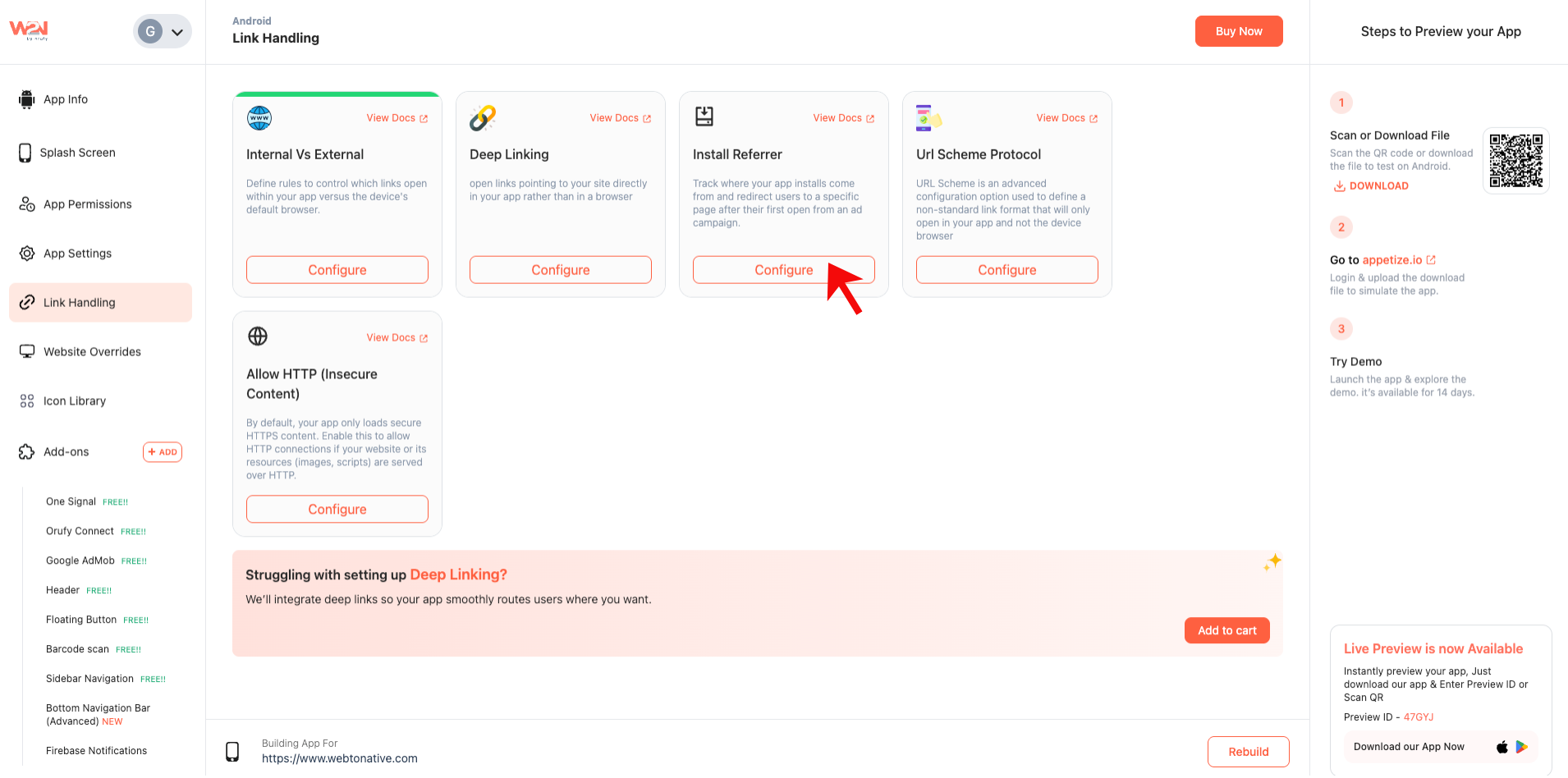
Enable Install Referrer Tracking
Turn on the Install Referrer Tracking using the toggle.
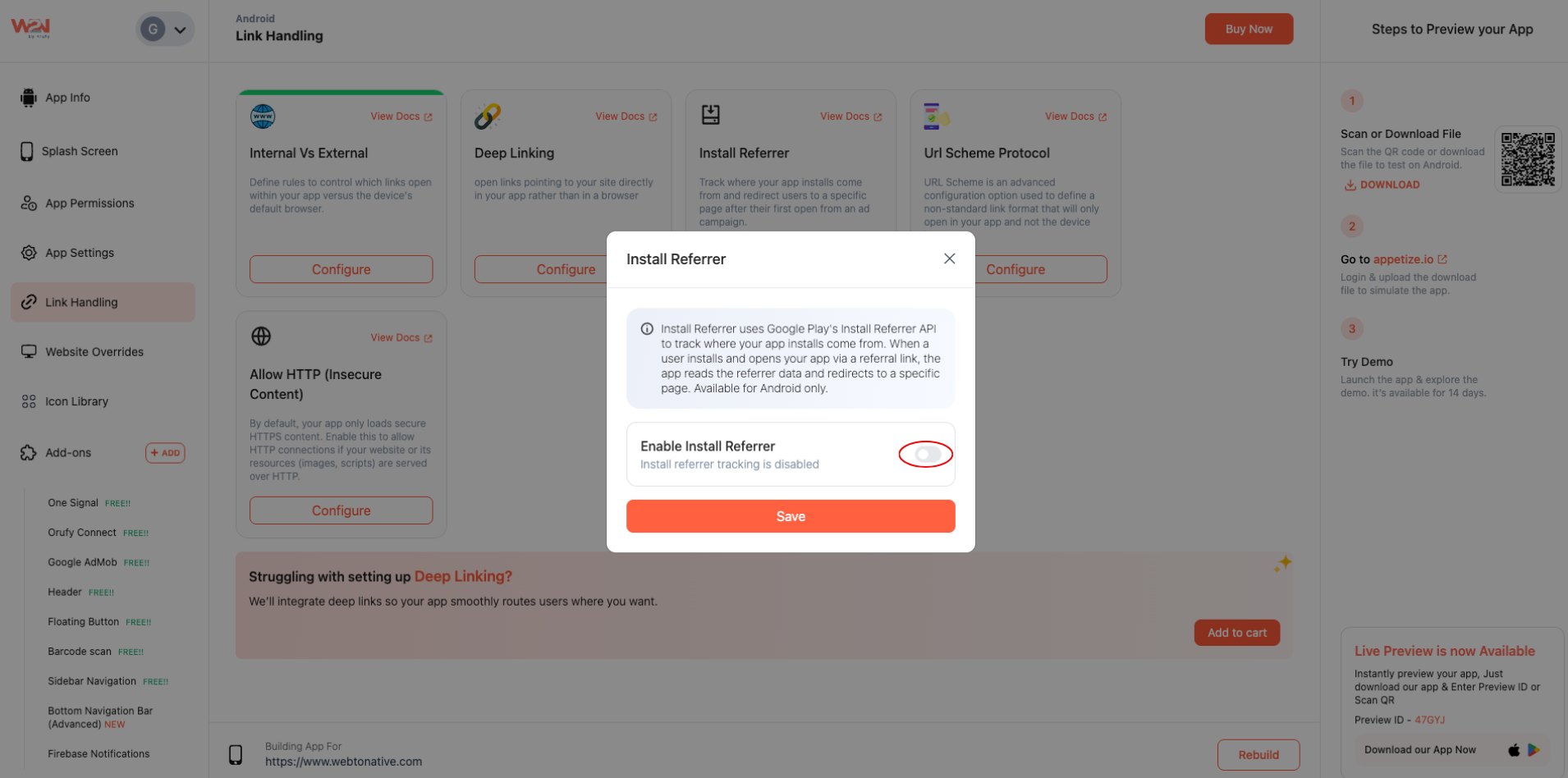
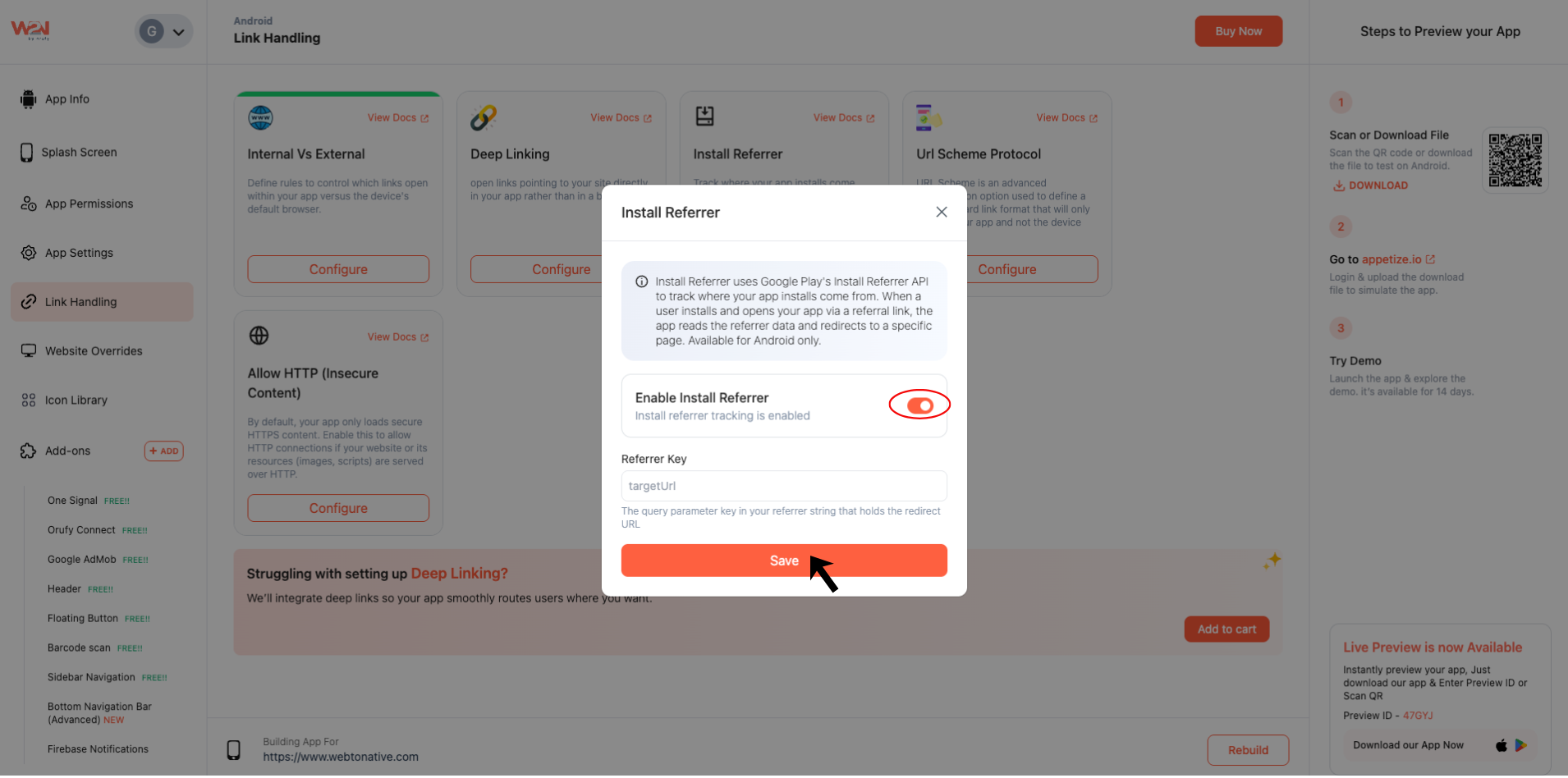
Enter Your Reference Key
Fill in the Referrer Key field with the query parameter that determines which page users see after they open the app. For example: https://play.google.com/store/apps/details?id=com.yourstore.app&referrer=targetUrl=https%3A%2F%2Fyourstore.com%2Fsummer-sale (opens in a new tab)
The Referrer Key is case-sensitive. If you type targetUrl, here, your campaign links must also use targetUrl - not TargetUrl or targeturl.

Save
Click on the Save button to apply your changes
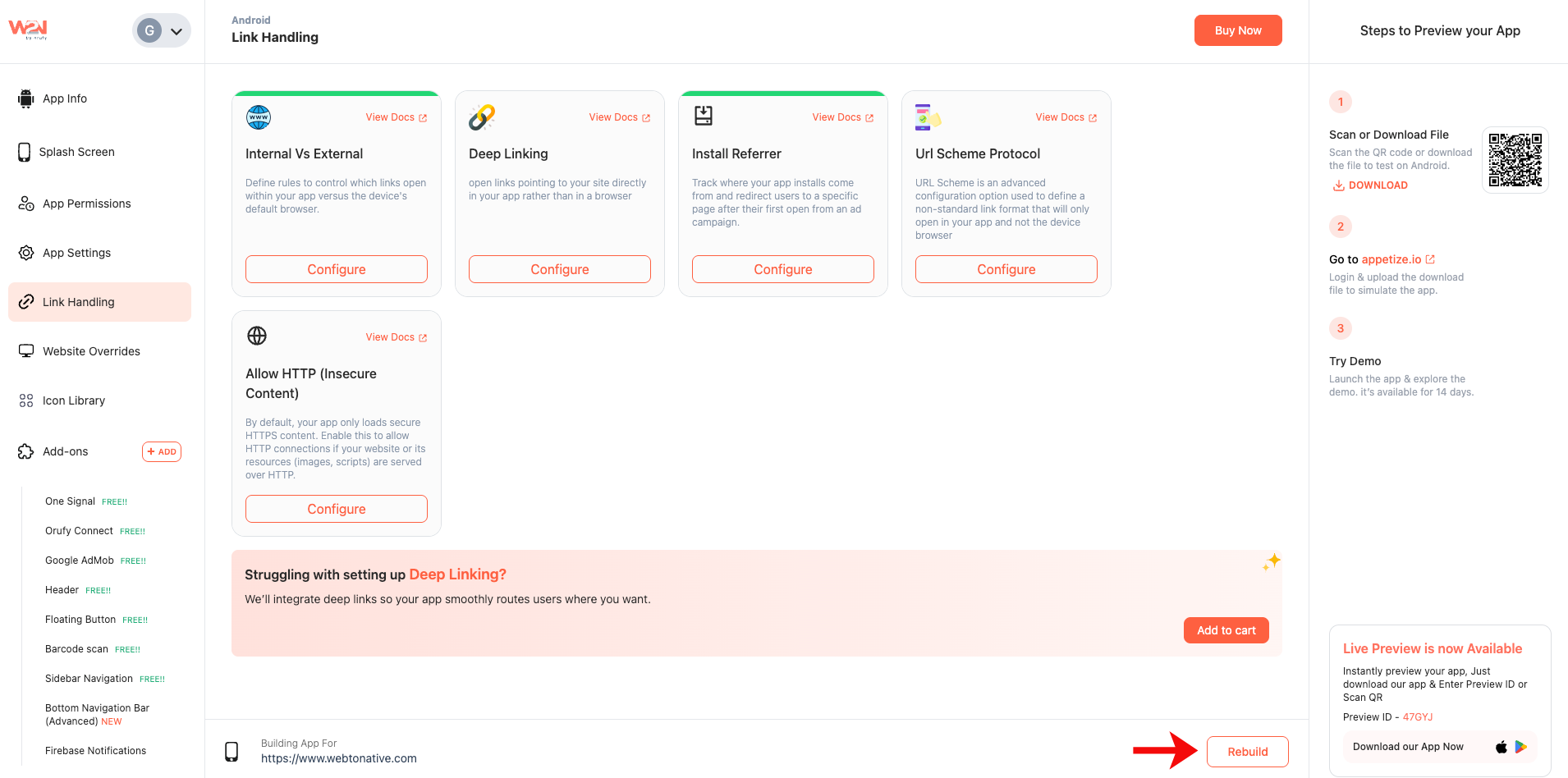
Rebuild
Rebuild your app to set up your install Referrer and start tracking referral installs
Benefits of Install Referrer

Install Tracking
Track where your Android app installs are coming from in real-time

Campaign Redirect
Redirect your first-time users to a page that links to a specific campaign

Link Performance
Check the performance of your referral links and user engagement