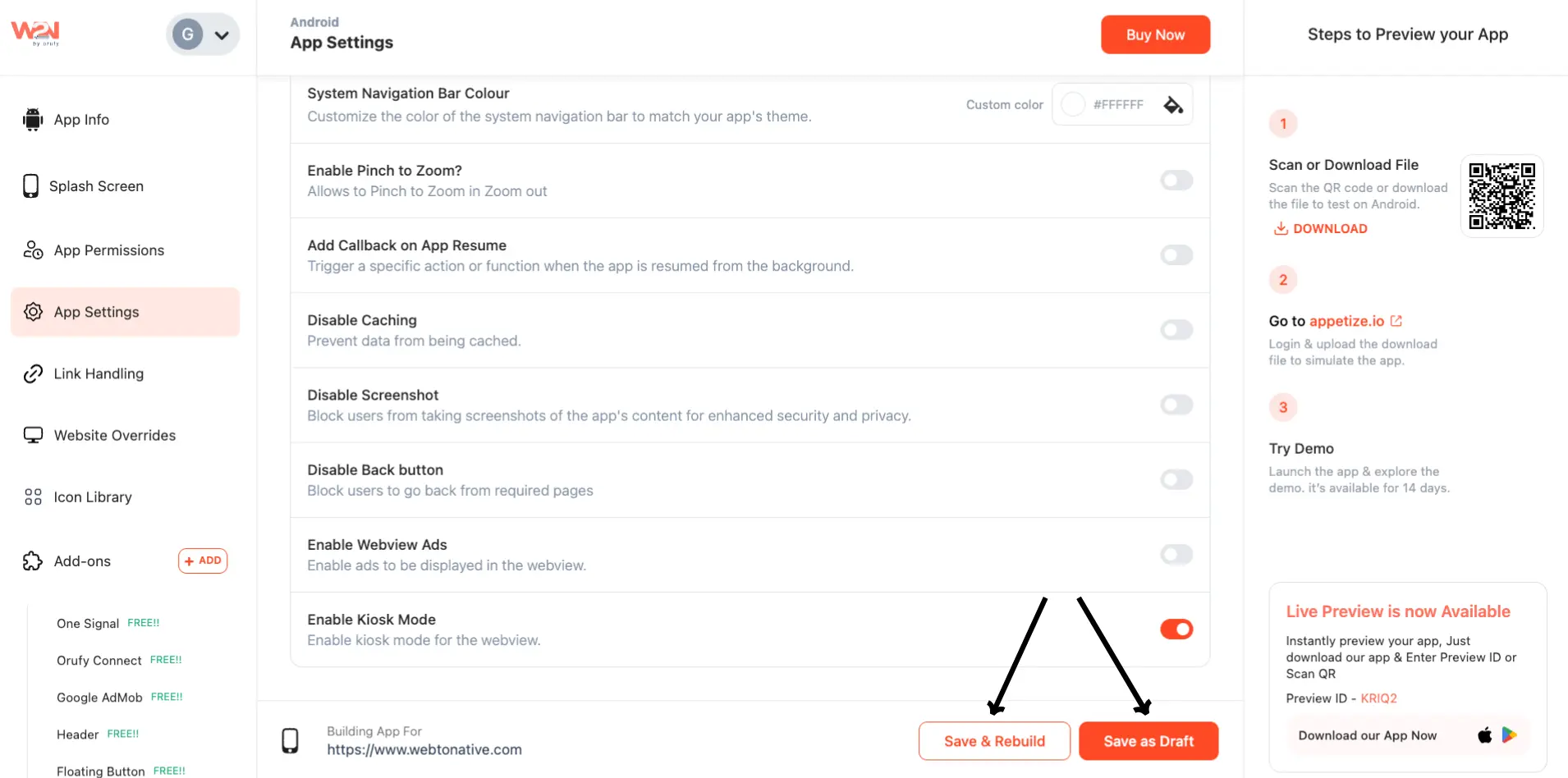
Kiosk
Kiosk Mode keeps your app running in a locked, full-screen view. This way, your users cannot leave it or use other settings and apps on the device. Your device screen stays on and blocks navigation controls, such as back buttons and other system settings. The mode is available only for Android apps and controls what users can do within the app. In addition, this mode is perfect for displays or self-service kiosks, and especially where you want an easy, secure, and focused experience.
Steps to Enable Kiosk Mode
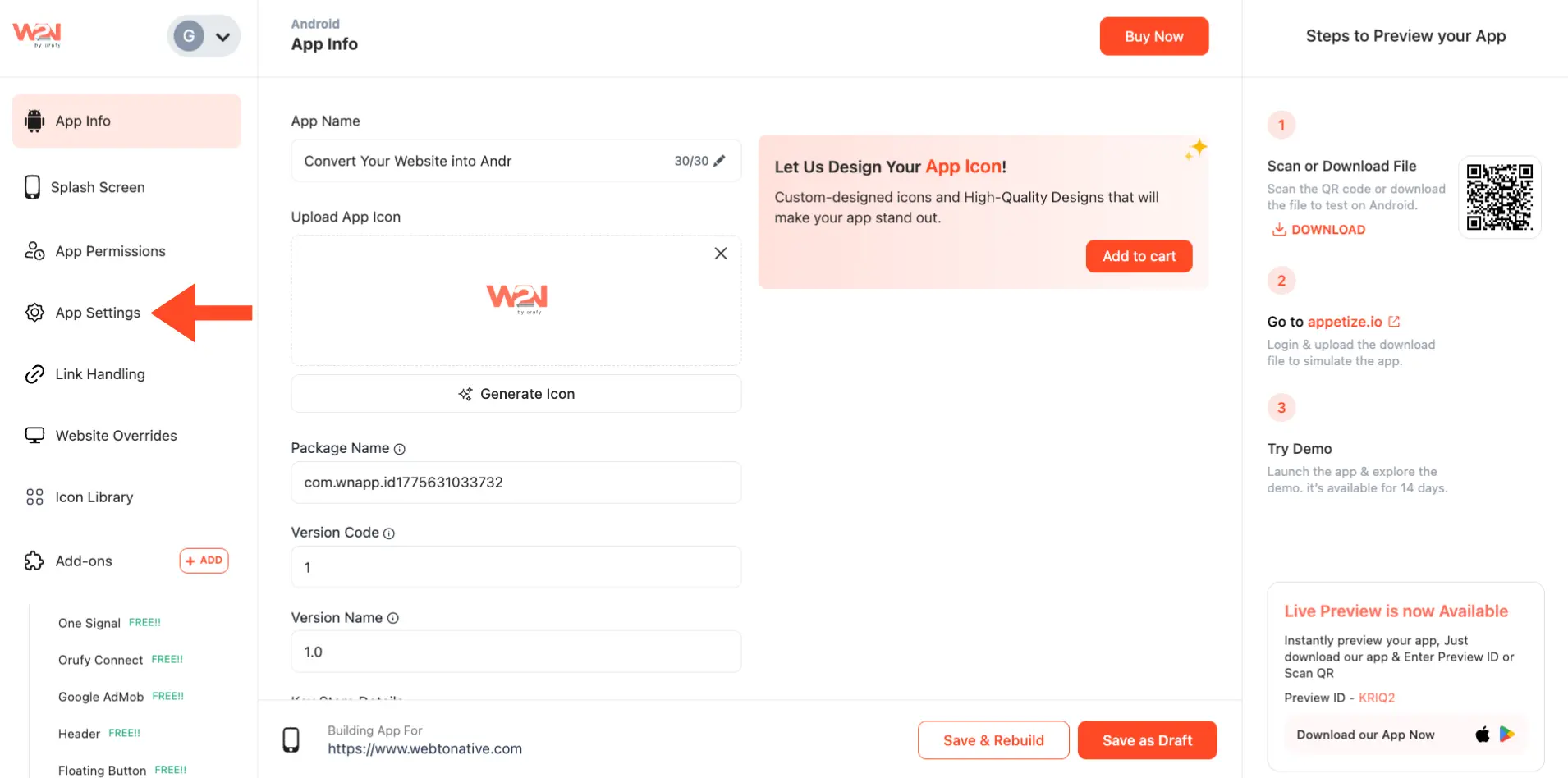
Step 1: Click on App Settings in the left sidebar of your WebToNative Dashboard
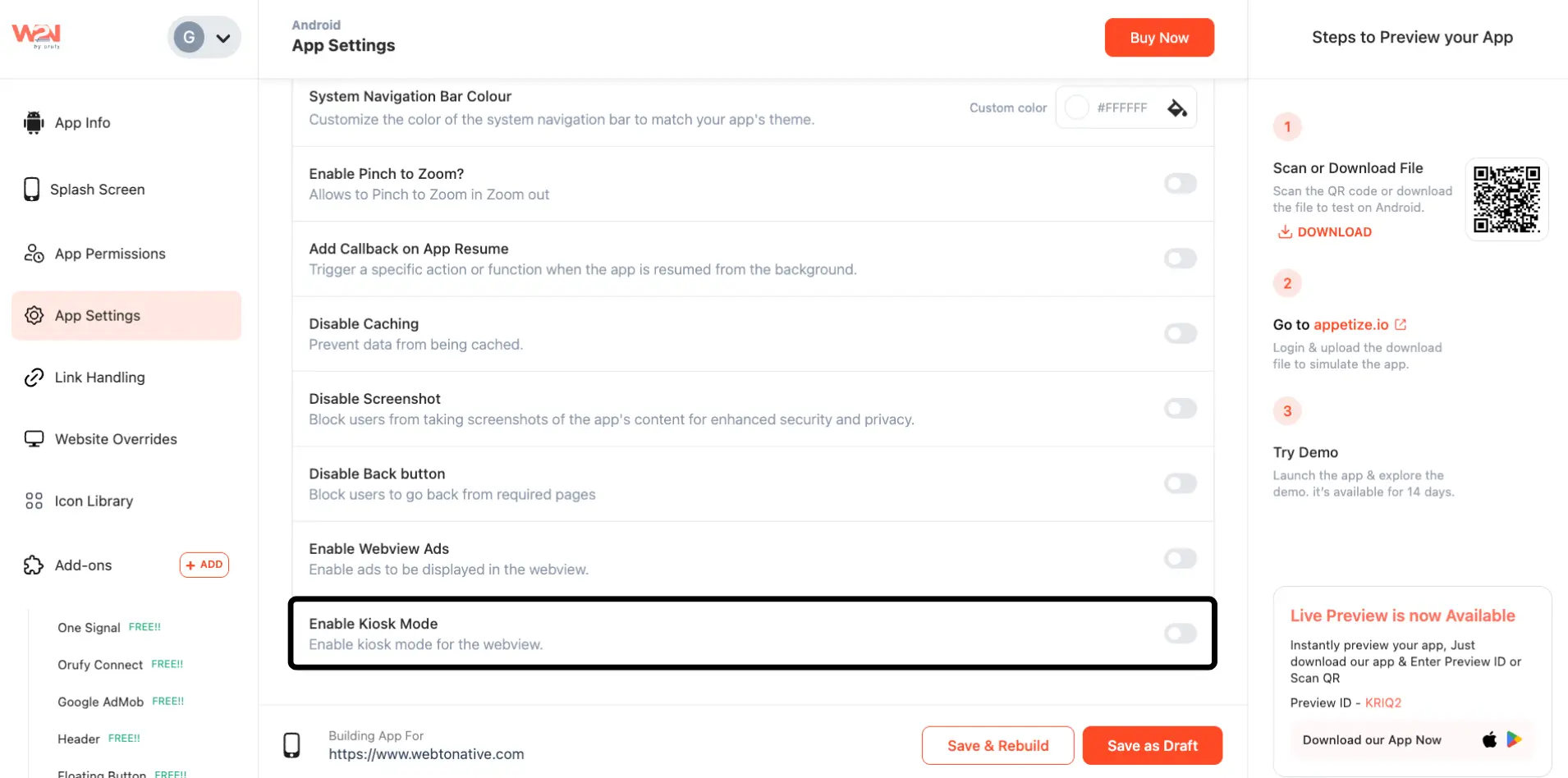
Step 2: Locate the “Enable Kiosk Mode”
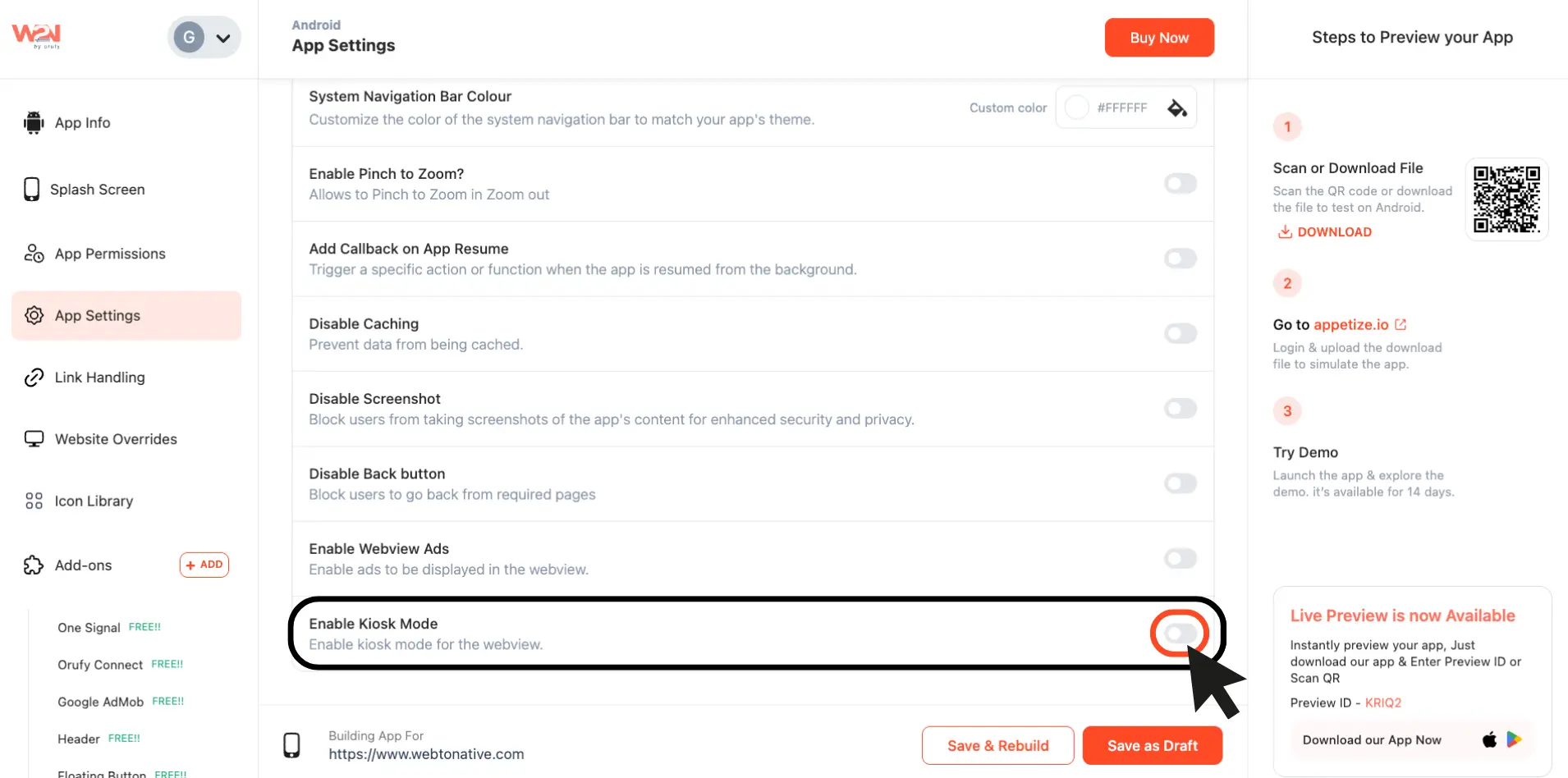
Step 3: Turn on the toggle to use it
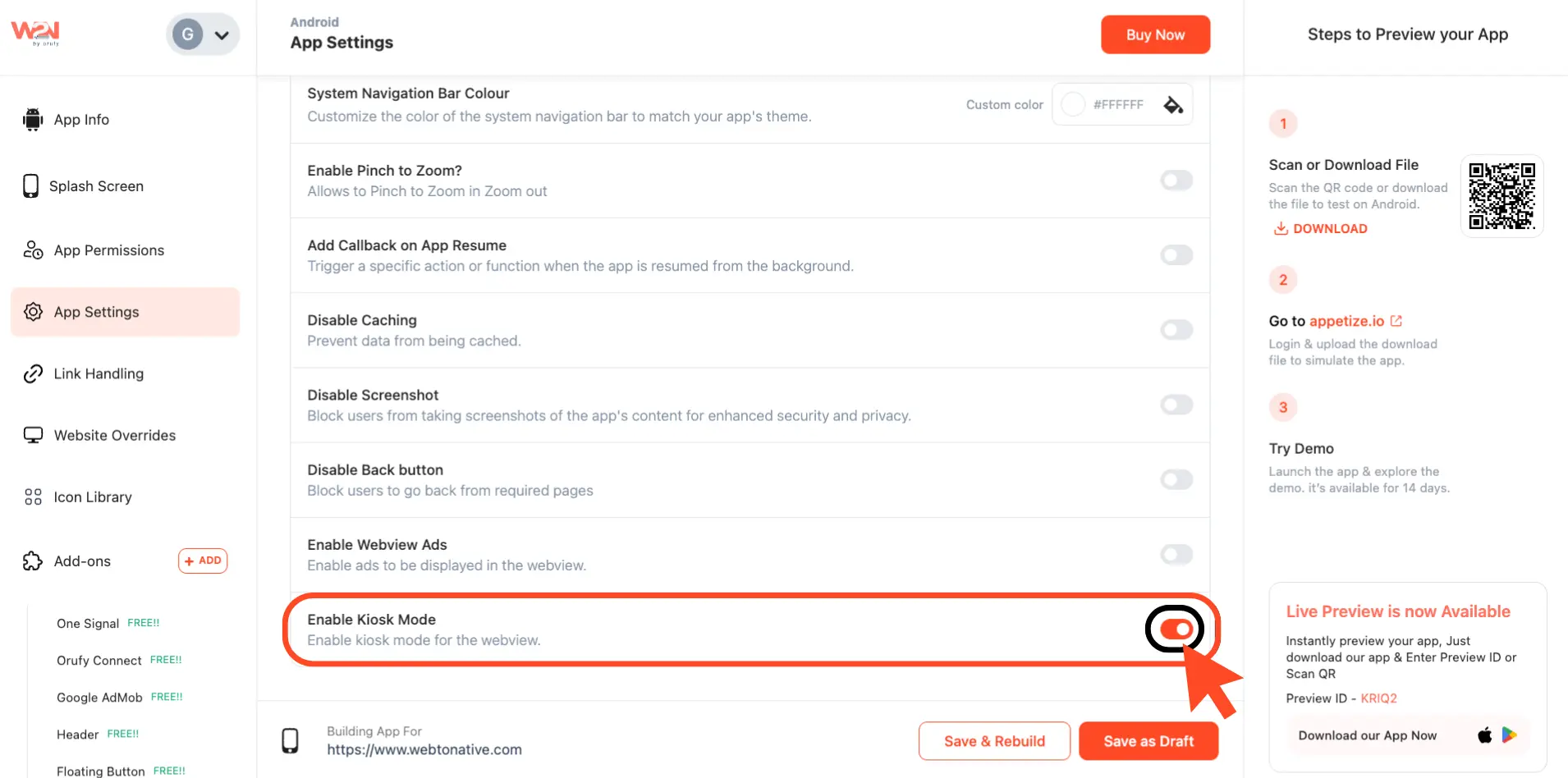
Step 4: Save the feature as a draft or directly rebuild, which will reflect in your app