



iOS Offline Persistence
The iOS Offline Persistence feature allows you to save content from selected domains. This way, your users can view important content even when their devices are offline. It delivers a seamless user experience by enabling access to key pages without an internet connection. Please note that Apple only supports caching for up to 5 unique domains, so you cannot add more than five.
Steps to Activating iOS Offline Persistence
Step 1: Navigate to Link Handling
- Log in to your WebToNative dashboard and choose your iOS app
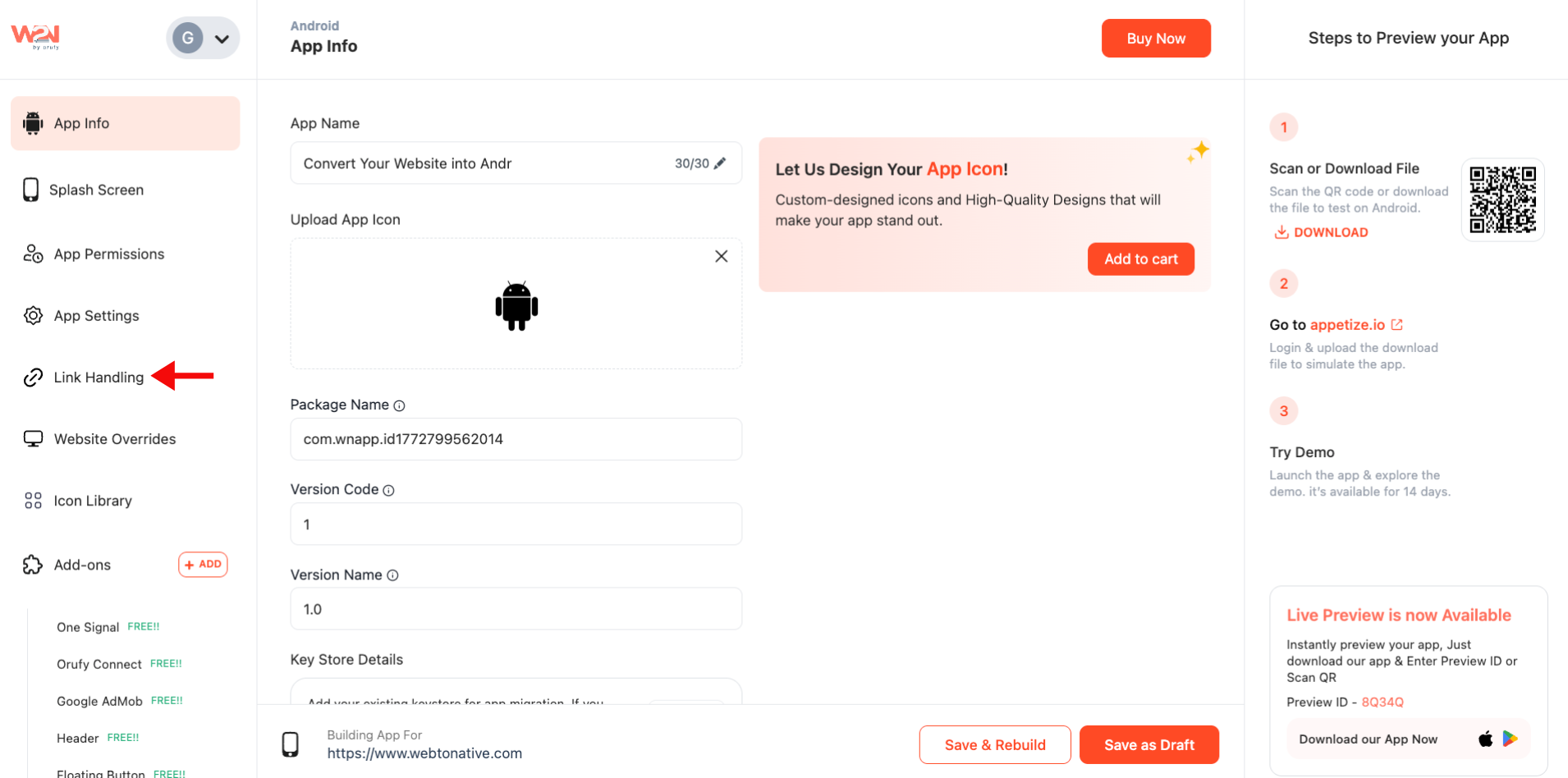
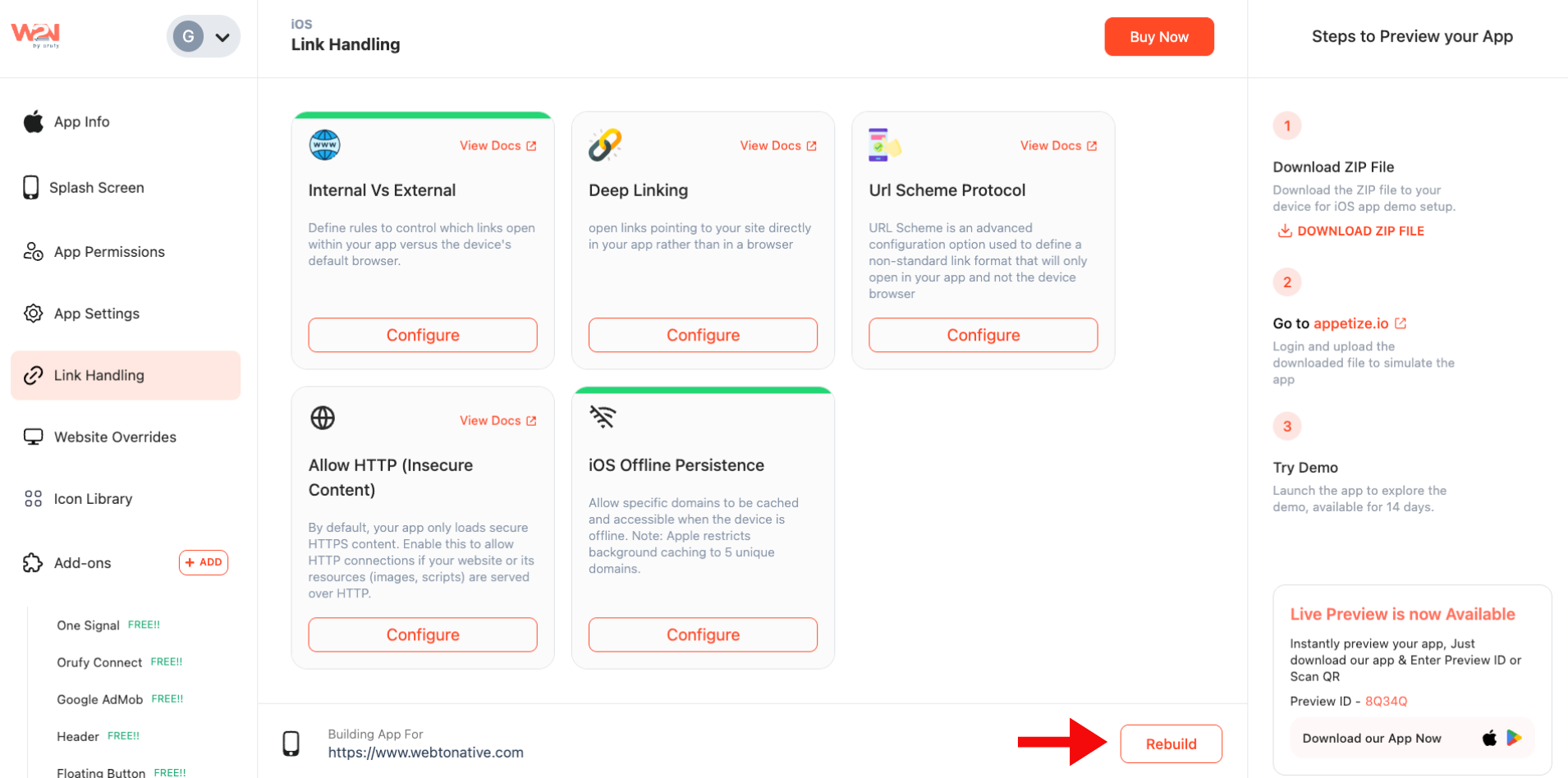
- After clicking on “Link Handling”, locate the iOS Offline Persistence feature
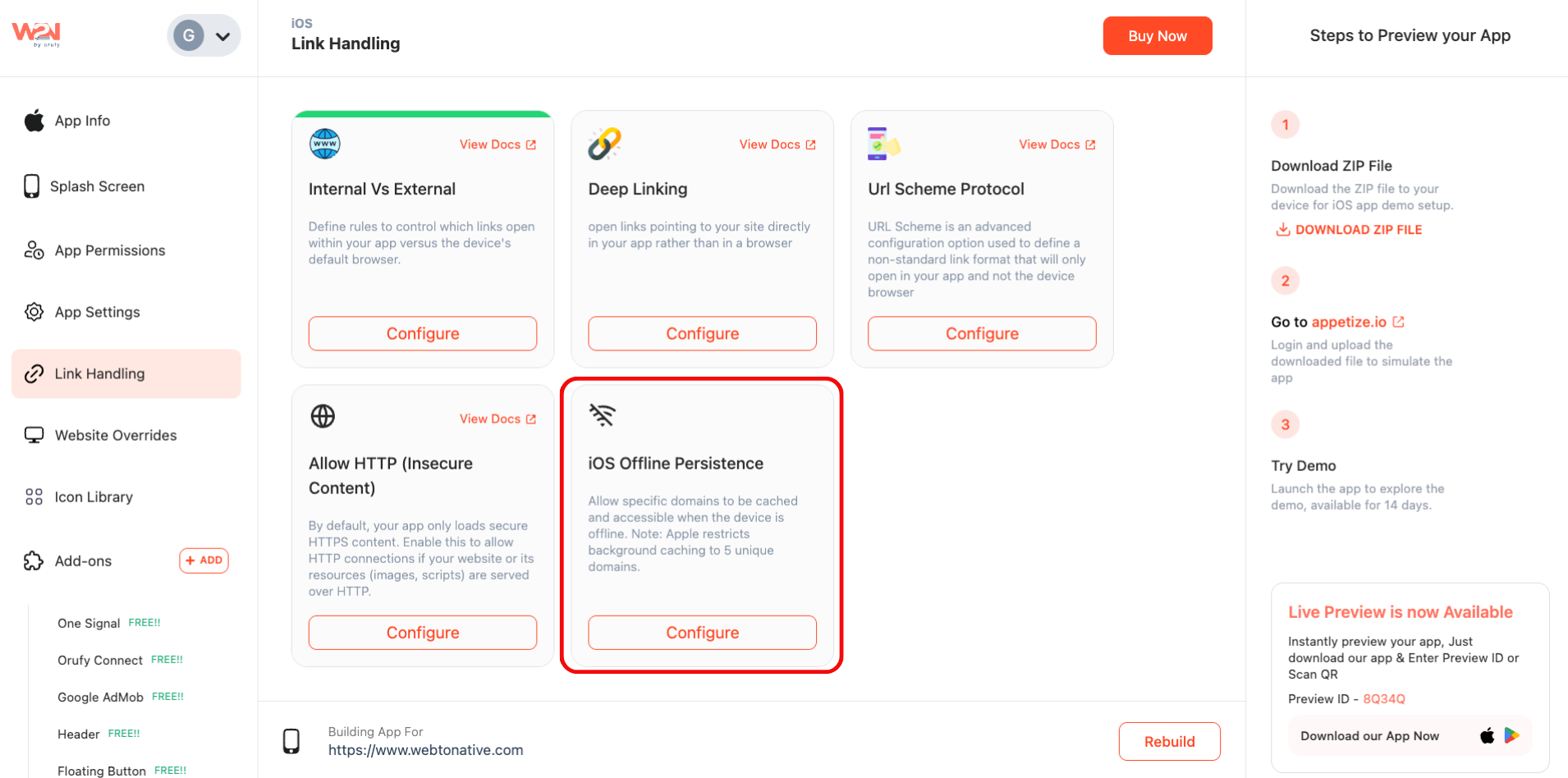
Step 2: Configure the Feature
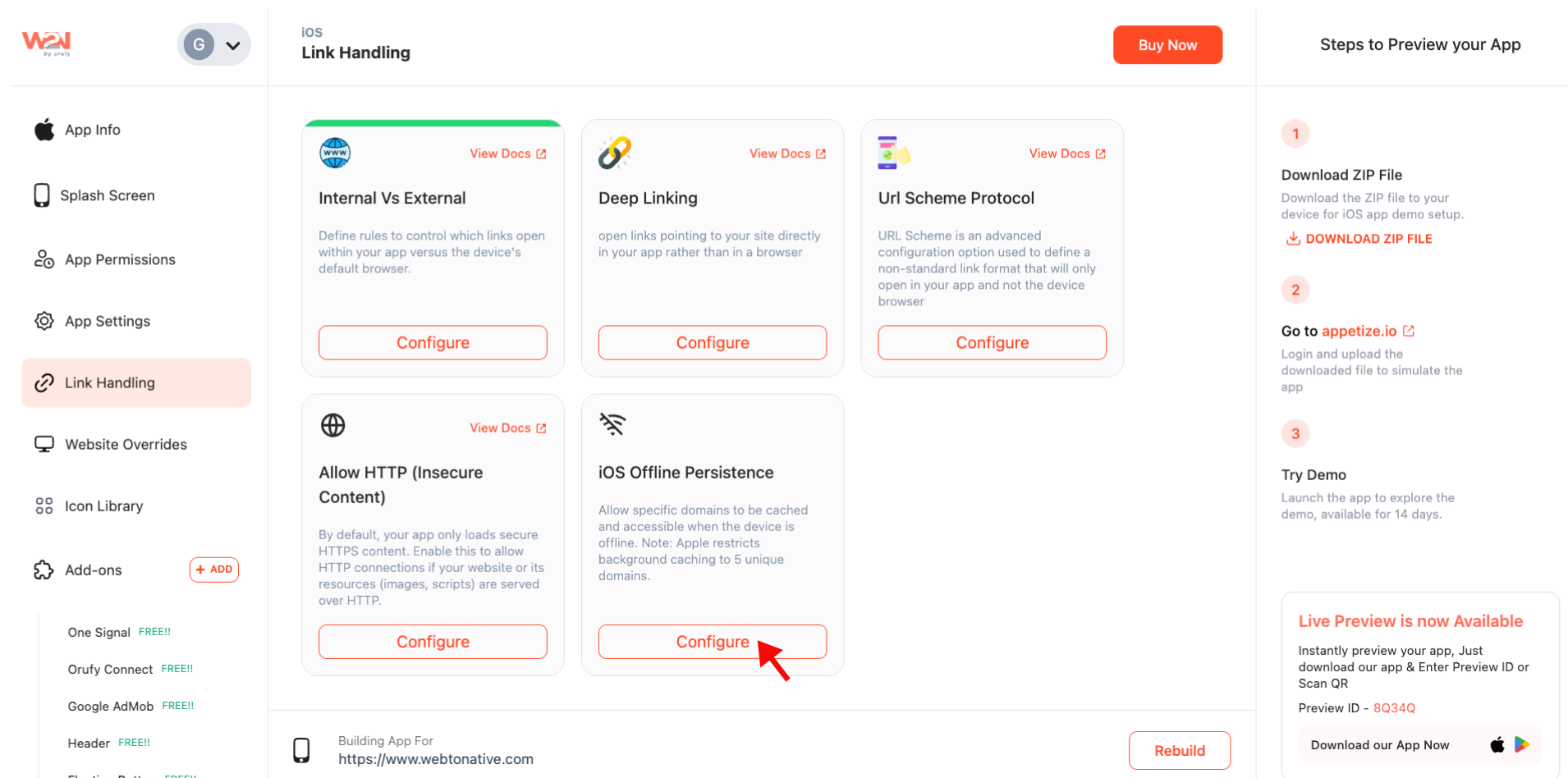
- Below the iOS Offline Persistence card, click on “Configure”
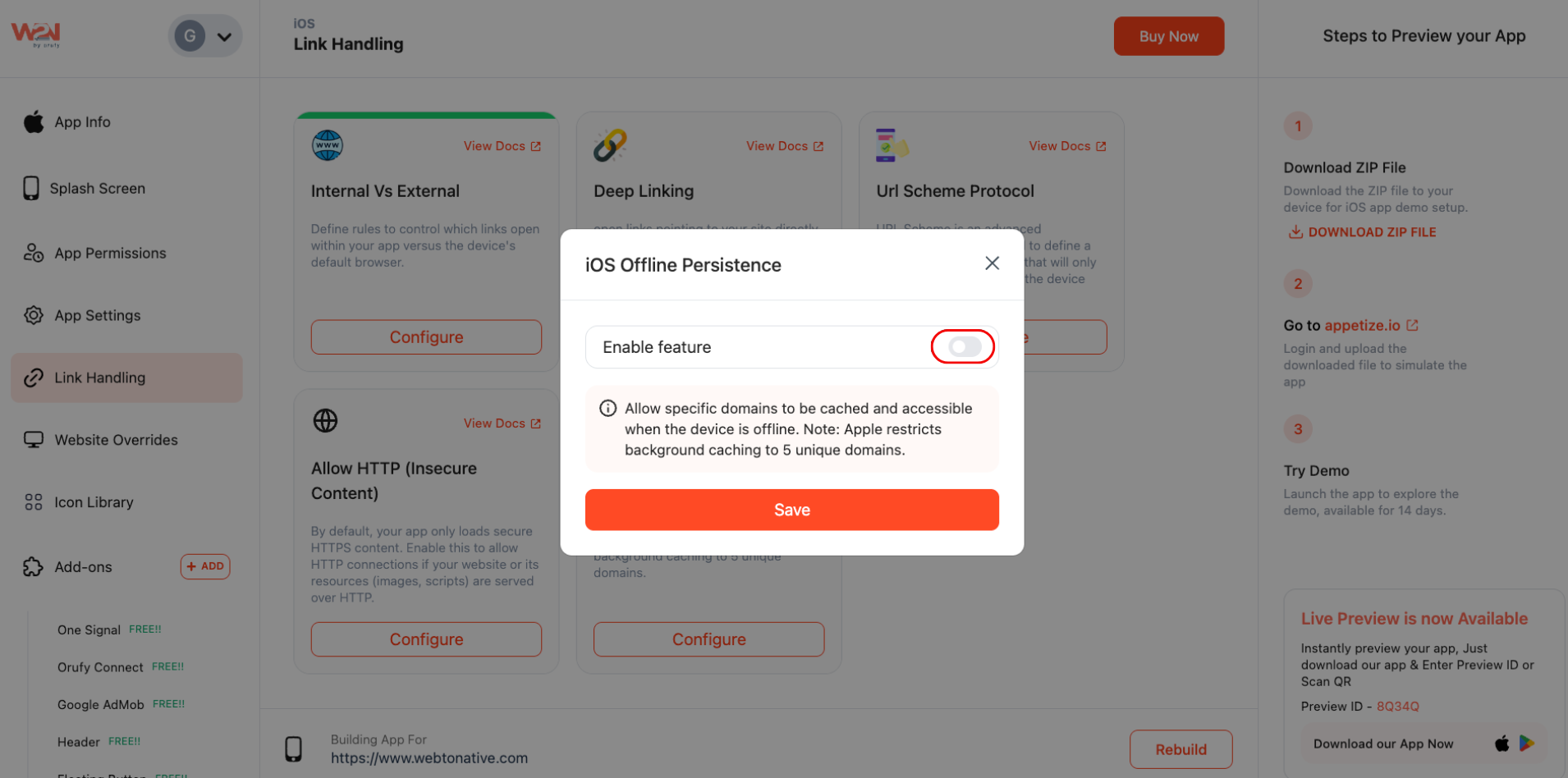
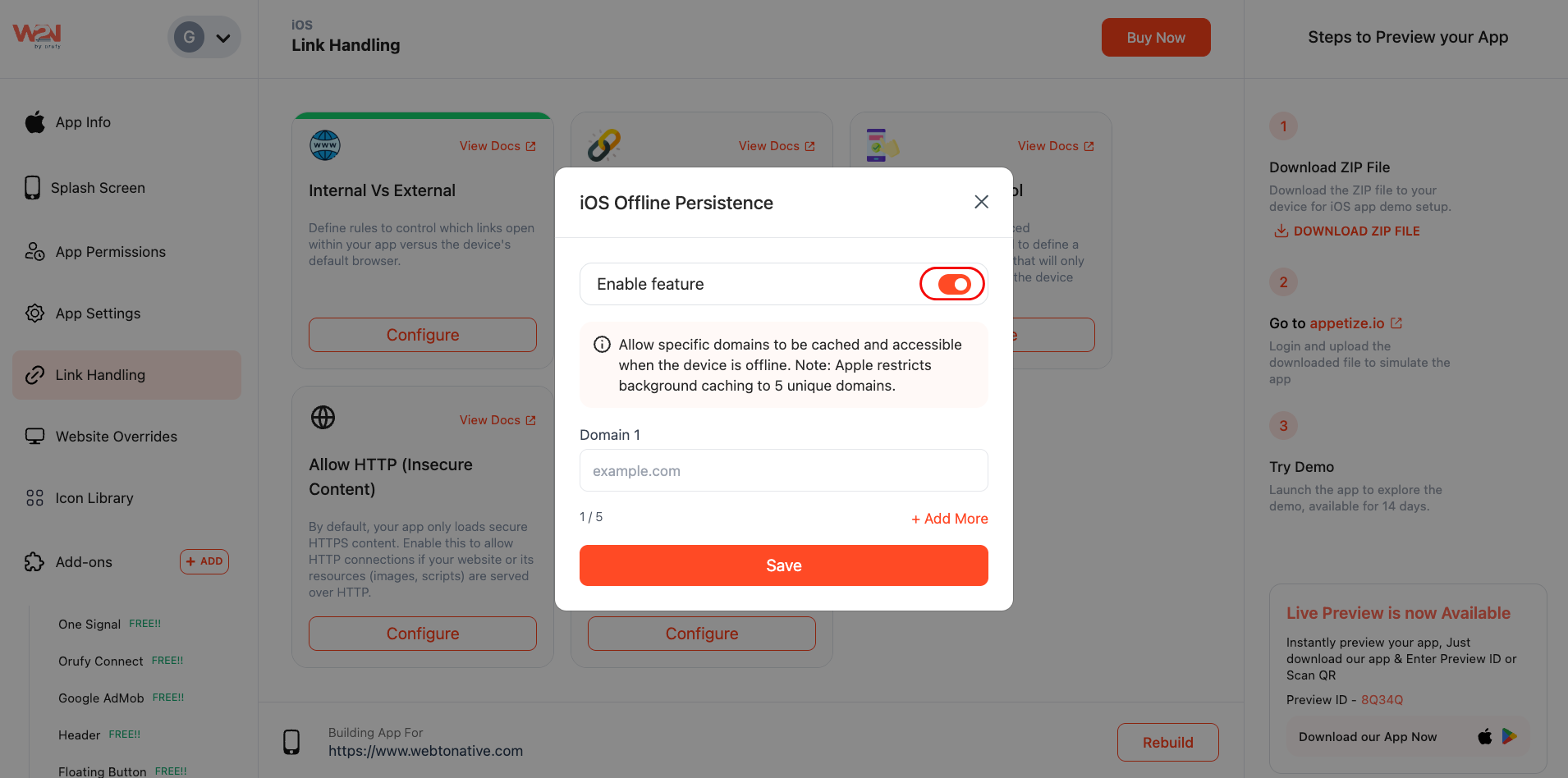
- Switch on iOS Offline Persistence to enable this feature
Step 3: Select Domains to Cache
- Enter the domain you want to cache in the Domain field
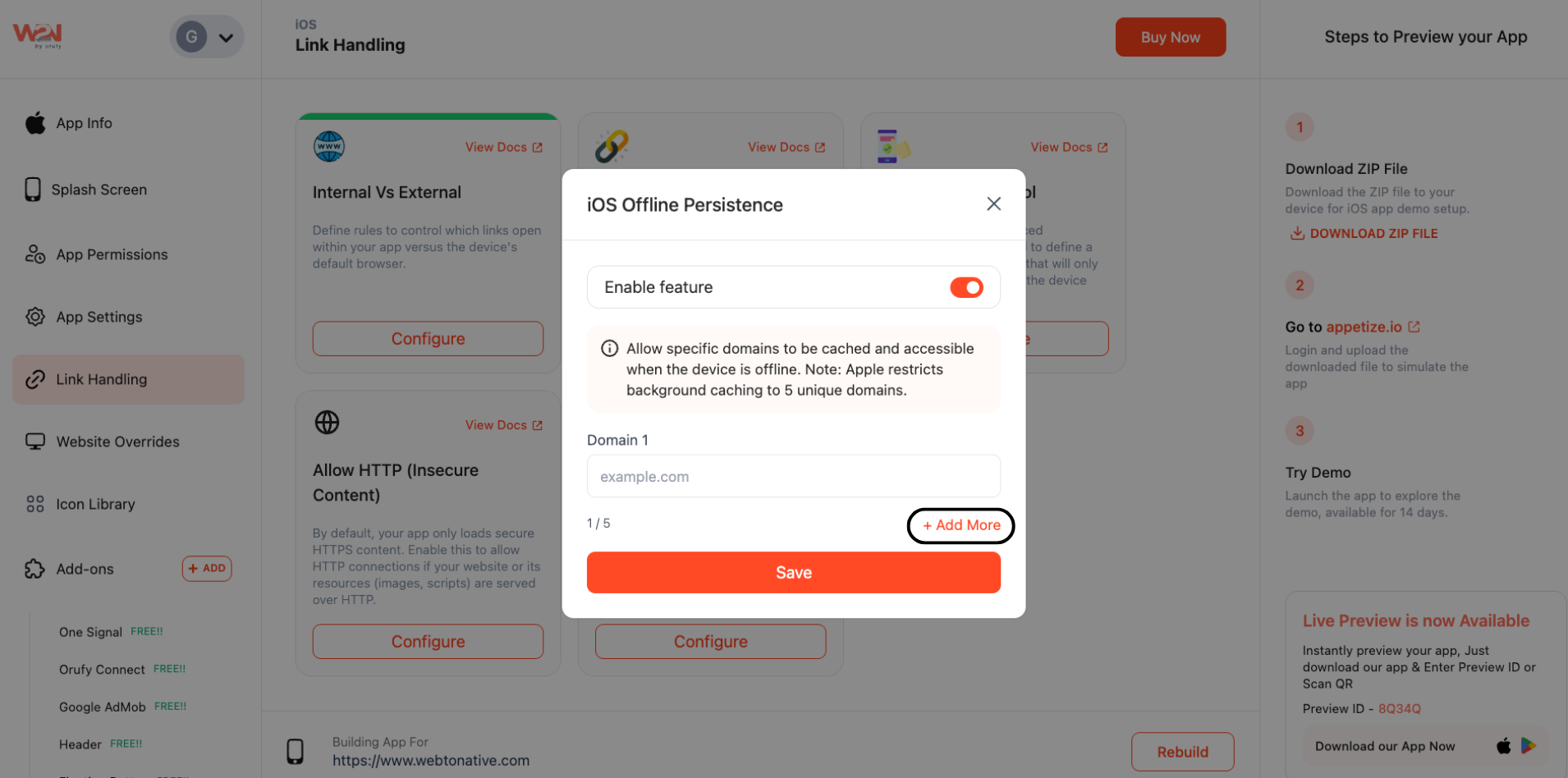
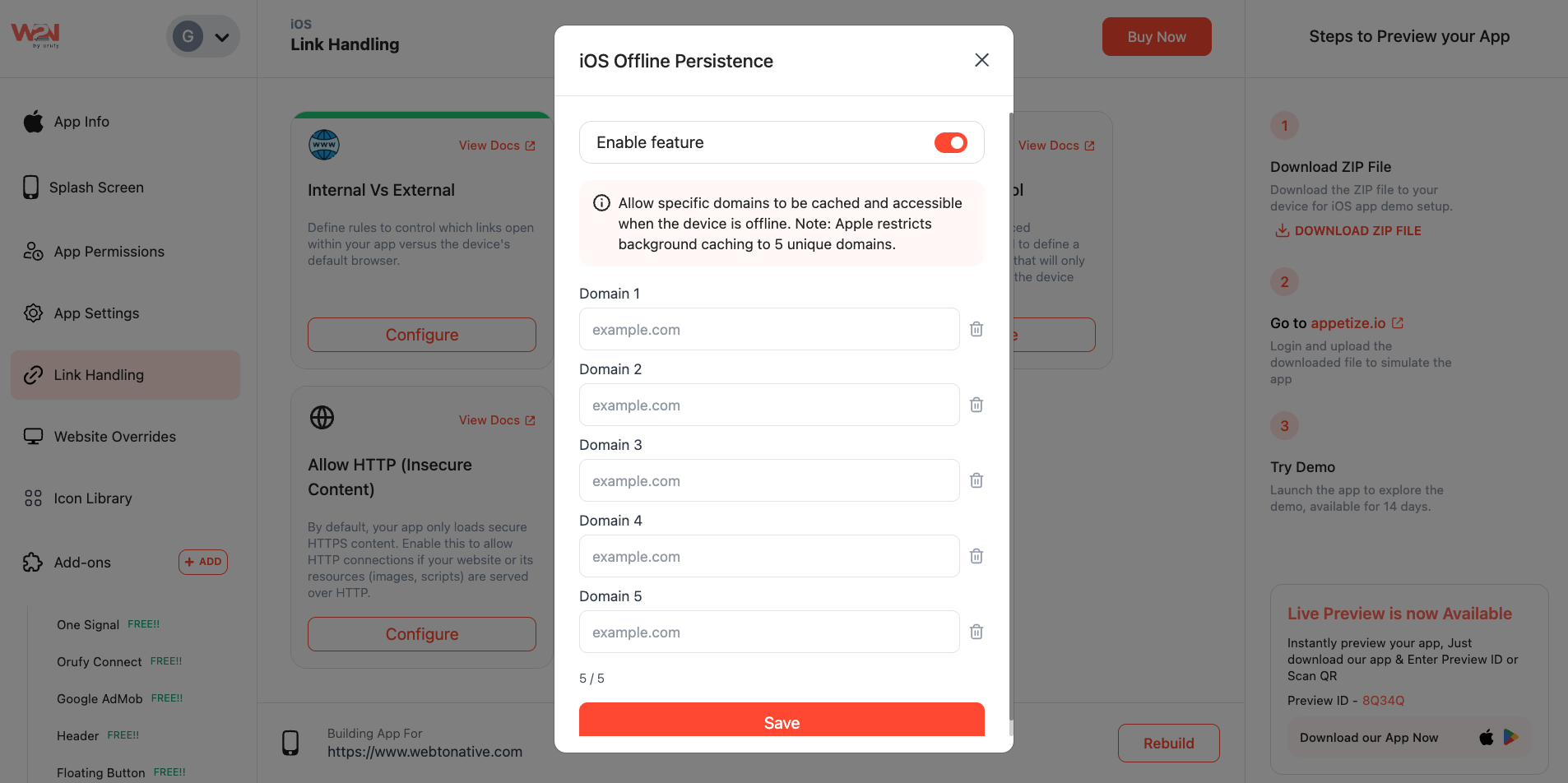
- The “+Add More” option allows you to add more domains. Apple allows you to cache for up to 5 domains
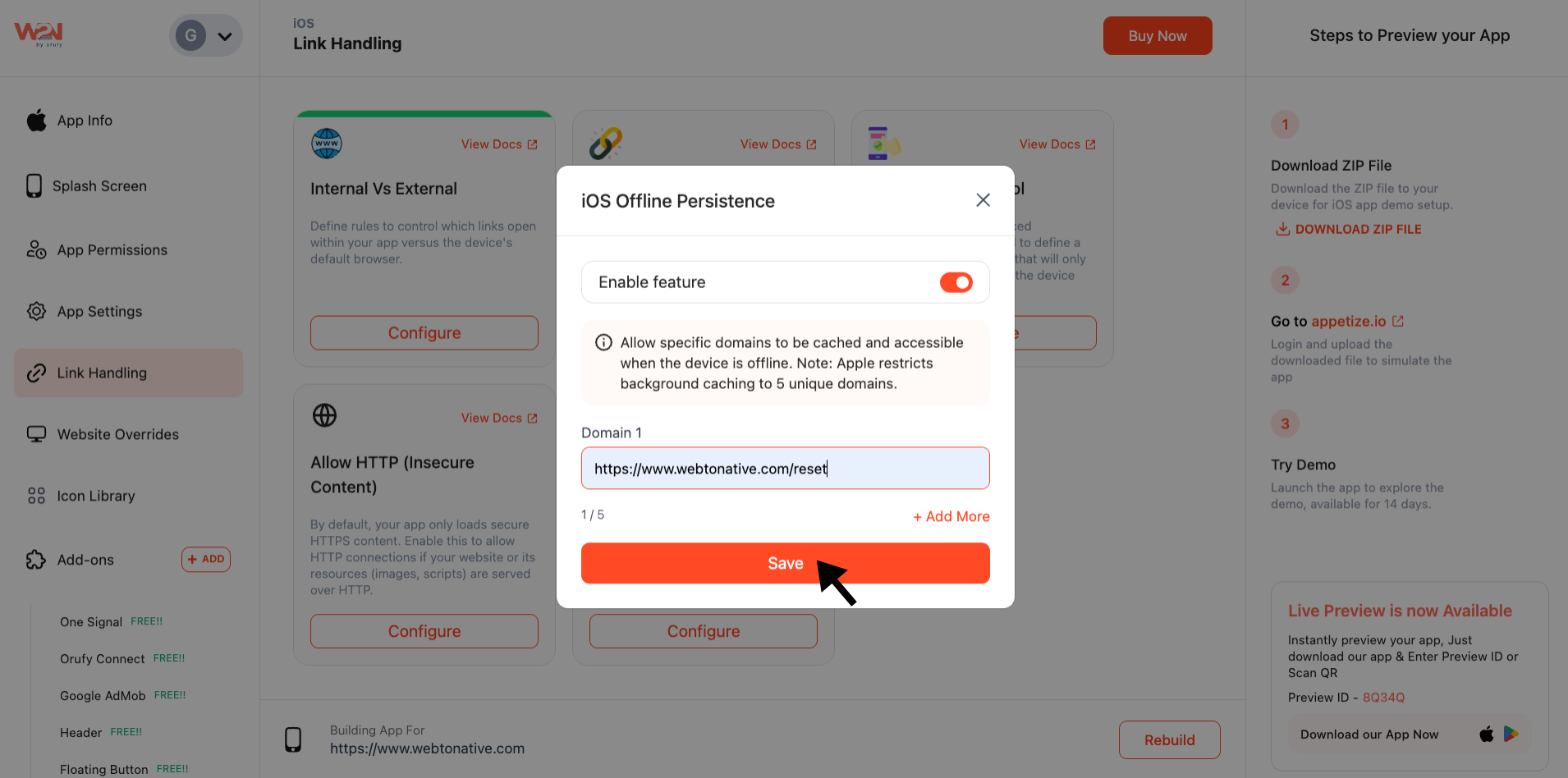
Step 4: Save Settings
Tap on “Save” to update your changes
Step 5: Rebuild
Rebuild your app to enable offline access for your selected domains
Benefits of iOS Offline Persistence for Your App
-
Smooth Browsing Offline: Users can access the key content without an internet connection
-
Consistent App Experience: Reduce users' frustration when connectivity is low or unavailable
-
Ready-to-Access Content: Ensure the most important pages are accessible anytime
-
Increase Engagement: Keep your users interacting with your app even when they are offline
-
Optimized Caching: Pick up to 5 domains for smoother performance